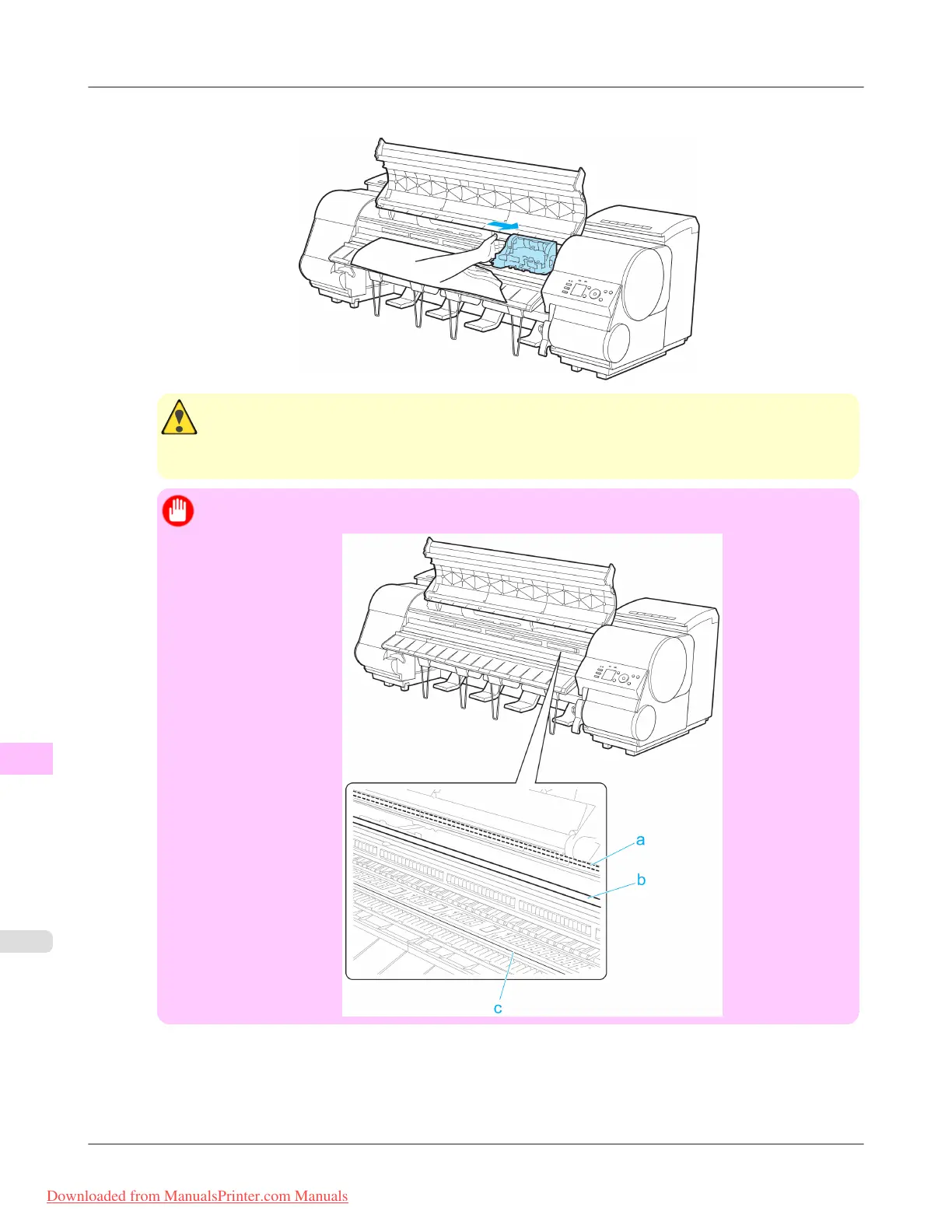
3. If the Carriage is out, move the Carriage out of the way, away from the paper.
Caution
• If you push the Carriage to the left edge, the blade of the Cutter Unit will be lowered in preparation to
cut the paper. Be careful not to pinch your fingers between the Carriage and Platen if you have push-
ed the Carriage to the left edge or if a paper jam occurs during cutting.
Important
• Do not touch the Linear Scale (a), Carriage Shaft (b), or Fixed Blade (c).
Troubleshooting
>
Problems Regarding Paper
>
Clearing a Jammed Sheet iPF8300
12
1048
Downloaded from ManualsPrinter.com Manuals














 To Next Page