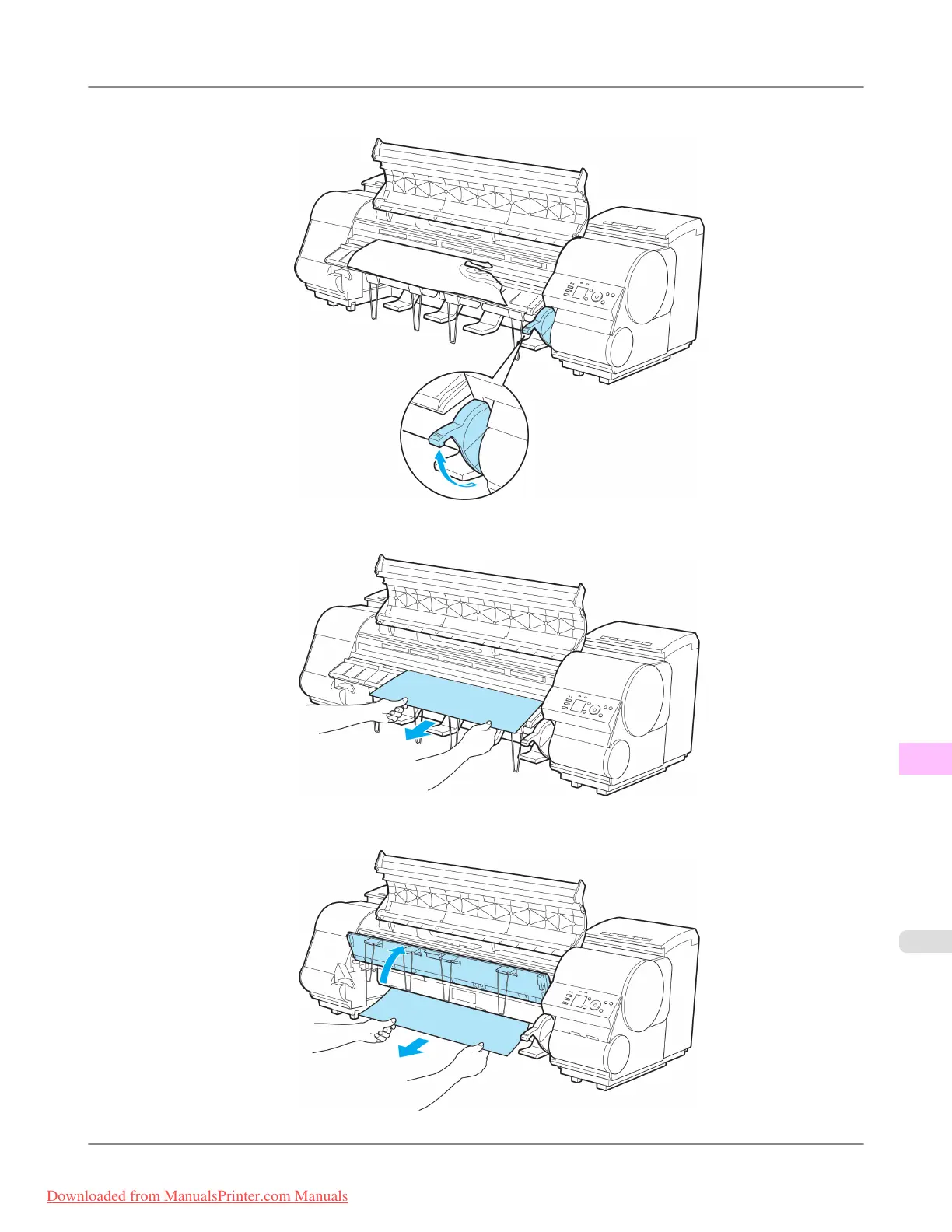
4. Lift the Release Lever.
5. If the paper is visible, hold the paper and pull it out toward the front.
6. If the paper is not visible, lift the Ejection Guide, remove the Roll Holder, and clear the paper jam from below.
Troubleshooting
>
Problems Regarding Paper
>
iPF8300 Clearing a Jammed Sheet
12
1049
Downloaded from ManualsPrinter.com Manuals














 To Next Page