After removing the paper, make sure there are no other scraps of paper in the printer, and then lower the Ejection
Guide.
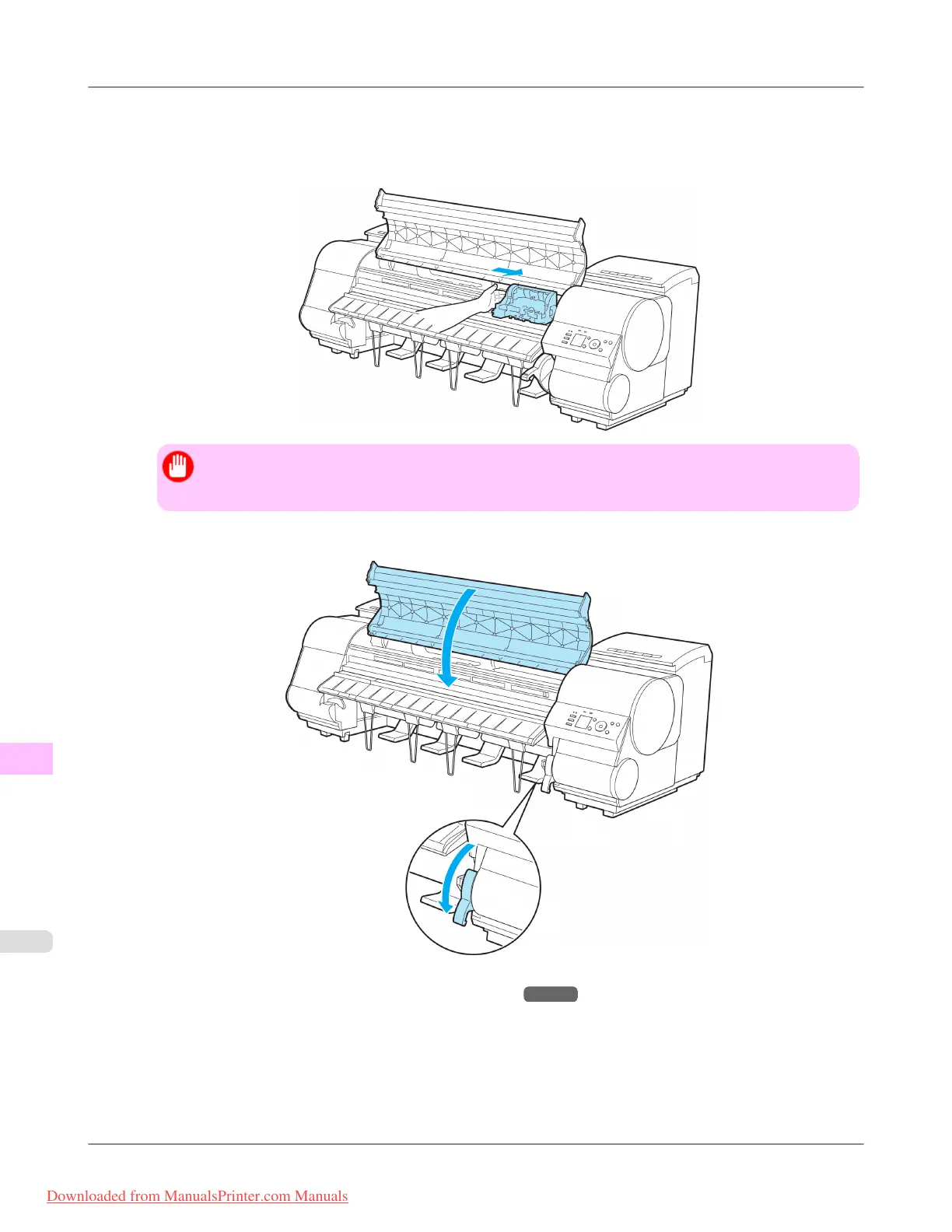
7. If the Carriage is on the left, move the Carriage to the right until it stops.
Important
• Always move the Carriage to the right side. If the Carriage is on the left, a Carriage error may occur
when you turn on the printer.
8. Lower the Release Lever and close the Top Cover.
9. Turn the printer on. (See "Turning the Printer On and Off.") →P.893
Troubleshooting
>
Problems Regarding Paper
>
Clearing a Jammed Sheet iPF8300
12
1050
Downloaded from ManualsPrinter.com Manuals














 To Next Page