Note
• If you do not want to print the object border, deselect the Print Object Frames check box.
Object Frame Style
You can select the object frame style for printing.
The following settings are available for the object frame style.
Setting Details
Solid Line You can print the solid line as the frame style.
Dotted Line You can print the dotted line as the frame style.
Dashed Line You can print the dashed line as the frame style.
Auto Arrange Spacing
Change the object-to-object spacing to be applied in the operation of laying out objects automatically.
Note
• You can input between 0.0 and 100.0(mm) (between 0.00 and 3.94(inch)).
• You can change the numbers by clicking either ▲ button or ▼ button.
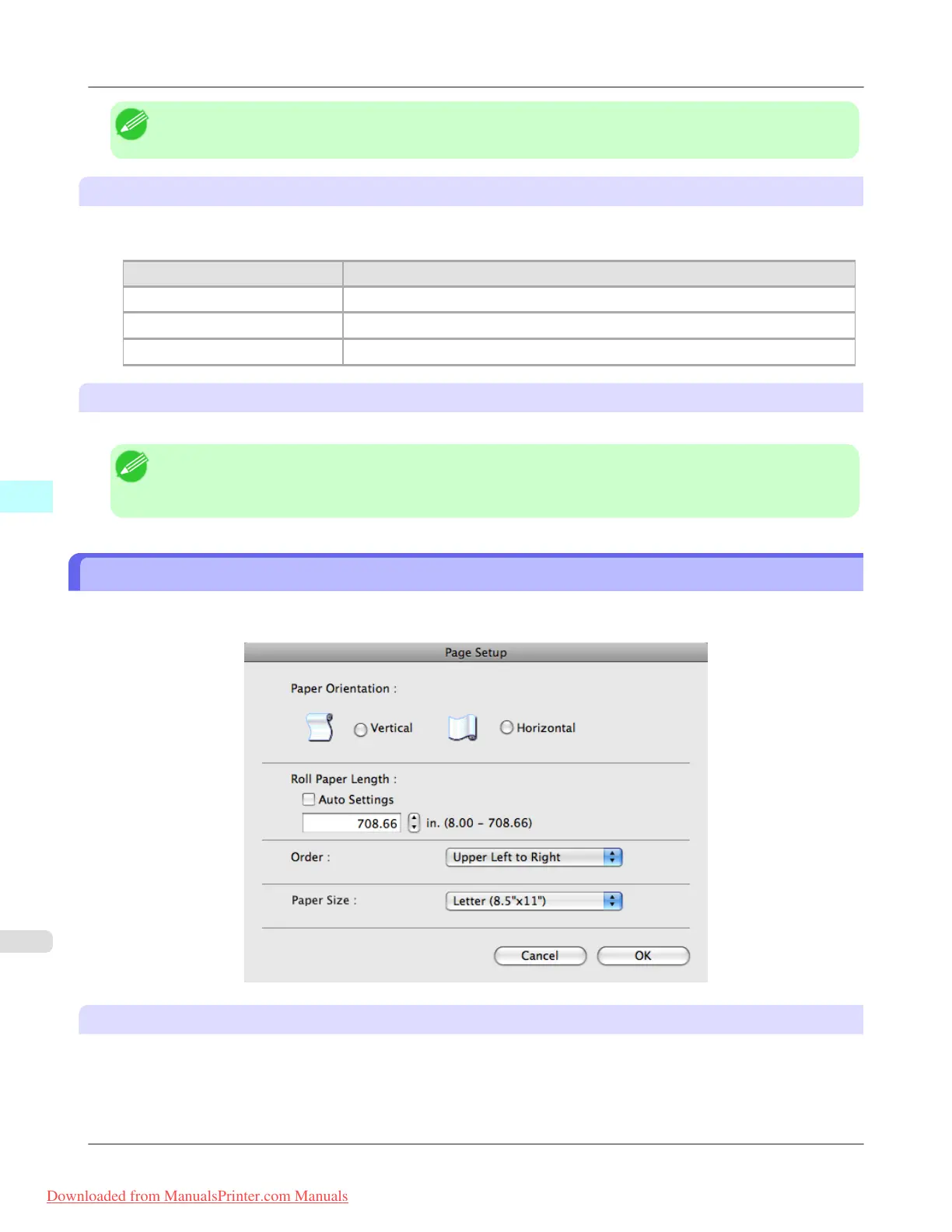
Page Setup Dialog Box
This dialog box appears when you select Page Setup from the File menu.This dialog box provides selections for setting the
media size, orientation and other important features.
Paper Orientation
This selects the paper orientation.
The following settings are available for orientation.
Mac OS X Software
>
Free Layout
>
Page Setup Dialog Box iPF8300
5
564
Downloaded from ManualsPrinter.com Manuals














 To Next Page