Save Curves button
Click the button to stores the current tone curve settings.
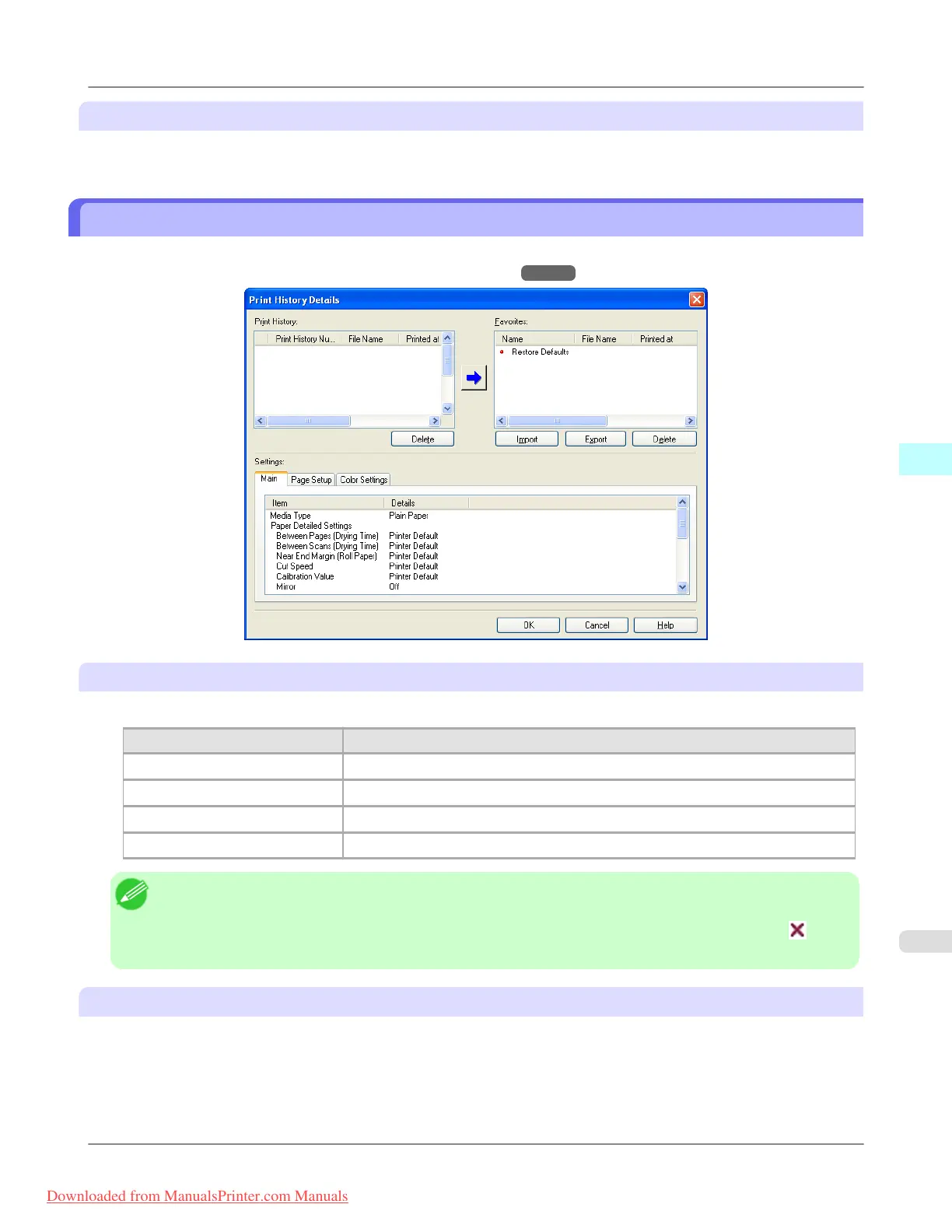
Print History Details Dialog Box
This dialog box appears when you click the Details button on the Print History Sheet. This controls print history. For more
information about Print History Details, see "Utilize Print History." →P.352
Print History
Print History appears in list format.
Display Items Details
Print History Number Displays the print history number.
File Name Displays image file name.
Printed at Displays time and date of printing.
Comment Displays comment details.
Note
• Up to 200 print history items can be displayed. All items above 200 are deleted.
• When you cannot print properly because you canceled the printing or an error occurred, appears to the
left of the print history number.
Delete button
Click the button to delete the selected print history.
Windows Software
>
Print Plug-In for Photoshop/Digital Photo Professional
>
iPF8300 Print History Details Dialog Box
4
329
Downloaded from ManualsPrinter.com Manuals














 To Next Page