Adjust the Colors while Checking the Preview (for Color)
You can adjust the colors while checking the adjustments in the preview.
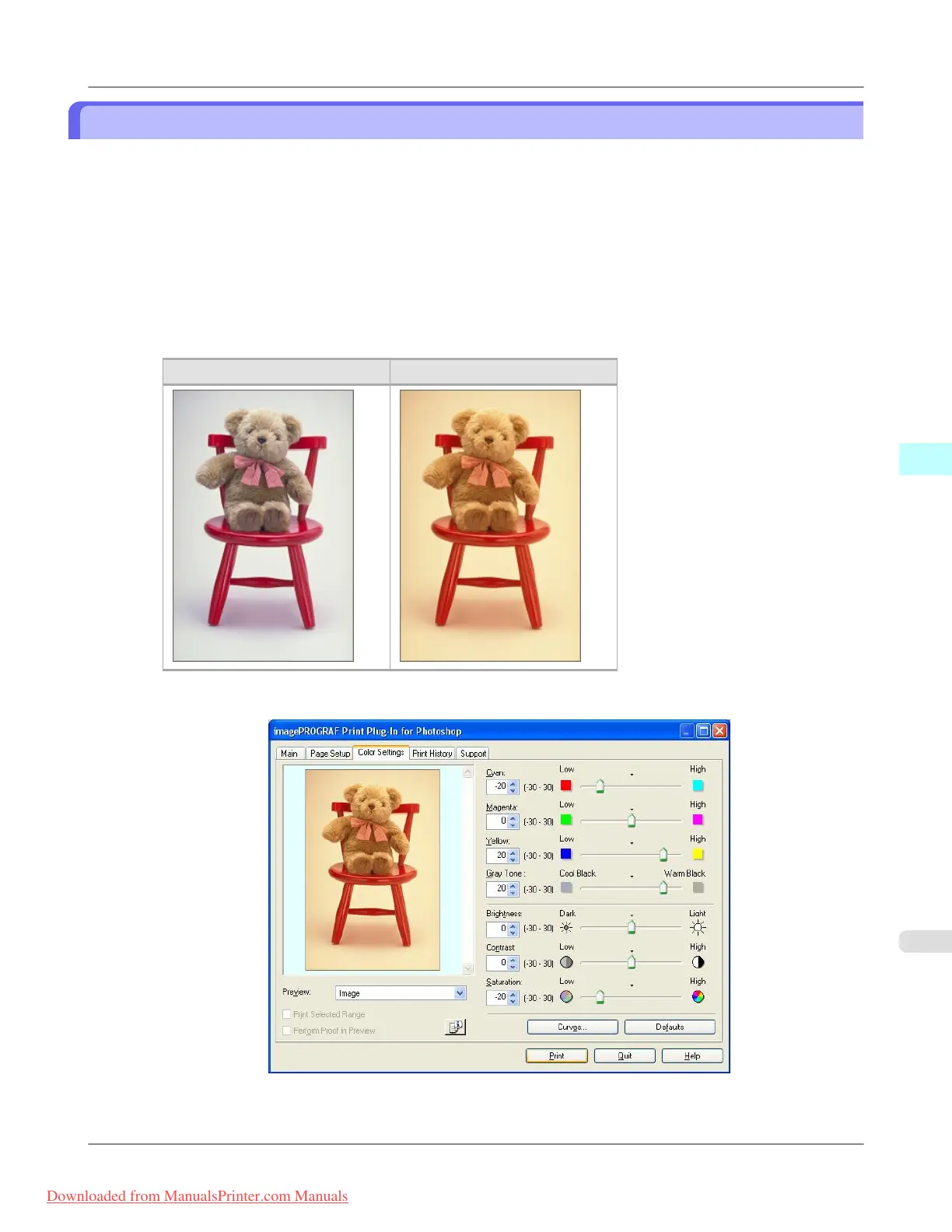
The following explanation is on the procedures for adjusting example image below.
• Low for Cyan
• High for Yellow
• Low for Saturation
• Warm Black for Gray Tone
• Enhance brightness for the curves
The above image adjustments are reflected in the before and after images below.
Before Application After Application
1. Display the Color Settings sheet.
2. Drag the slide bar in the direction of Low in Cyan.
Windows Software
>
Print Plug-In for Photoshop/Digital Photo Professional
>
iPF8300 Adjust the Colors while Checking the Preview (for Color)
4
335
Downloaded from ManualsPrinter.com Manuals














 To Next Page