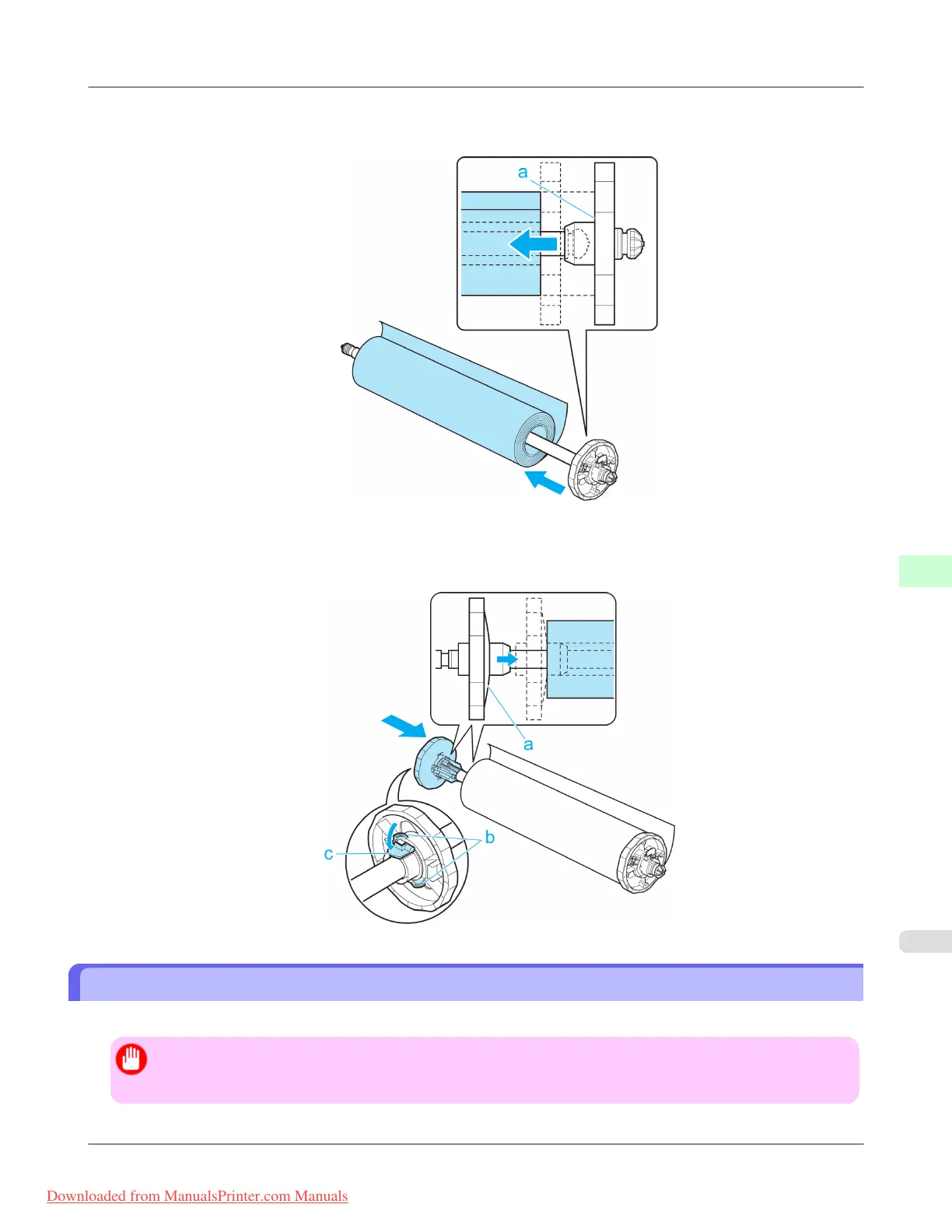
3. With the edge of the roll paper facing forward as shown, insert the Roll Holder from the right of the roll. Insert it
firmly until the roll touches the flange (a) of the Roll Holder, leaving no gap.
4. Insert the Holder Stopper from the left in the Roll Holder as shown. Holding it at the position shown (b), push it
firmly in until the flange (a) of the Holder Stopper touches the roll. Lock the Holder Stopper lever (c) by pushing it
down toward the shaft side.
Loading Rolls in the Printer
Follow these steps to load rolls in the printer.
Important
• Always load rolls when the printer is on. If the printer is off when you load a roll, the paper may not be
advanced correctly when you turn the printer on.
Handling Paper
>
Handling rolls
>
iPF8300 Loading Rolls in the Printer
7
777
Downloaded from ManualsPrinter.com Manuals














 To Next Page