Note
• You can check the adjustments in the preview display.
Saturation
You can adjust the saturation of vivid color balance to dark color balance by either inputting a numerical value or dragging
the slide bar.
Note
• You can check the adjustments in the preview display.
Curves button
Click the button to open the Curves dialog box then set the Channel and other settings.
For more information about Curves, see "Curves Dialog Box." →P.328
Defaults button
Click the button to return all of the settings on the Color Settings sheet to their defaults.
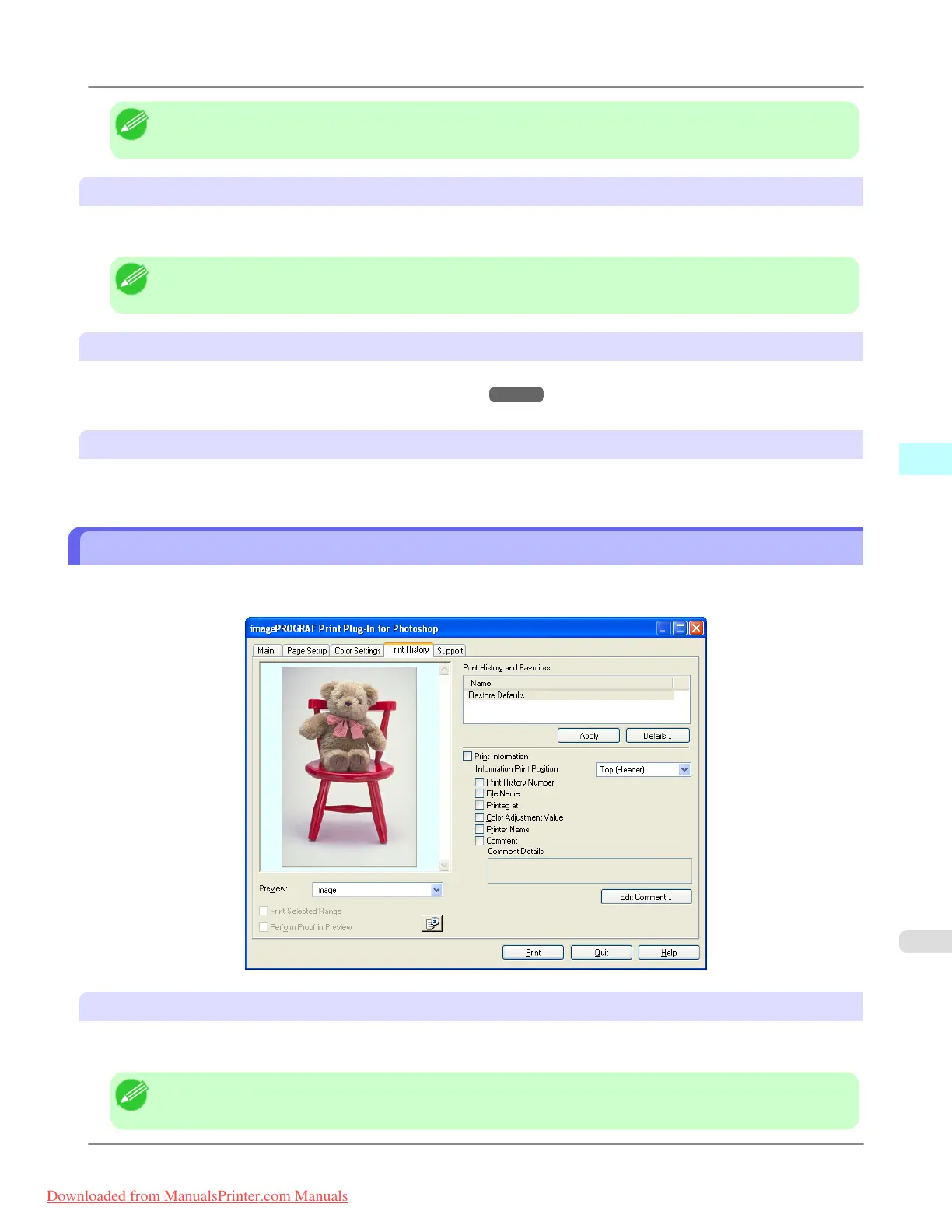
Print History Sheet
You can use this sheet to apply settings history used in printing, and to print information, such as the image file name, with
the image.
Print History and Favorites
This displays a list of print preferences.
Select Restore Defaults and click the Apply button to restore all settings to their initial settings.
Note
• You can check the 3 print preferences in the preview display.
Windows Software
>
Print Plug-In for Photoshop/Digital Photo Professional
>
iPF8300 Print History Sheet
4
319
Downloaded from ManualsPrinter.com Manuals














 To Next Page