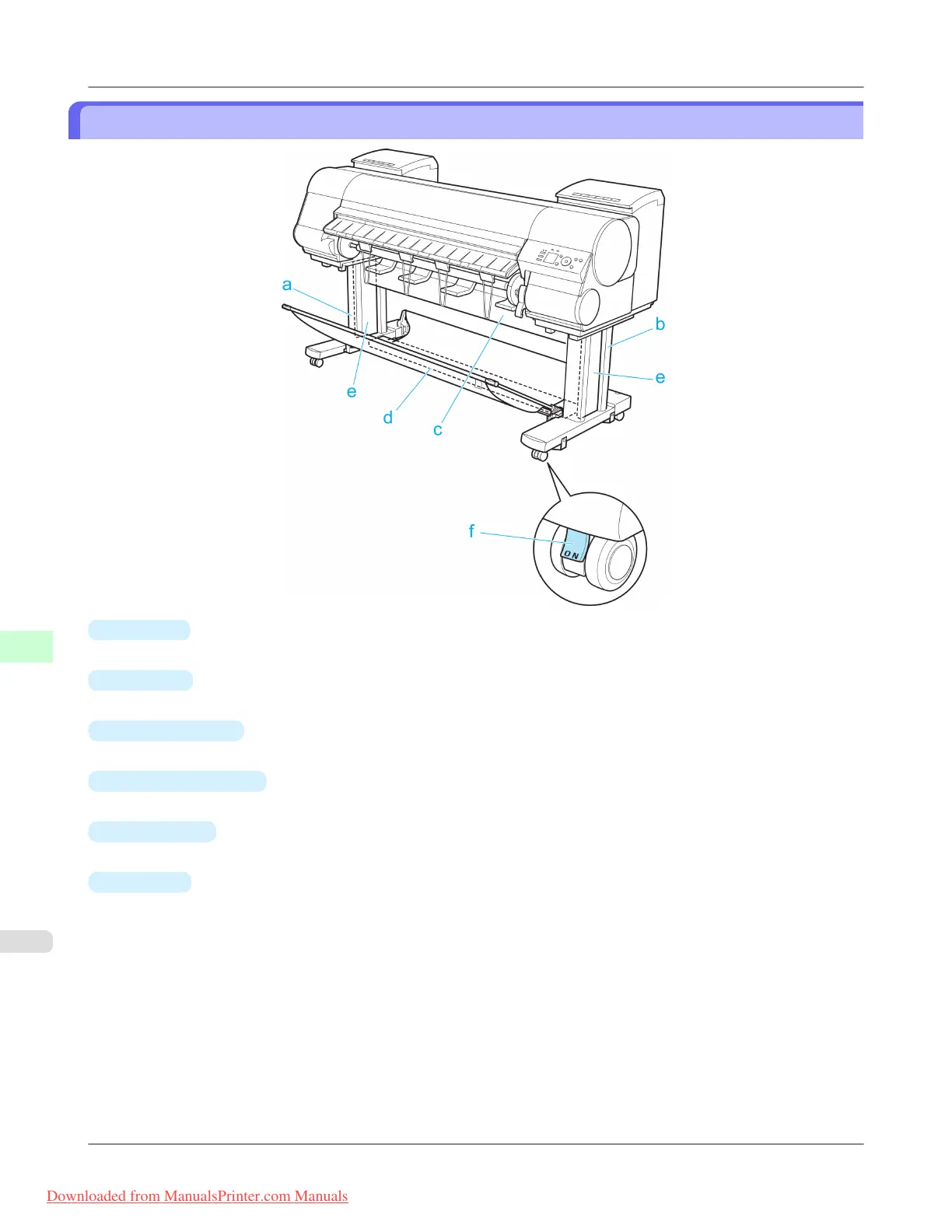
Stand
a.
Stand L
The left leg of the Stand.
b.
Stand R
The right leg of the Stand.
c.
Top Stand Stay
Supports Stand L and Stand R. Attach the optional Media Take-up Unit to this part.
d.
Bottom Stand Stay
Supports Stand L and Stand R.
e.
Leg Covers
Covers for Stand L and Stand R.
f.
Stopper
Locks the Stand casters.
Always release the Stopper before moving the printer. Moving the printer while the Stopper is locked may scratch the
casters or the floor.
Printer Parts
>
Printer parts
>
Stand iPF8300
9
888
Downloaded from ManualsPrinter.com Manuals














 To Next Page