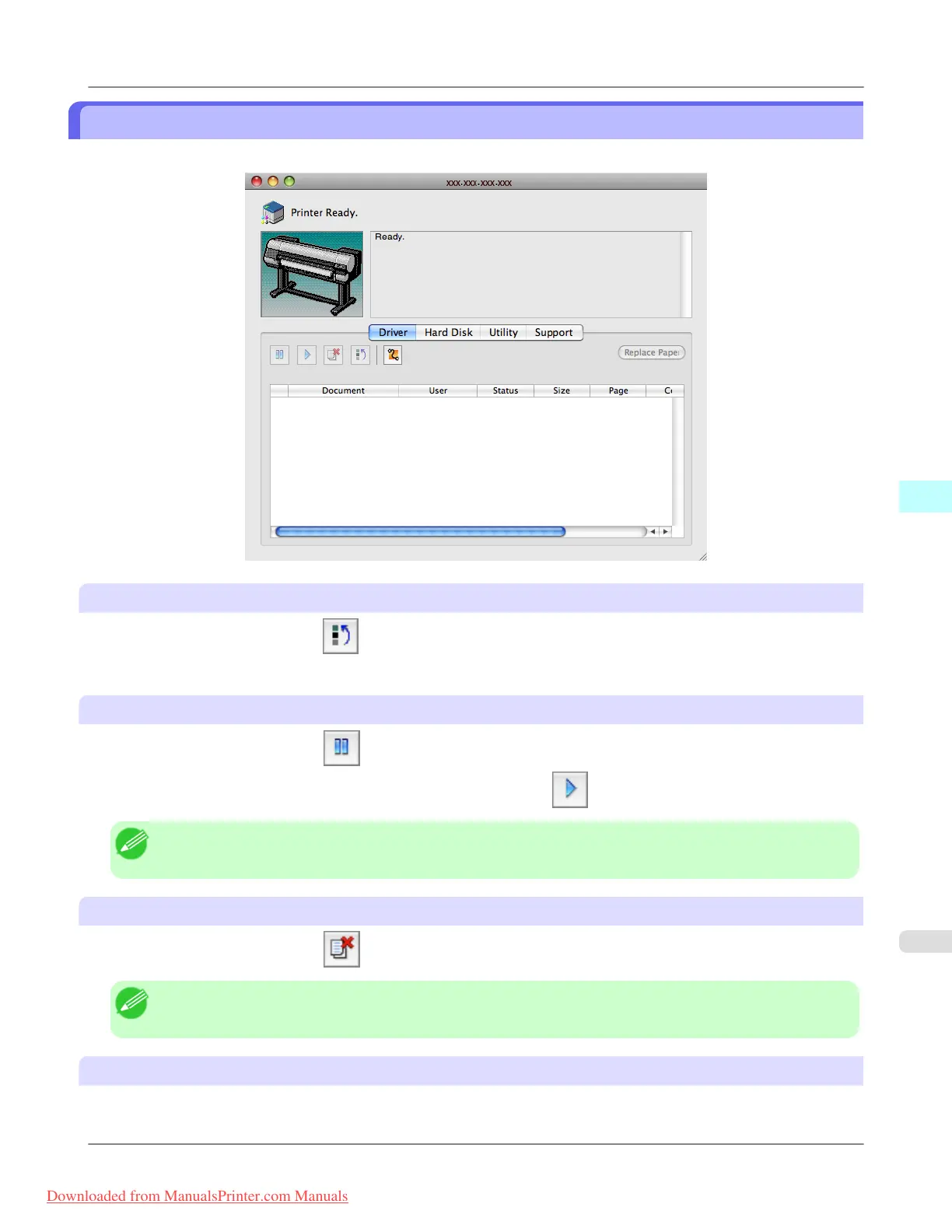
Job Management Using imagePROGRAF Printmonitor
You can use the Driver Panel in imagePROGRAF Printmonitor for operations such as pausing and canceling print jobs.
Preempting Other Jobs
If you select a print job and click the button, the selected job is printed ahead of the job that currently precedes it in
the print queue.
Pausing/Resuming Print Jobs
Selecting a print job and clicking the
button pauses printing of the selected job.
To resume printing of a paused print job, select the print job and click the button.
Note
• Once all the print data for a print job has been sent to the printer, the job can no longer be paused/resumed.
Canceling Print Jobs
Selecting a print job and clicking the button cancels printing of the selected job.
Note
• You cannot cancel other users' print jobs.
Printing Held Jobs
Printing of the job with a Status of Holding is paused because the paper specified by the driver does not match the paper
currently loaded in the printer.
Mac OS X Software
>
Printmonitor
>
iPF8300 Job Management Using imagePROGRAF Printmonitor
5
669
Downloaded from ManualsPrinter.com Manuals














 To Next Page