Storing the Output Stacker
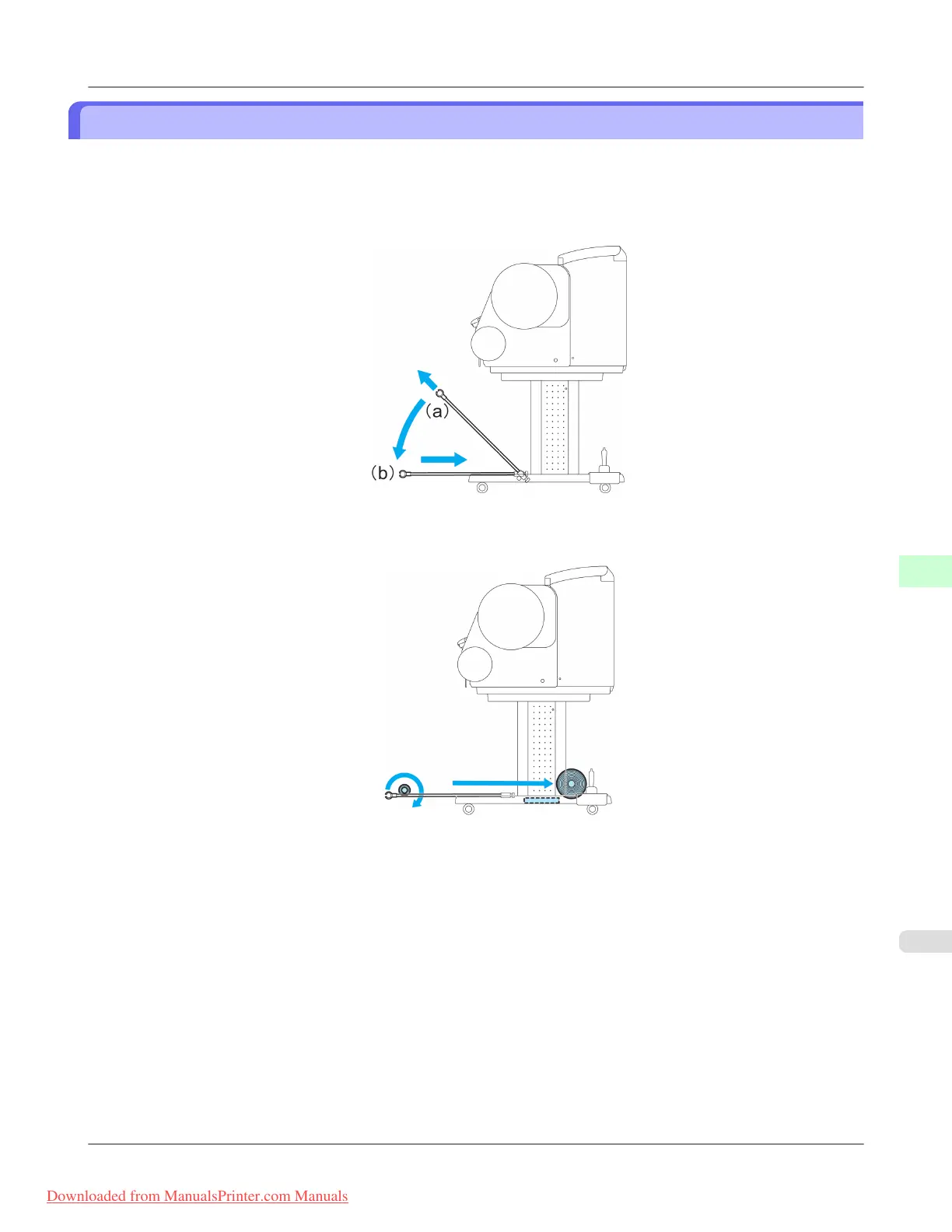
Stow the Output Stacker if you will use the Media Take-up Unit or if you will not use the Output Stacker for an extended
period.
1. When the Output Stacker is in the position used when storing printed documents (a), lift the front Basket Rod gently
to release the lock, lower the stacker toward the front (b), and push it all the way back.
2. Remove the front Basket Rod from the left and right basket arms. Roll up the Basket Cloth and put it at the back of
the Bottom Stand Stay.
Handling Paper
>
Output Stacker
>
iPF8300 Storing the Output Stacker
7
819
Downloaded from ManualsPrinter.com Manuals














 To Next Page