11. Confirm the print settings, and then click M Print to start printing.
Note
• For tips on confirming print settings, see "Confirming Print Settings (Mac OS X) →P.482 "
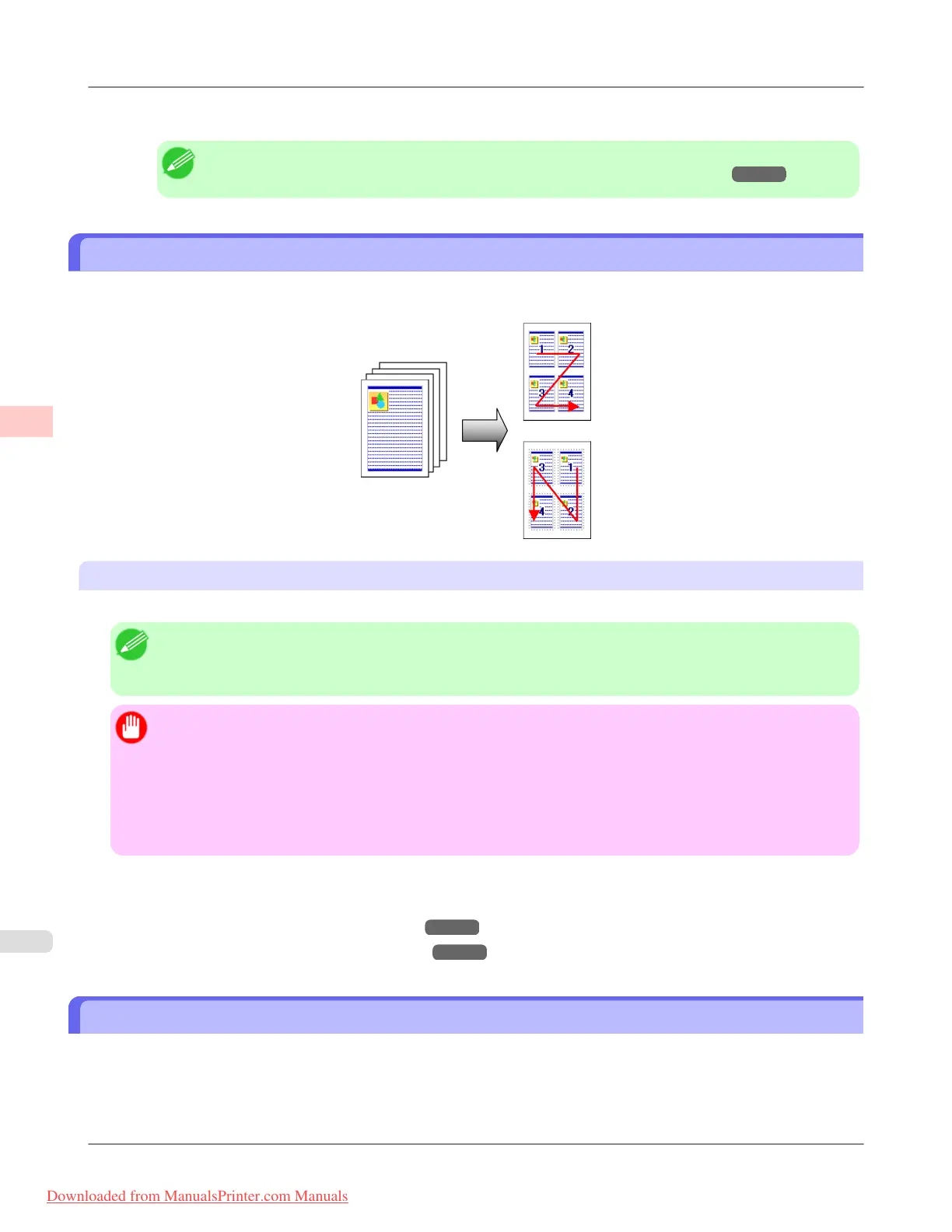
Printing Multiple Pages Per Sheet
To conserve paper, you can print several pages of the original on a single sheet by reducing the original and dividing the
sheet into areas for each page.
Page Layout
Specify a number of pages of the original to print on a single sheet, in a layout of multiple pages per sheet.
Note
• You can print up to 16 pages of the original on a single sheet.
• You can also change the page layout order and print page boundary lines, as desired.
Important
• This function cannot be combined with the following options.
• Borderless Printing
• Scaling Originals (Windows)
• Banner Printing (Windows)
• When printing using this function, the Print Centered setting is disabled.
For instructions on printing multiple pages per sheet, refer to the following topics, as appropriate for your computer and
operating system.
• Printing Multiple Pages Per Sheet (Windows) →P.138
• Printing Multiple Pages Per Sheet (Mac OS X) →P.141
Printing Multiple Pages Per Sheet (Windows)
This topic describes how to print four pages of originals together on a single sheet based on the following example.
• Document: Any Type
• Page size: A3 (297.0×420.0 mm [11.7×16.5 in])
Enhanced Printing Options
>
Tiling and multiple pages per sheet
>
Printing Multiple Pages Per Sheet iPF8300
3
138
Downloaded from ManualsPrinter.com Manuals














 To Next Page