Paper
Types of Paper ................................................................................................................................................ 768
Paper Sizes ..................................................................................................................................................... 771
Types of Paper
For information on the types of paper the printer supports (such as plain paper, coated paper, glossy photo paper, proofing
paper, and CAD paper), refer to the Paper Reference Guide. The Paper Reference Guide identifies types of paper and gives
specifications, printer driver settings, and tips on handling paper. (See Paper Reference Guide .)
By downloading the latest version of the Media Configuration Tool from the imagePROGRAF website, you can make sure
the paper information indicated in the Paper Reference Guide, on the printer Control Panel, and in the printer driver is up to
date.
You can use the Media Configuration Tool to add custom paper (paper that is not Canon genuine paper or Canon feed con-
firmed paper) to the printer control panel and the printer driver.
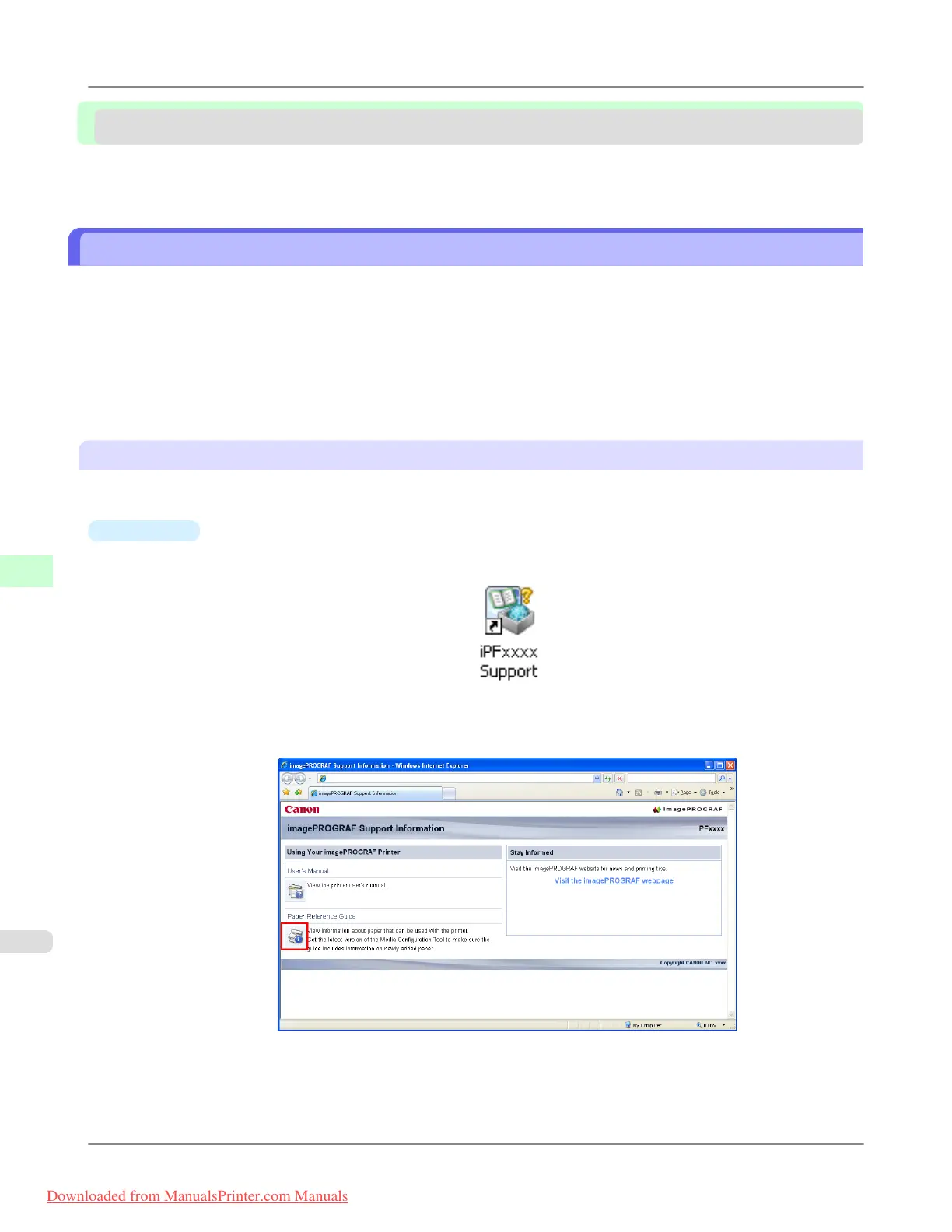
Accessing the Paper Reference Guide from imagePROGRAF Support Information
The Paper Reference Guide can also be accessed from imagePROGRAF Support Information. Follow these instructions,
as appropriate for your operating system.
•
Windows
1. Double-click the iPFxxxx Support desktop icon. (iPFxxxx indicates the printer model.)
The imagePROGRAF Support Information window is displayed.
2. Click the Paper Reference Guide button.
Handling Paper
>
Paper
>
Types of Paper iPF8300
7
768
Downloaded from ManualsPrinter.com Manuals














 To Next Page