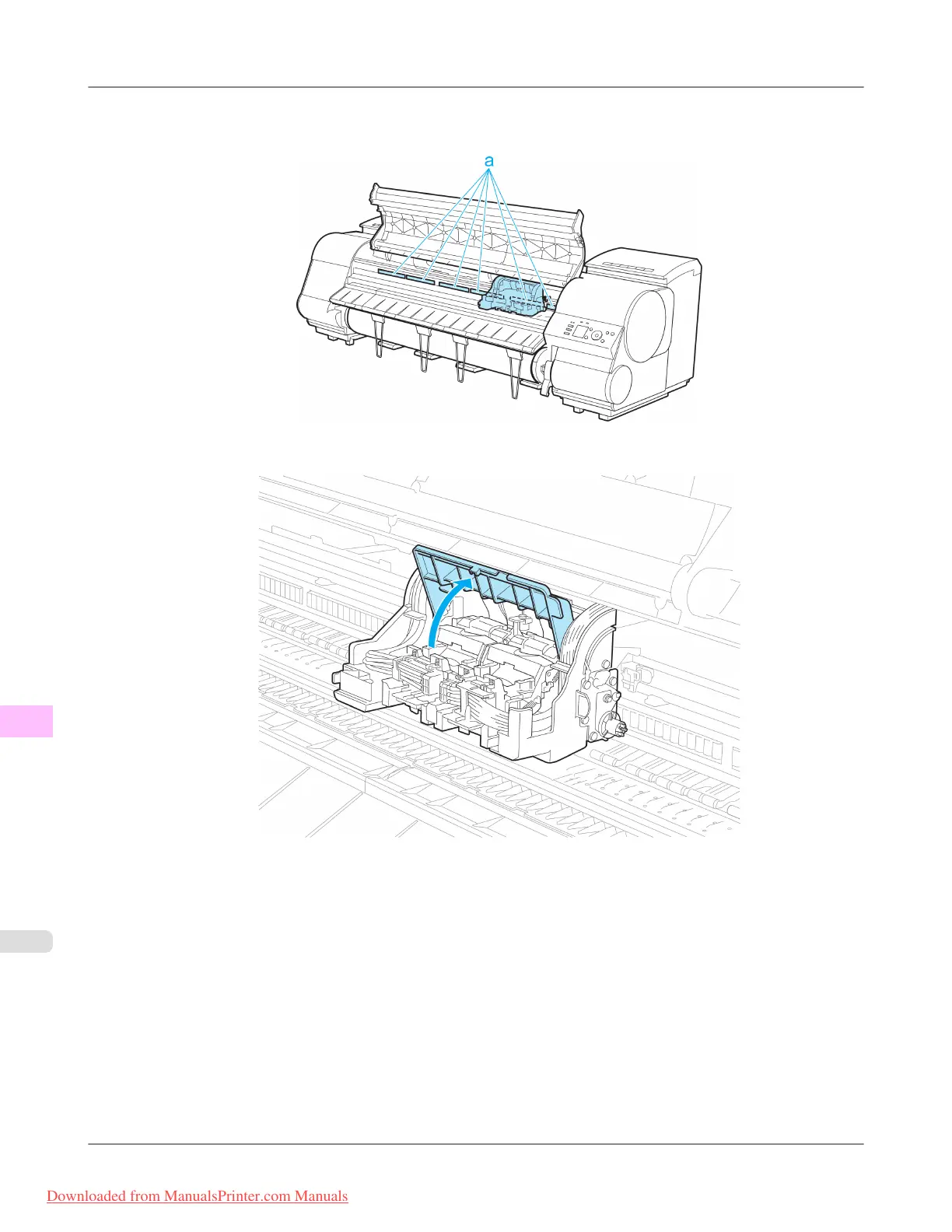
3. If the ventilation duct (a) is dirty, use a damp cloth that you have wrung out completely to wipe it clean.
If the Carriage is obscuring the ventilation duct, move the Carriage manually before cleaning the duct.
4. Pull up the Carriage Cover to open it completely.
Maintenance
>
Printheads
>
Replacing the Printhead iPF8300
11
1004
Downloaded from ManualsPrinter.com Manuals














 To Next Page