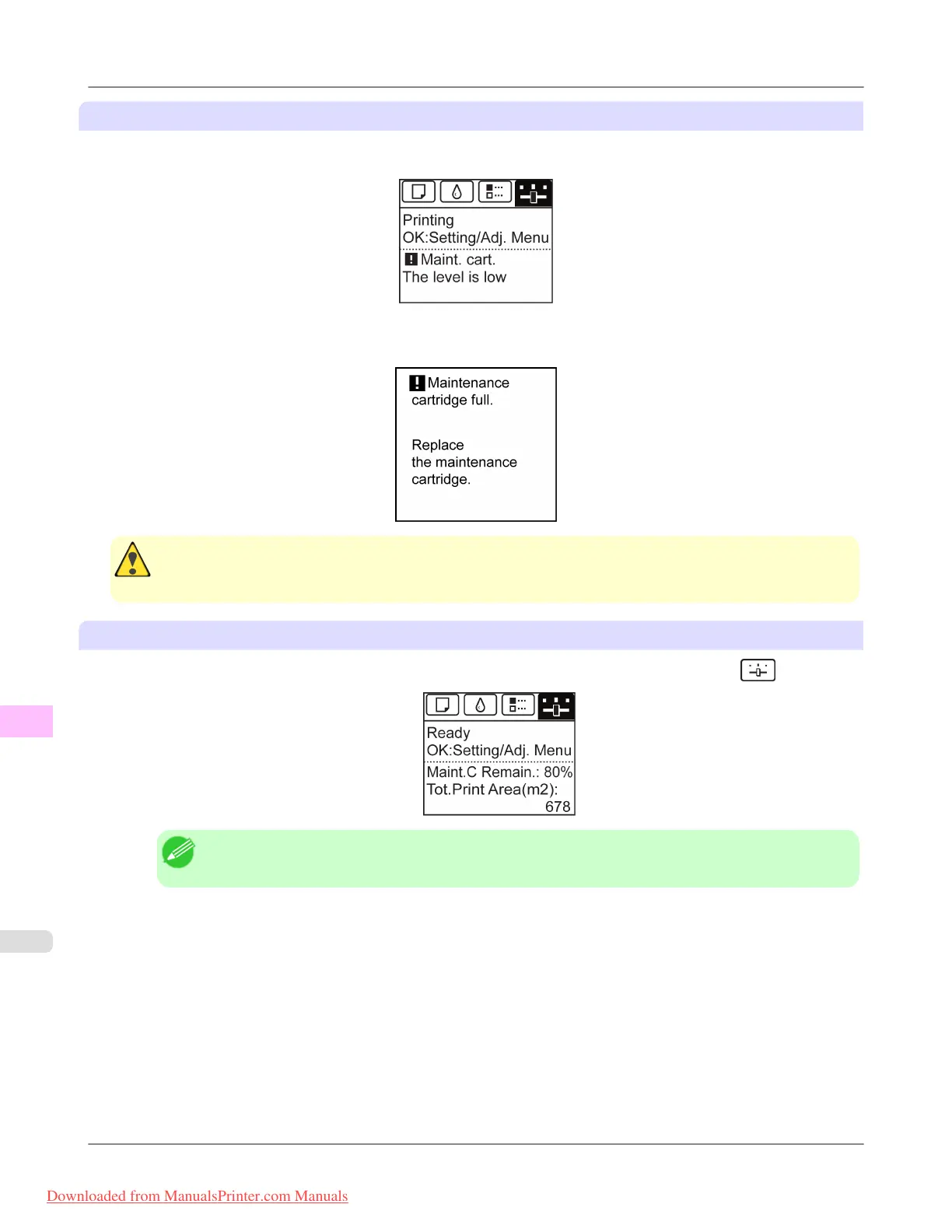
Make sure the printer is ready for Maintenance Cartridge replacement
You can replace cartridges if the Display Screen advises you to check the remaining capacity or replace the Maintenance
Cartridge.
If a message is displayed requesting Maintenance Cartridge replacement, you can skip the step Access the menu for Main-
tenance Cartridge replacement. Follow the instructions in Replace the Maintenance Cartridge.
Caution
• Do not replace the Maintenance Cartridge during initialization immediately after turning on the printer, dur-
ing Printhead cleaning, or when ink is being absorbed. Ink may leak out.
Access the menu for Maintenance Cartridge replacement
1. On the Tab Selection screen of the Control Panel, press ◀ or ▶ to select the Settings/Adj. tab ( ).
Note
• If the Tab Selection screen is not displayed, press the Menu button.
2. Press the OK button.
The Set./Adj. Menu is displayed.
3. Press ▲ or ▼ to select Maintenance, and then press the OK button.
4. Press ▲ or ▼ to select Repl. maint cart, and then press the OK button.
A message on the Display Screen advises you to open the Maintenance Cartridge Cover.
Maintenance
>
Maintenance Cartridge
>
Replacing the Maintenance Cartridge iPF8300
11
1016
Downloaded from ManualsPrinter.com Manuals














 To Next Page