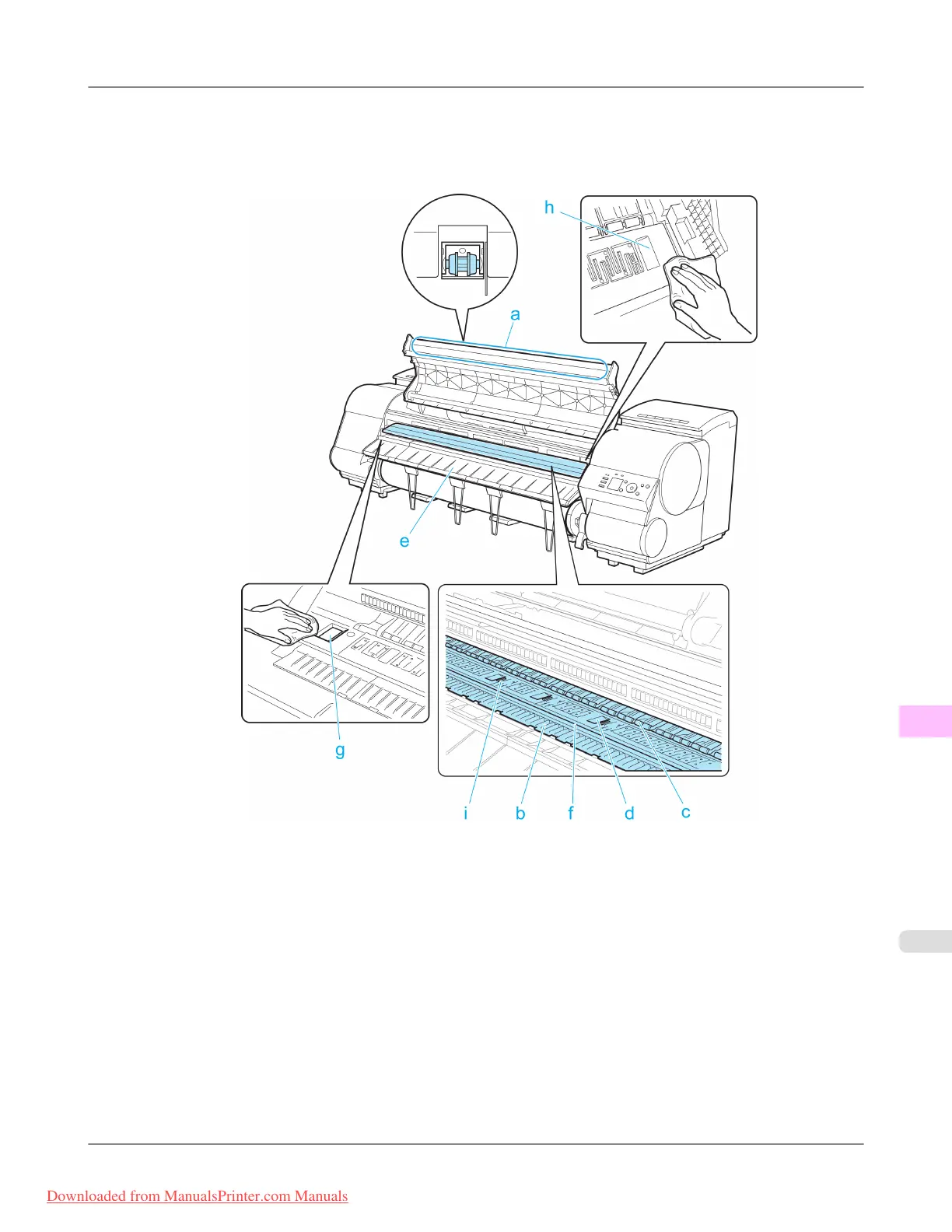
3. Using a damp cloth that you have wrung out completely, wipe inside the Top Cover to clean it. Wipe away any ink
residue and paper dust (debris from cutting) on the Top Cover Roller (a), all over the Platen (b), on the Paper Retain-
er (c), the Borderless Printing Ink Grooves (d), the Ejection Guide (e), the cutter guide (f), around the ink suction
holes at left (g), around the Borderless Printing Ink Grooves at right (h), on the blue Switch (i), and so on.
Maintenance
>
Cleaning the Printer
>
iPF8300 Cleaning Inside the Top Cover
11
1029
Downloaded from ManualsPrinter.com Manuals














 To Next Page