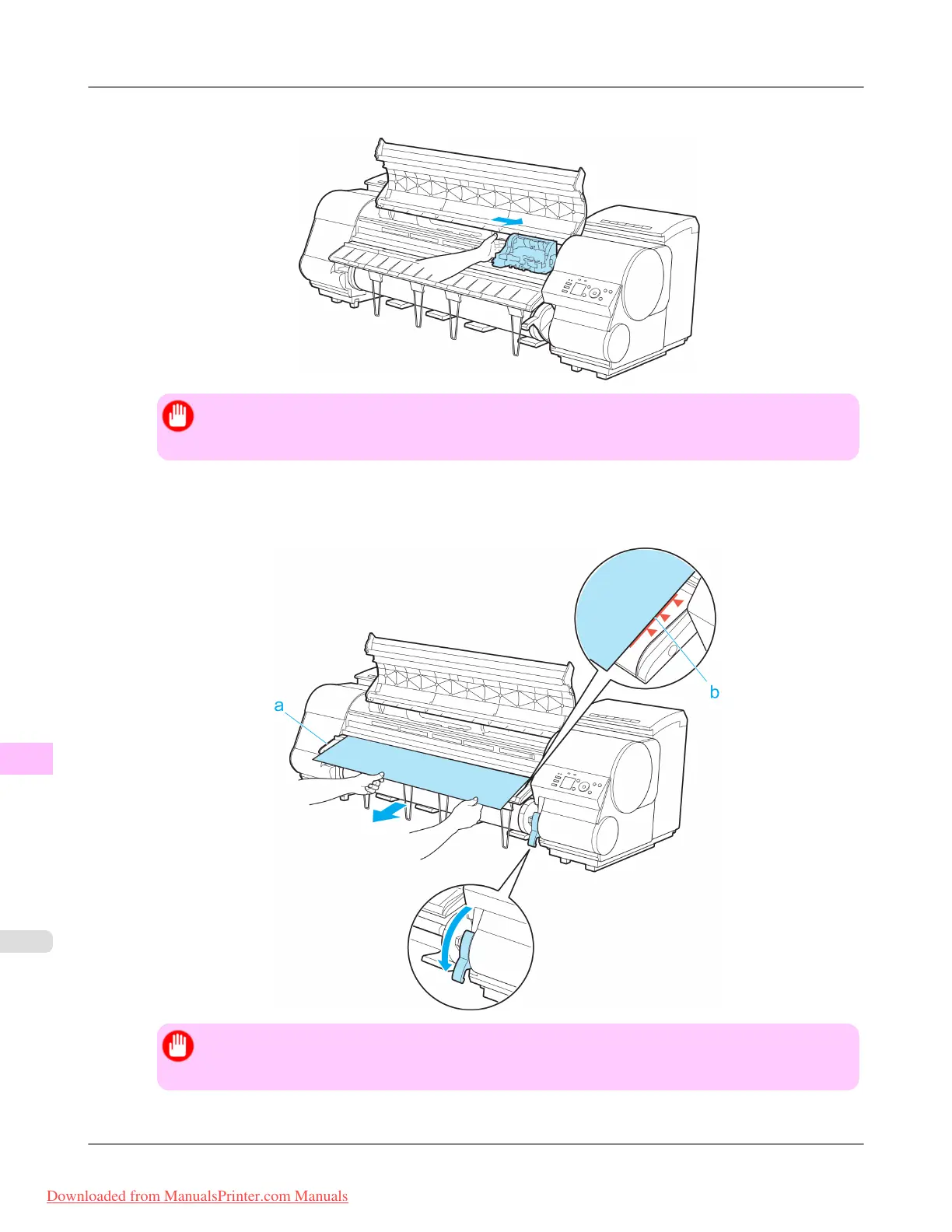
6. If the Carriage is on the left, move the Carriage to the right until it stops.
Important
• Always move the Carriage to the right side. If the Carriage is on the left, a Carriage error may occur
when you turn on the printer.
7. Hold the edge of the roll paper in the middle as you gently pull it evenly to the position of the Ejection Guide (a).
Align the right side of the roll paper with the Paper Alignment Line (b), keeping this side parallel to the line, and
then lower the Release Lever.
Important
• Do not force the roll paper into alignment with the Paper Alignment Line (b). This may prevent the
paper from being advanced straight.
Troubleshooting
>
Problems Regarding Paper
>
Clearing Jammed Roll Paper iPF8300
12
1046
Downloaded from ManualsPrinter.com Manuals














 To Next Page