• Page size: Square of non-standard dimensions (430×430 mm [16.9×16.9 in])
• Paper: Sheets
• Paper type: Any type
• Paper Size: A square sheet (430 × 430 mm [16.9 × 16.9 in])
1. Load the square paper (430 × 430 mm [16.9 × 16.9 in]) in the printer.
2. Choose Print in the application menu.
3. Select the printer in the dialog box, and then display the printer driver dialog box.(See "Accessing the Printer Driv-
er Dialog Box from Applications (Windows)
→P.205 ")
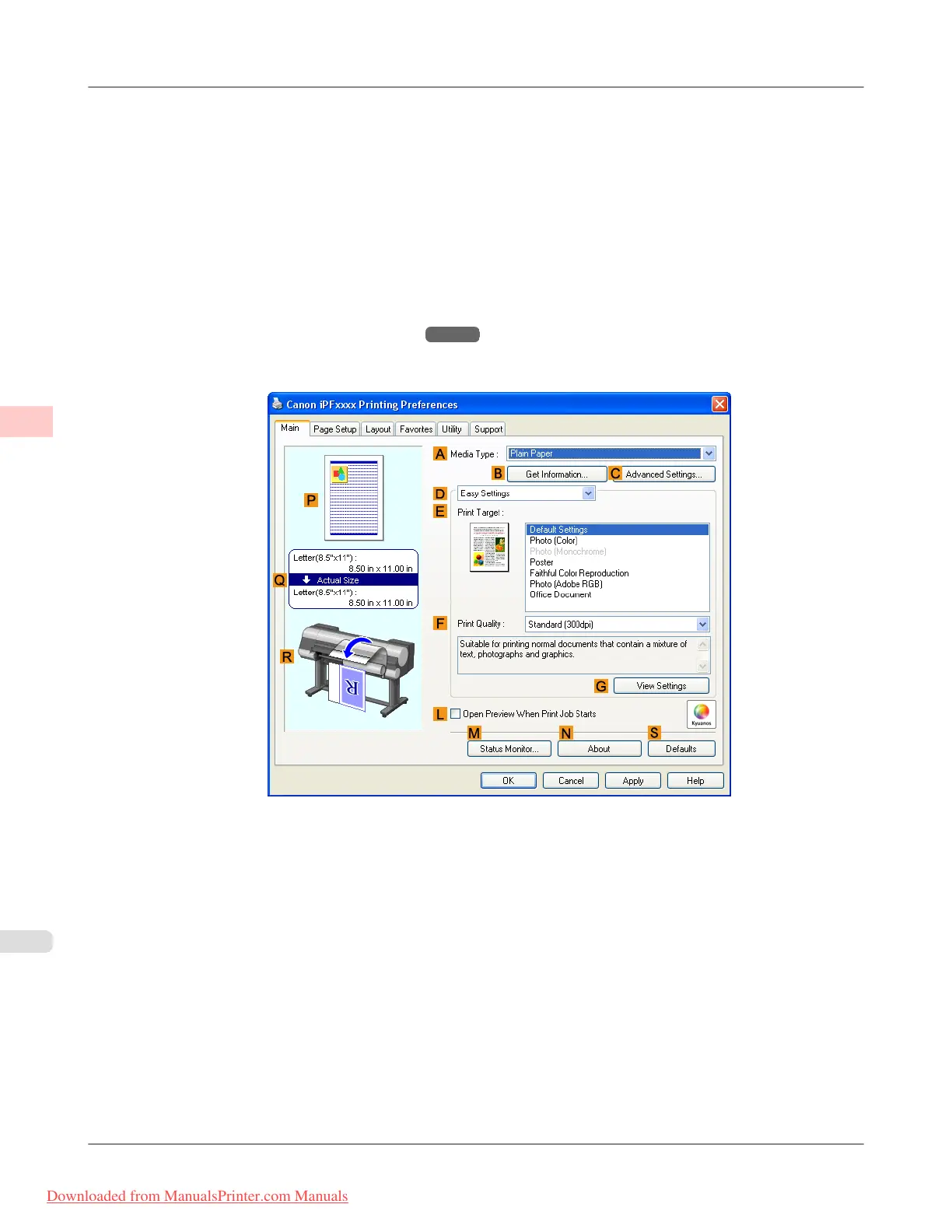
4. Make sure the Main sheet is displayed.
5. In the A Media Type list, select the type of paper that is loaded.
6. After confirming that D Easy Settings is selected, select from the E Print Target list.
Enhanced Printing Options
>
Printing banners or at other non-standard sizes
>
Printing on Non-Standard Paper Sizes (Windows) iPF8300
3
120
Downloaded from ManualsPrinter.com Manuals














 To Next Page