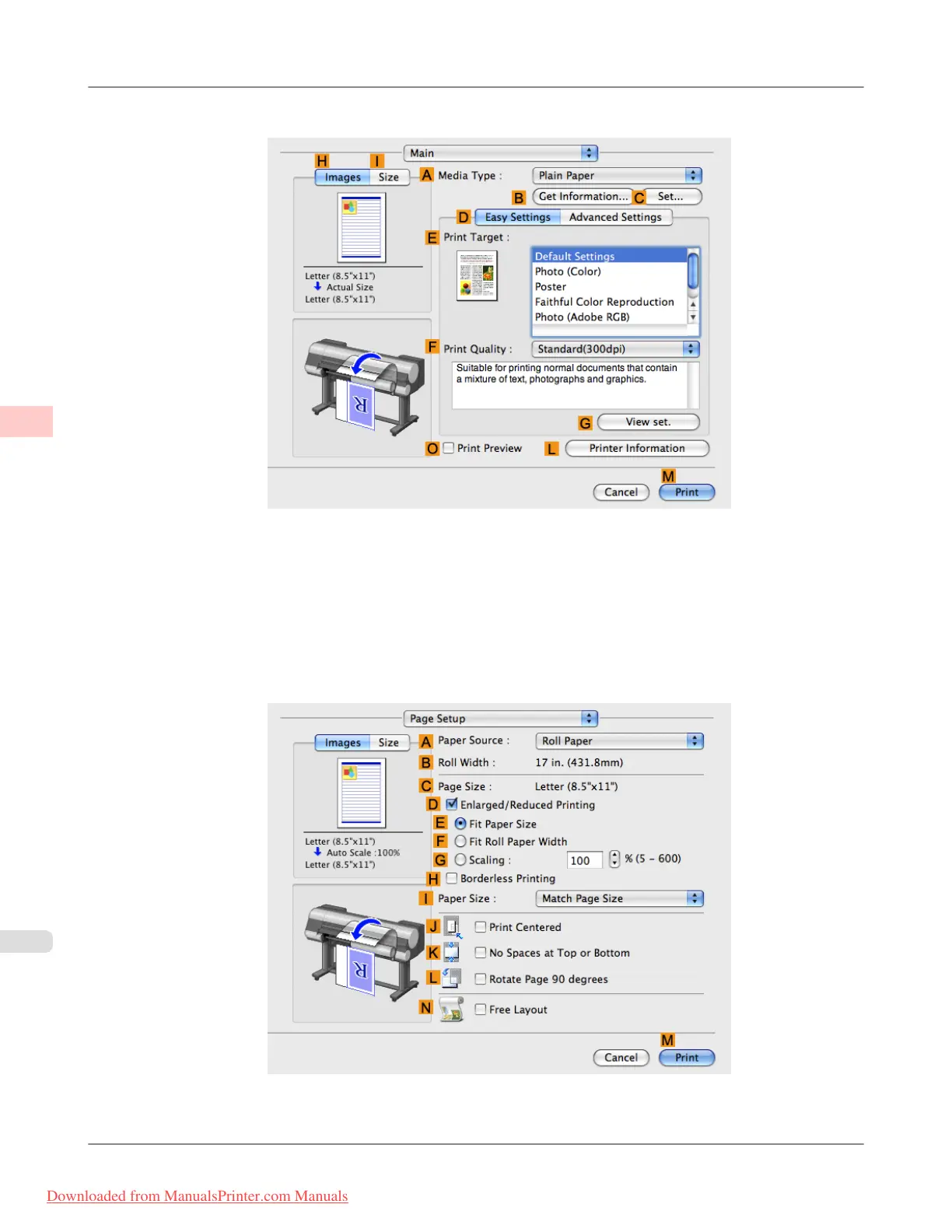
12. Access the Main pane.
13. In the A Media Type list, select the type of paper that is loaded.
14. After confirming that D Easy Settings is selected, select from the E Print Target list.
15. Make your selection in the F Print Quality list.
16. Access the Page Setup pane.
17. Click Cut Sheet in the A Paper Source list.
Enhanced Printing Options
>
Printing banners or at other non-standard sizes
>
Printing on Non-Standard Paper Sizes (Mac OS X) iPF8300
3
126
Downloaded from ManualsPrinter.com Manuals














 To Next Page