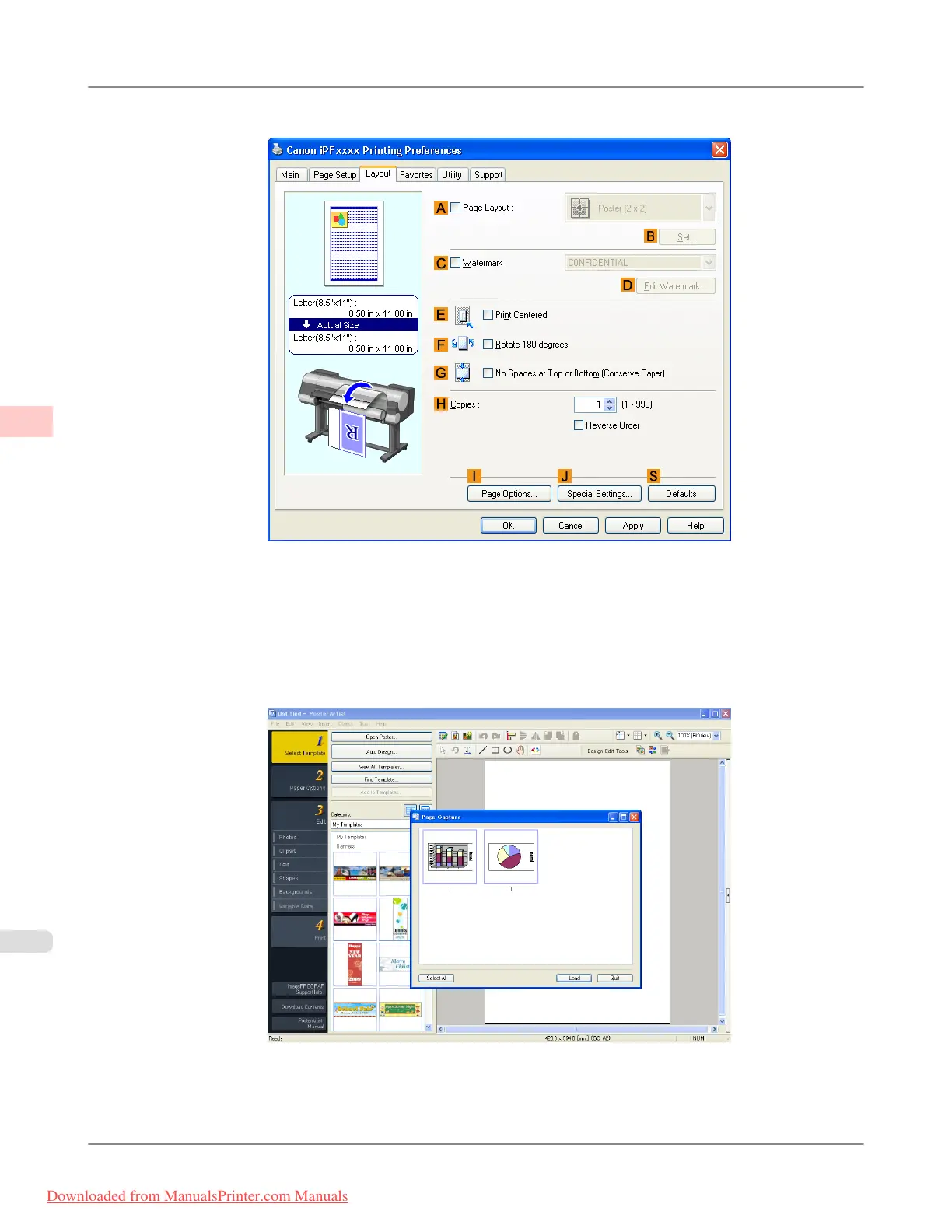
4. Click the Layout tab to display the Layout sheet.
5. Select the A Page Layout check box.
6. Click in the Edit Using PosterArtist in the A Page Layout list.
7. When you attempt to print, PosterArtist starts up and the PageCapture window is displayed. (At this point, the docu-
ment will not be printed yet.)
8. Choose the page to load in PosterArtist.
Enhanced Printing Options
>
Using PosterArtist to Compose Originals
>
Using PosterArtist to Compose Originals iPF8300
3
176
Downloaded from ManualsPrinter.com Manuals














 To Next Page