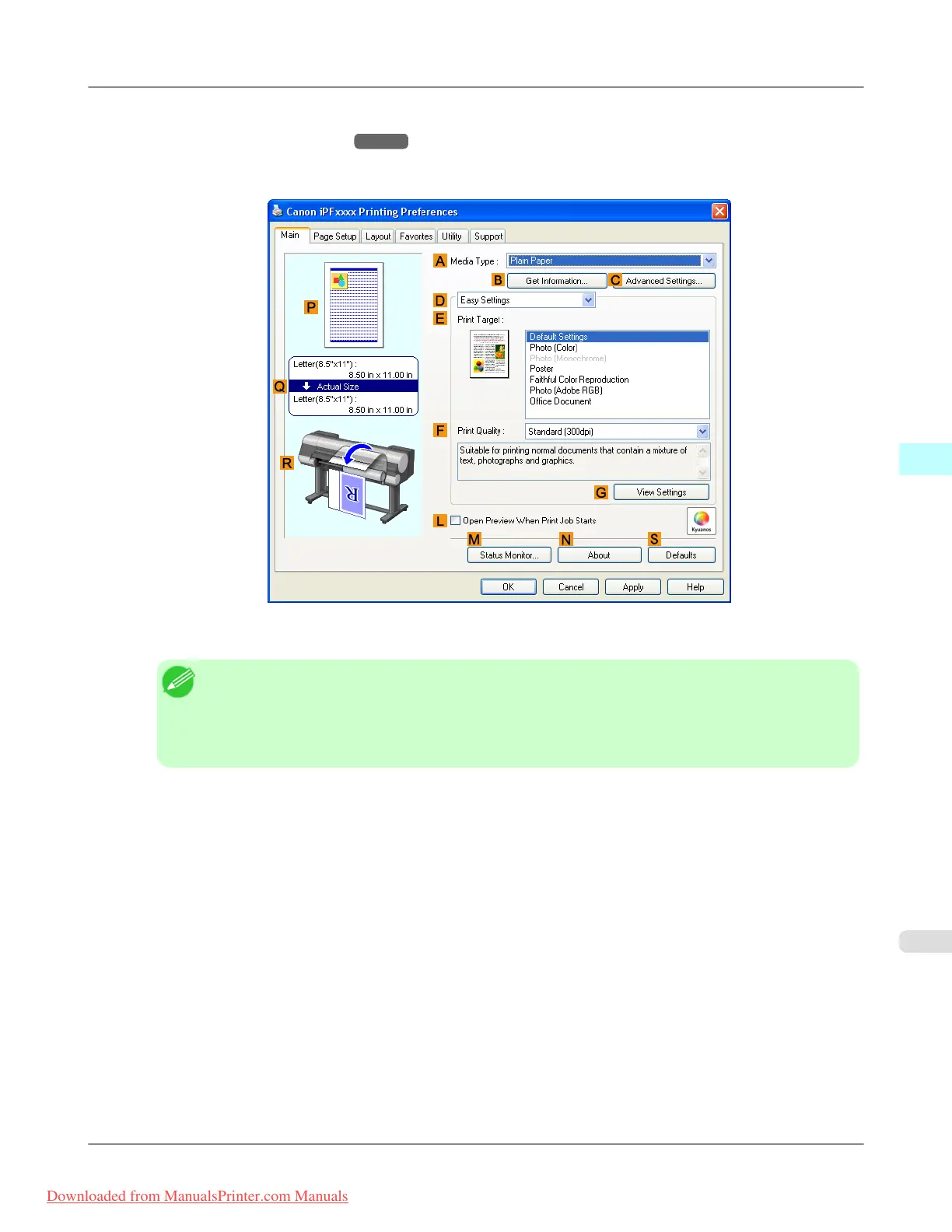
2. Select the printer in the dialog box, and then display the printer driver dialog box.(See "Accessing the Printer Driv-
er Dialog Box from Applications
→P.205 ")
3. Make sure the Main sheet is displayed.
4. In the A Media Type list, select the type of paper that is loaded.
Note
• Click the B Get Information button to display the Paper Information on Printer dialog box. On
the Paper Information on Printer dialog box, you can obtain information on the paper in the printer
and configure printer driver settings for the feed source and type of paper.
This function requires that the Status Monitor be installed.
Windows Software
>
Printer Driver
>
iPF8300 Specifying Paper in the Printer Driver
4
199
Downloaded from ManualsPrinter.com Manuals














 To Next Page