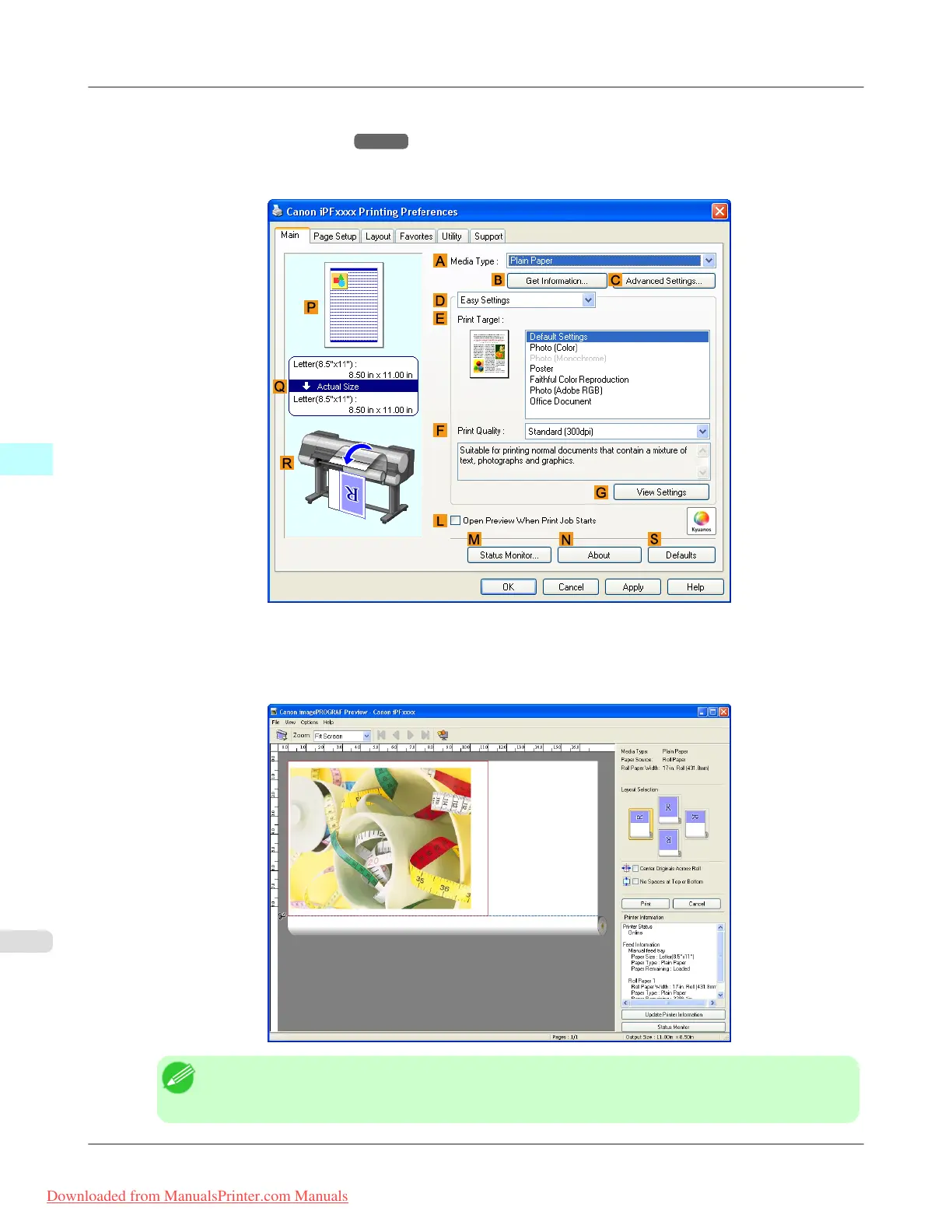
2. Select the printer in the dialog box, and then display the printer driver dialog box.(See "Accessing the Printer Driv-
er Dialog Box from Applications
→P.205 ")
3. Make sure the Main sheet is displayed.
4. Select the L Open Preview When Print Job Starts check box.
5. After you click OK, when you print a job, the imagePROGRAF Preview window will be displayed.
Note
• If PageComposer is running, access the Special Settings dialog box from the Layout sheet and clear
Enable Preview Switching.
Windows Software
>
Printer Driver
>
Checking the Layout in a Preview Before Printing iPF8300
4
202
Downloaded from ManualsPrinter.com Manuals














 To Next Page