Note
• If a version of Photoshop that is not compatible with Print Plug-In is installed, the message No target
software exists. is displayed. Install Print Plug-In in a computer with a compatible Photoshop instal-
led. (See "Operating Environment.") →P.301
• If the folder for the Photoshop Plug-In to install Print Plug-In cannot be found, Specify the destina-
tion for installation of the plug-in? will appear. In this case, refer to the Photoshop manual then
specify a folder for the Plug-In.
• The Print Plug-In cannot be installed in Photoshop until after Photoshop has been installed and then
opened at least once on a PC. Install the Print Plug-In after installing, opening and quitting Photo-
shop.
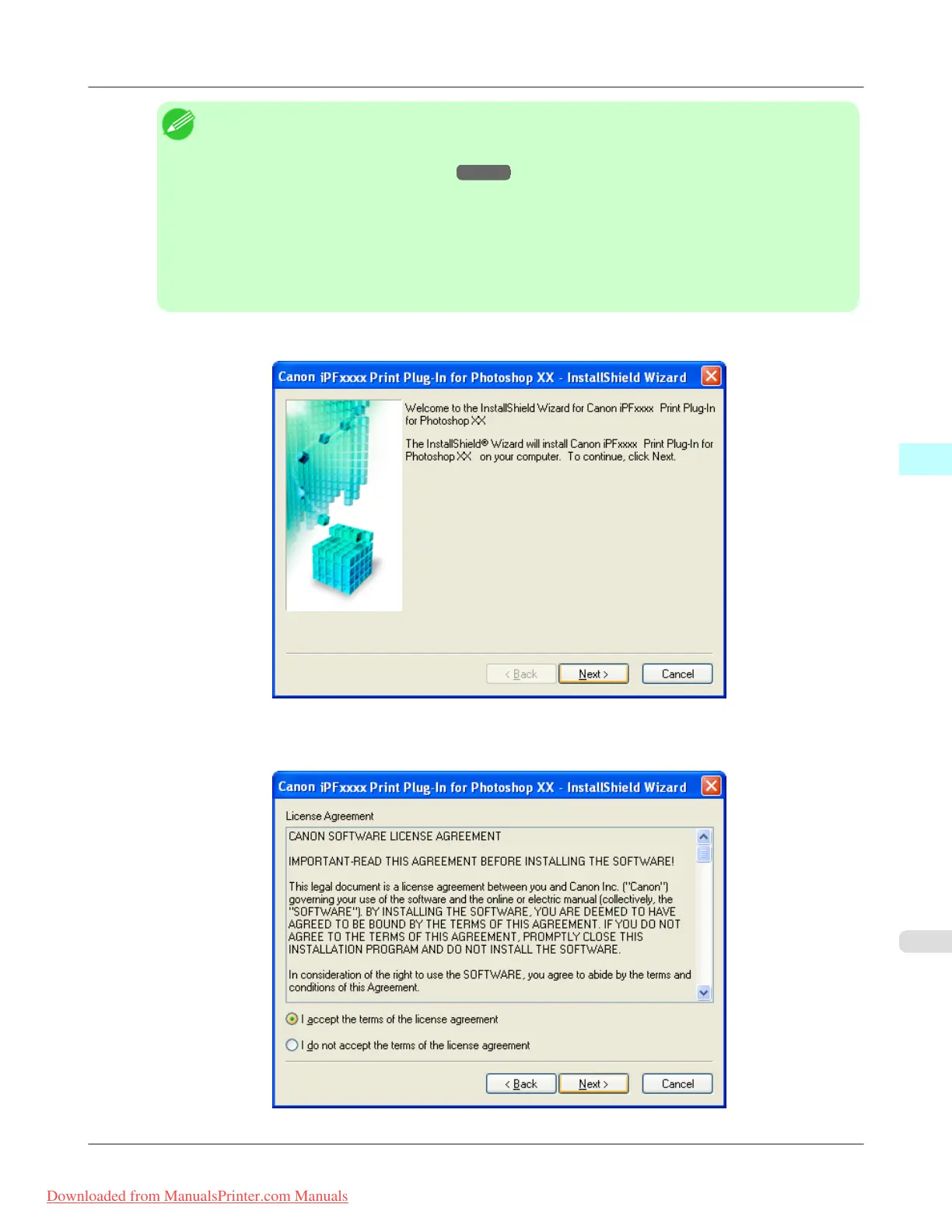
4. Click Next button.
5. After you have read the Licensing Agreement, select I accept the terms of the license agreement and click the
Next button.
Windows Software
>
Print Plug-In for Photoshop/Digital Photo Professional
>
iPF8300 Installation Procedures
4
303
Downloaded from ManualsPrinter.com Manuals














 To Next Page