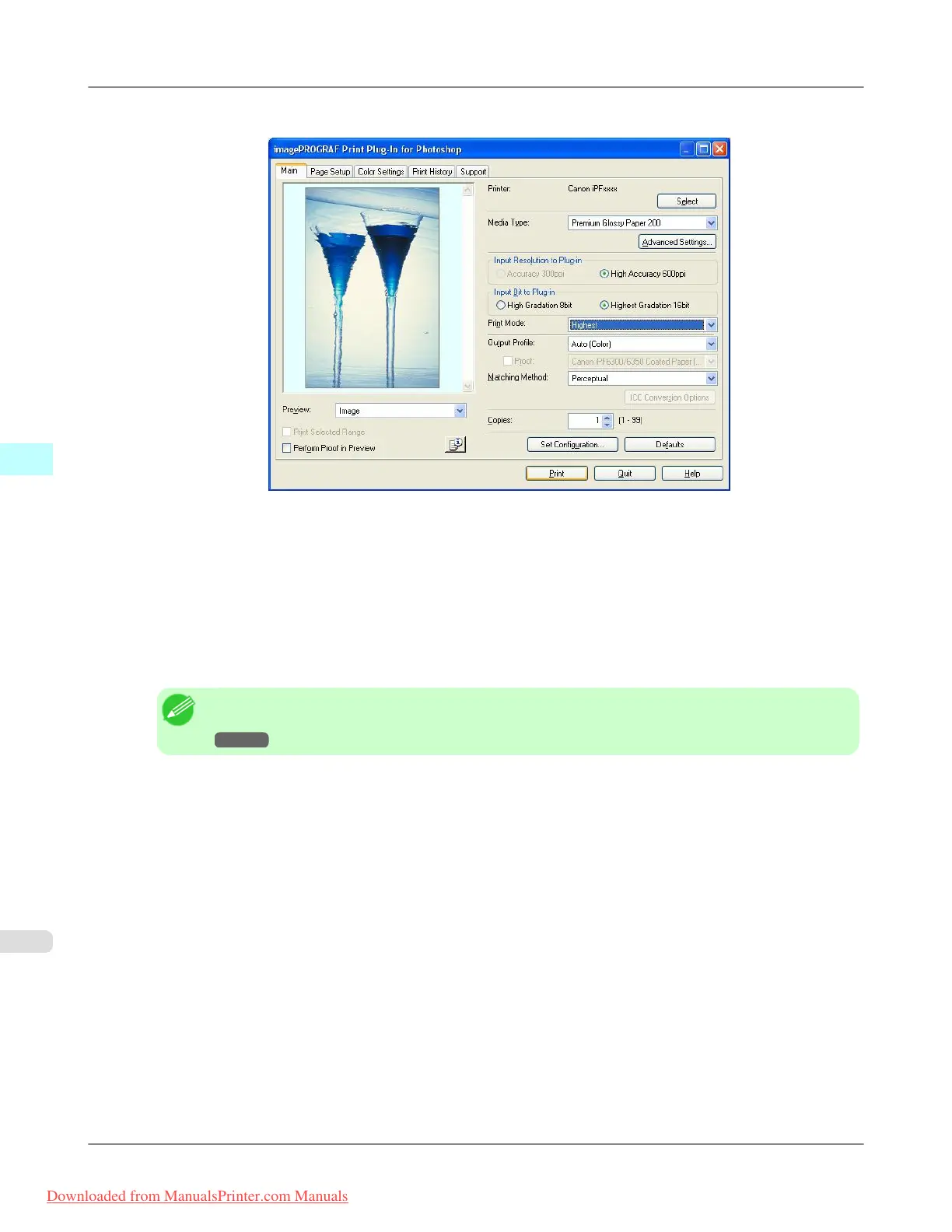
4. Display the Main sheet.
5. Select High Accuracy 600ppi in Input Resolution to Plug-in.
6. Select Highest Gradation 16bit in Input Bit to Plug-in.
7. Select the highest quality possible in Print Mode.
8. If required, adjust the colors using color matching.
Note
• For more information about the color matching, see "Adjust the Colors by Color Matching."
→P.340
9. Click the Print button.
Printing of the Adobe RGB16bit image begins.
Windows Software
>
Print Plug-In for Photoshop/Digital Photo Professional
>
Print High-Quality Adobe RGB16bit Images iPF8300
4
342
Downloaded from ManualsPrinter.com Manuals














 To Next Page