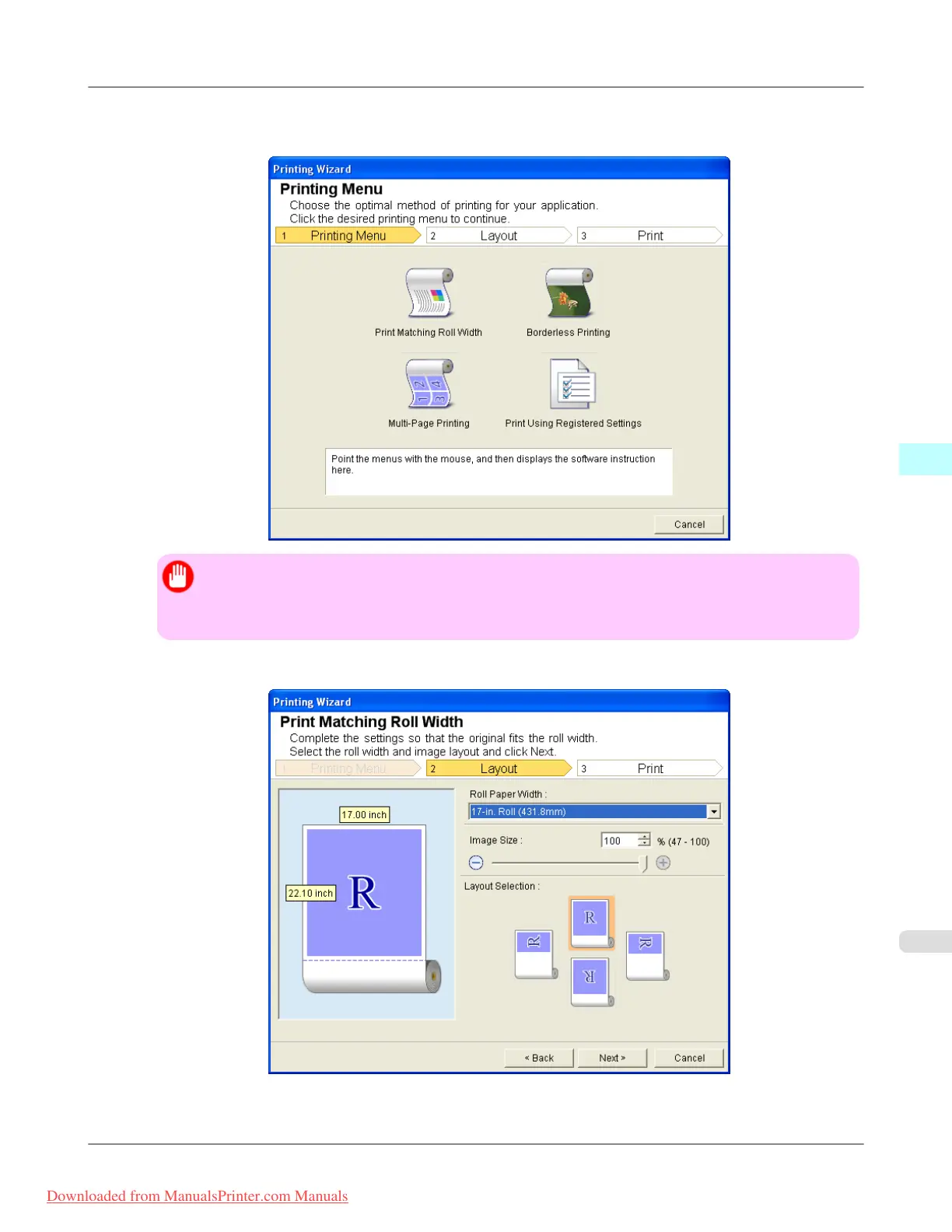
3. Click Print from the imagePROGRAF Print Plug-In toolbar/ribbon.
The Printing Wizard dialog box is displayed.
Important
• If you want to change the display to another file or application while the Printing Wizard is open,
close the Printing Wizard dialog box. Otherwise, you may not be able to change displays or operate
the toolbar/ribbon.
4. Click Print Matching Roll Width.
5. Select Roll Paper Width that is set in the printer.
Windows Software
>
Print Plug-In for Office
>
iPF8300 Print Matching Roll Width (PowerPoint)
4
395
Downloaded from ManualsPrinter.com Manuals














 To Next Page