5. Start the installer in the downloaded file to perform the installation.
Important
• Use version 1.1 or higher of Adobe CMM.
Adobe CMM System Requirements
The system requirements for Adobe CMM are as follows.
• Supported OS
Mac OS X 10.4.8 or later
• Supported CPU
PowerPC G4 or G5
Intel Core Duo, Intel Core 2 Duo, Intel Xeon processor
Note
• Check with Adobe for details.
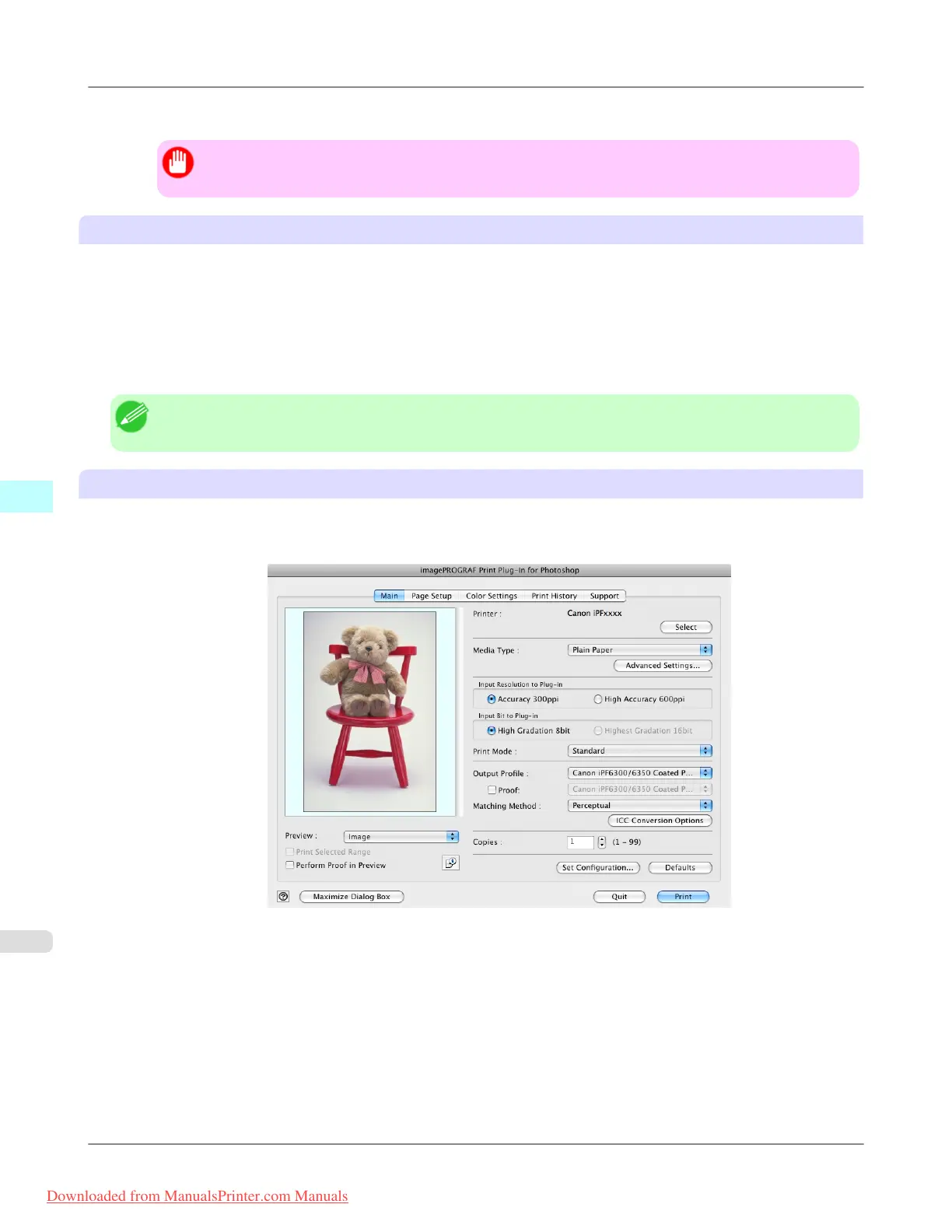
How to Use Adobe CMM
The procedure for using Adobe CMM is as follows.
1. Display the Main sheet.
2. Select one of the ICC profiles as the Output Profile.
3. Click the ICC Conversion Options button.
Mac OS X Software
>
Print Plug-In for Photoshop/Digital Photo Professional
>
Using Adobe CMM iPF8300
5
646
Downloaded from ManualsPrinter.com Manuals














 To Next Page