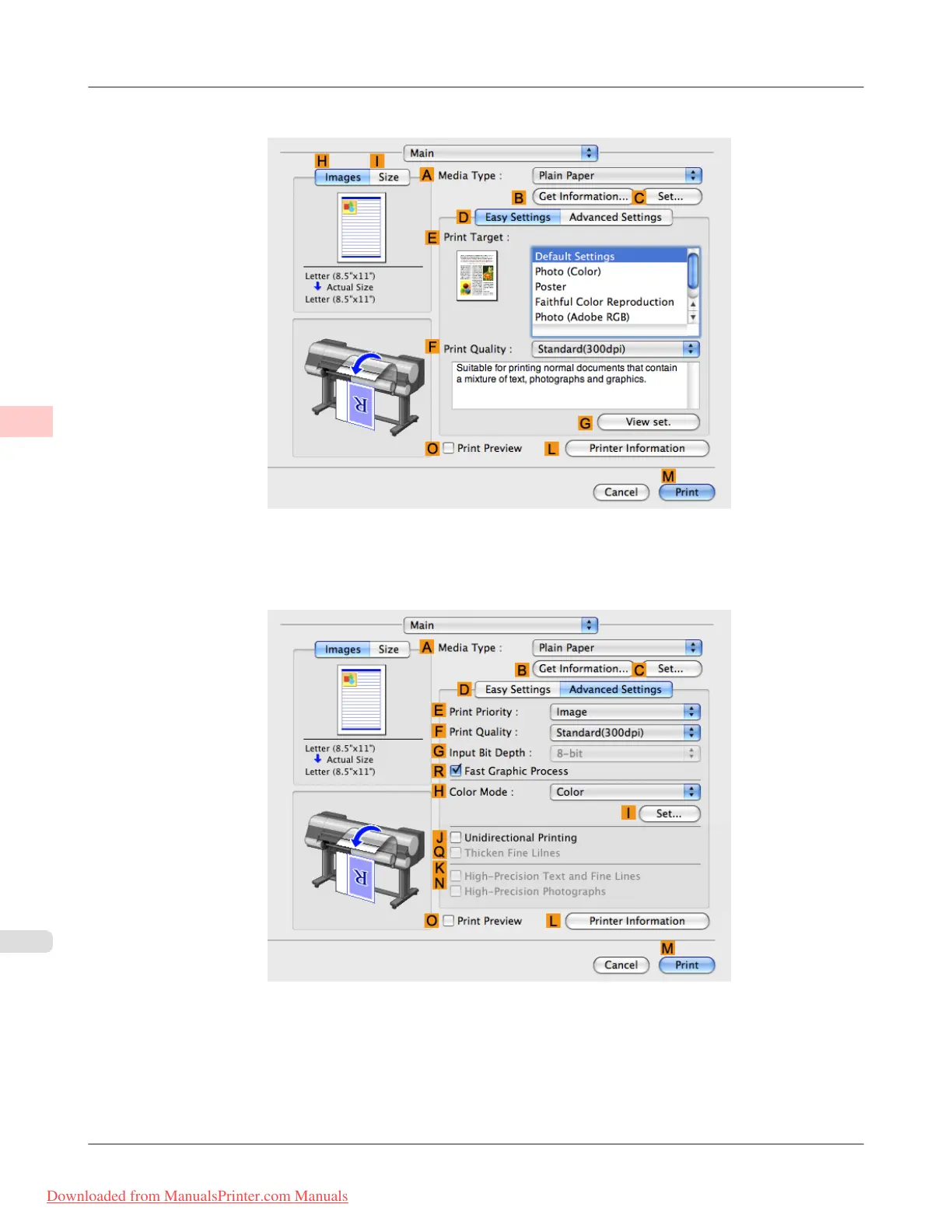
6. Access the Main pane.
7. In the A Media Type list, select the type of paper that is loaded.
8. Click D Advanced Settings to switch the print mode.
9. Click Image in the E Print Priority list.
Enhanced Printing Options
>
Adjusting Images
>
Choosing the Document Type and Printing Conditions (Mac OS X) iPF8300
3
58
Downloaded from ManualsPrinter.com Manuals














 To Next Page