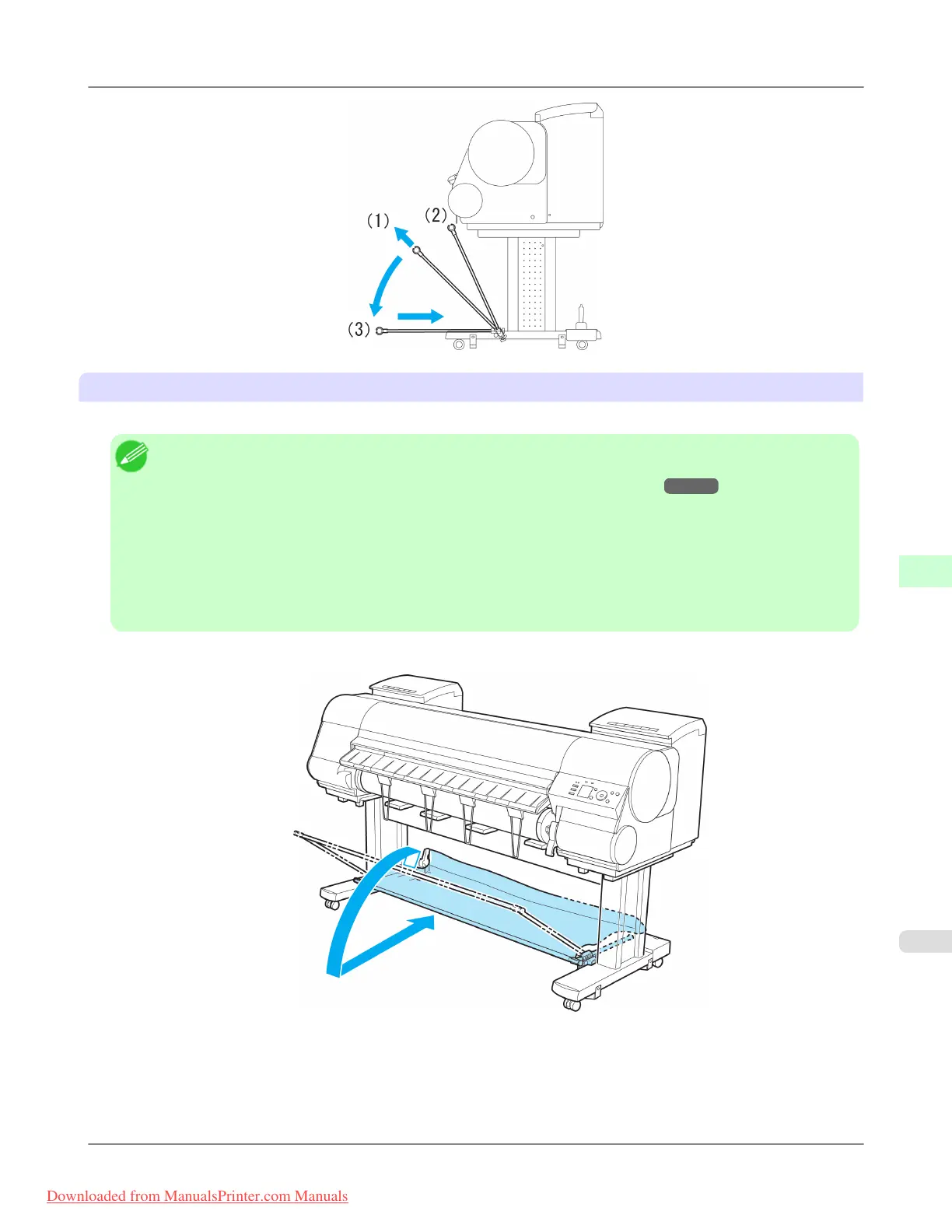
Using the output stacker for ejection in front
You can also set the stacker to the following position when printing banners or when printing on delicate paper.
Note
• When using the stacker for ejection in front, always select Cutting Mode > Eject. Selecting Automatic may
damage printed documents. (See "Specifying the Cutting Method for Rolls.") →P.794
• During ejection in the front of the printer, be especially careful when using delicate paper or paper that curls
easily.
• Depending on the type of paper, the edge may curl or bend during ejection. In this case, straighten out the
paper. If the paper is curled or bent, it may damage printed documents.
• Some types of paper may get caught between the Ejection Guide and Output Stacker during ejection. In this
case, free the paper from where it is caught. If the paper is caught, it may damage printed documents.
1. Lift the Basket Rod gently to release the lock, lower the stacker toward the front, and push it back.
Handling Paper
>
Output Stacker
>
iPF8300 Using the Output Stacker
7
815
Downloaded from ManualsPrinter.com Manuals














 To Next Page