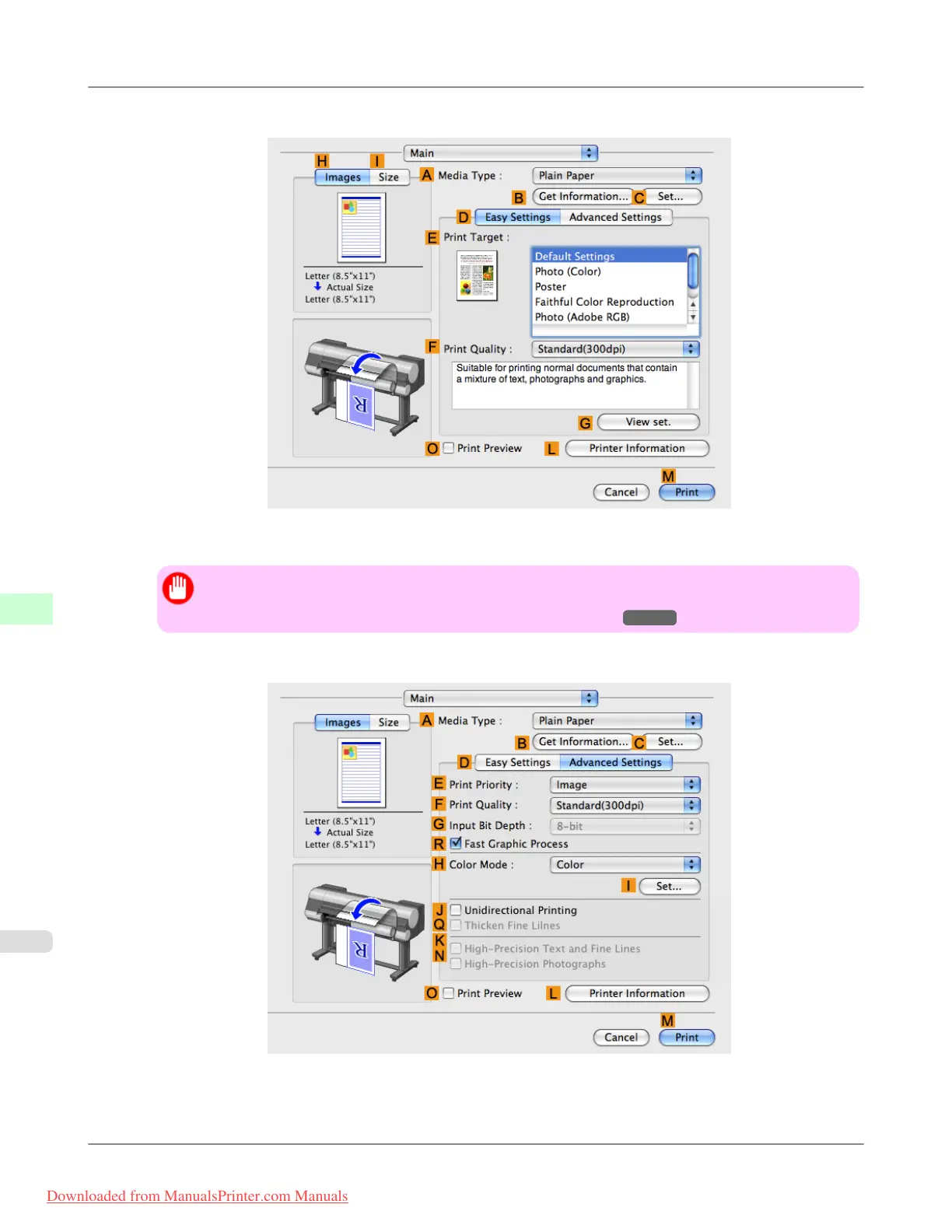
3. Make sure the Main panel is displayed.
4. In the A Media Type list, select the type of paper that is loaded (for example, Premium Glossy Paper 200 ).
Important
• Ambient light matching may not be available, depending on the type of paper used. For more infor-
mation, see the Paper Reference Guide. (See "Types of Paper.") →P.768
5. Click D Advanced Settings to switch the print mode.
Adjustments for Better Print Quality
>
Color adjustment
>
Selecting Color Tones on Charts Before Printing (Mac OS X) iPF8300
8
862
Downloaded from ManualsPrinter.com Manuals














 To Next Page