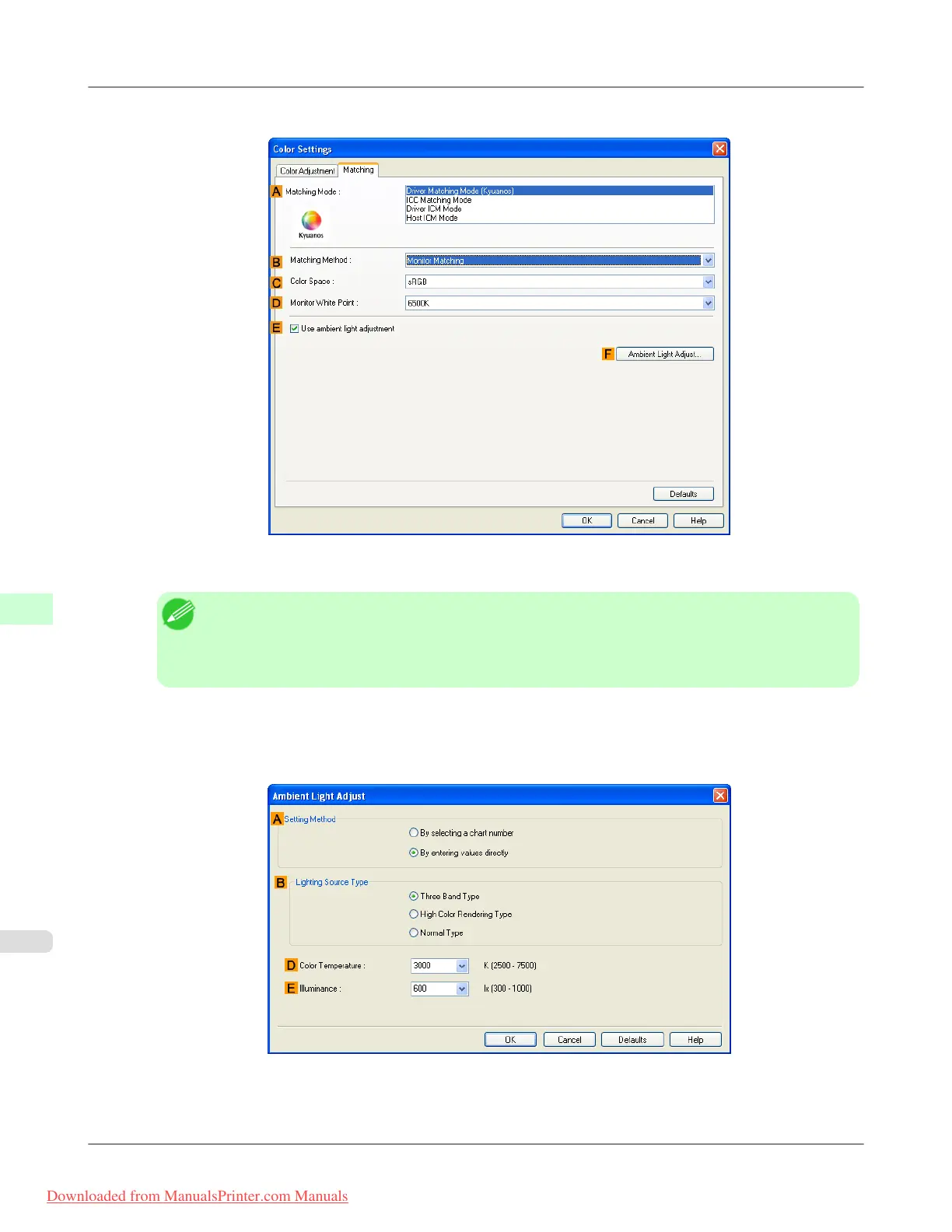
10. Click the Matching tab to display the Matching sheet.
11. Make sure Driver Matching Mode is selected in A Matching Mode.
Note
• To specify monitor matching, select Monitor Matching in B Matching Method. In this case, select
the same color space as when the file was opened in C Color Space and the monitor color tempera-
ture in D Monitor White Point.
12. Select E Use ambient light adjustment.
13. Click F Ambient Light Adjust to display the Ambient Light Adjust dialog box.
14. Select By entering values directly in A Setting Method.
Adjustments for Better Print Quality
>
Color adjustment
>
Printing in Colors Matching the Measured Ambient Light (Windows) iPF8300
8
868
Downloaded from ManualsPrinter.com Manuals














 To Next Page