218Service Manual – CS7010™ 30 - Solution System
Removal and Installation
CAUTION: Before removing or reinstalling any machine components, make sure the key switch is
off, the key is removed from the machine and the parking brake is engaged.
Solution Tank
CAUTION: The solution tank is relatively heavy. It’s recommended that the solution tank be
removed by two or more persons, using the appropriate equipment, to prevent possible
personal injury or damage to the solution tank.
1. Disconnect the main battery.
2. Drain and remove the recovery tank.
3. Drain the solution tank.
4. Disconnect the solution hoses from the solution tank.
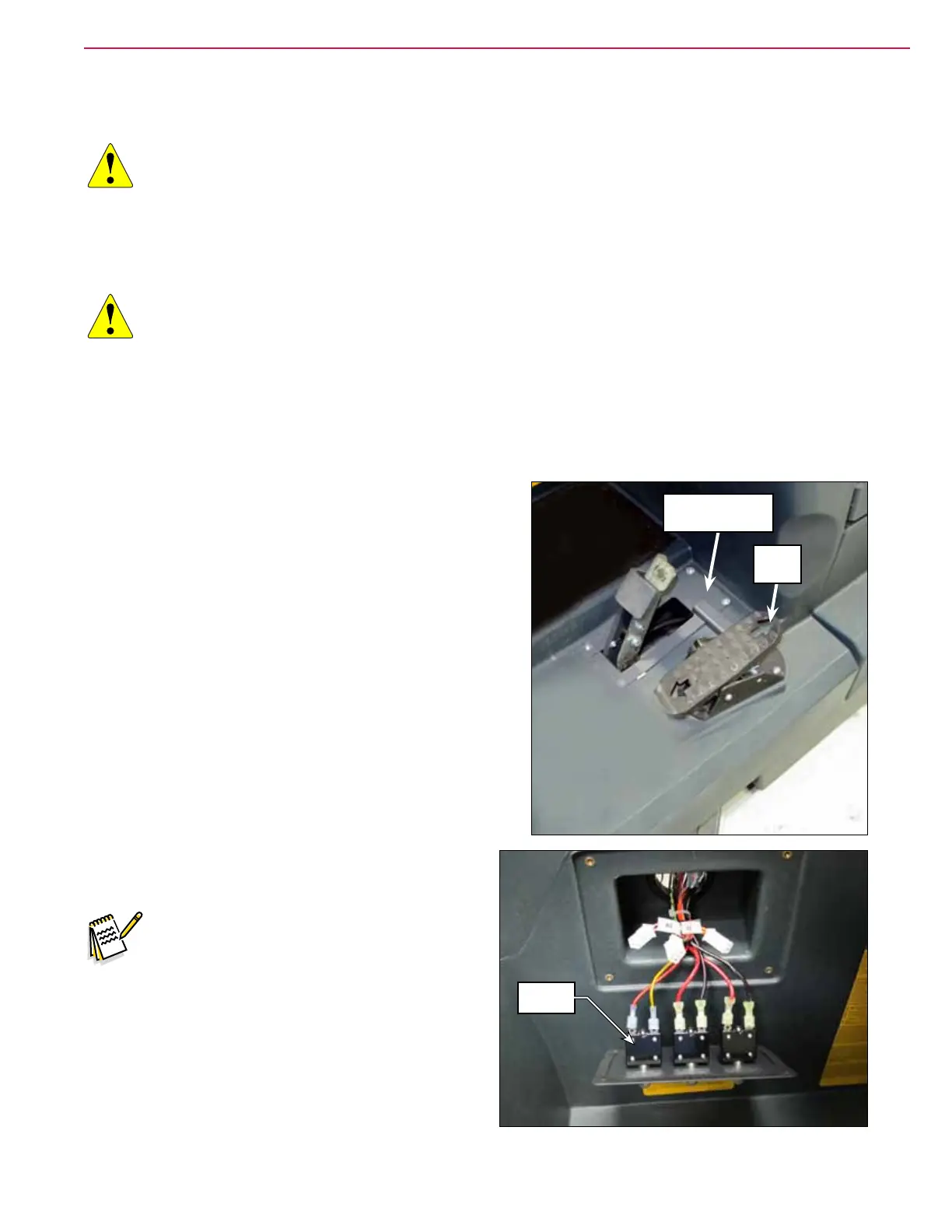
5. Disconnect the electrical connector from the Drive Pedal.
6. Remove the Brake Pedal Cover Weldment.
7. Remove the Circuit Breaker Panel and disconnect
the circuit breaker connectors.
Note: Label the circuit breaker connectors as
you remove them to make sure they are
reconnected correctly.
Brake Pedal
Cover Weldment
Drive
Pedal
Circuit
Breakers



 To Next Page