312Service Manual – CS7010™ 52 - Hopper System
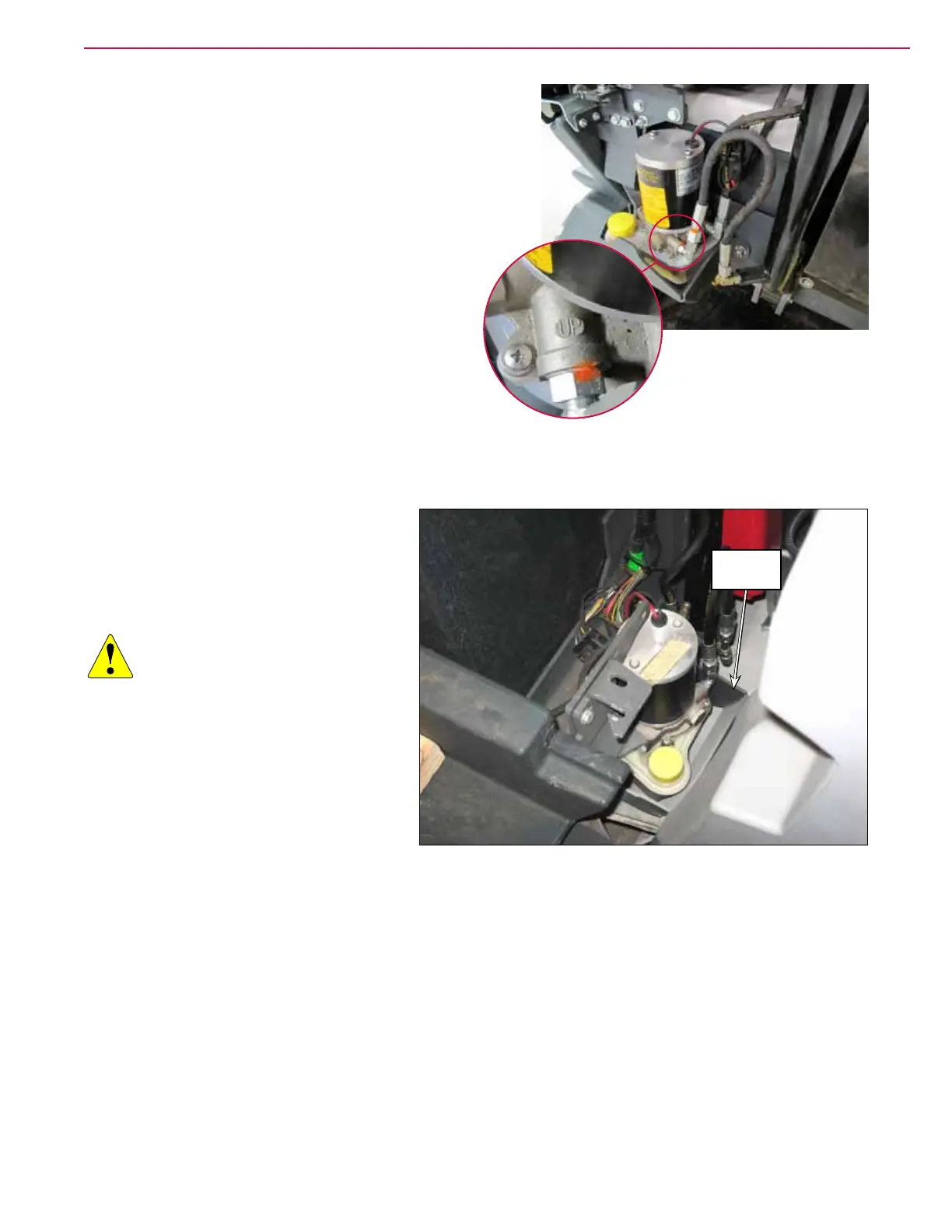
13. Plug the up port of the pump assembly.(It is
labeled on the pump)
14. Momentarily run the pump to get oil out of the
“down port” by pressing the hopper down switch.
15. Transfer the plug from the up port to the down
port of the pump assembly
16. Momentarily run the pump to get oil out of the
“up port” by pressing the hopper up switch.
17. Remove all remaining plugs from the pump
and the hoses and attach the hoses to the pump
assembly.
18. Lower cylinder port hose to “up port” on pump
19. Upper cylinder port hose to “down port” on pump
20. Run the hopper to the full up position and make sure the oil level is at the minimum mark on the
reservoir.
Battery Models
1. Open the right battery side cover.
2. Use some large hooks to grab the
bumper and raise the hopper up slightly
using a hoist or other suitable method.
CAUTION: Before working
underneath the raised
hopper, install blocks
between the hopper and
chassis, or other suitable
supports to prevent the
hopper from accidentally
lowering while you’re
working underneath the
hopper.
3. Remove the fasteners and remove the
Reservoir Guard.
4. Disconnect the pump electrical connector.
5. Remove the hydraulic hoses from the pump.
6. Remove the two hydraulic pump mounting bolts and remove the Hydraulic Power Pack assembly.
7. Transfer ttings to the new Hydraulic Power Pack assembly and attach the assemble to the frame but
do not connect the hoses yet. The system has to be lled with oil.
Reservoir
Guard



 To Next Page