244Service Manual – CS7010™ 38 - Squeegee System
Squeegee Tilt Adjustment
1. Lower the squeegee and drive the machine forward a short
distance so the squeegee assumes its normal operating angle.
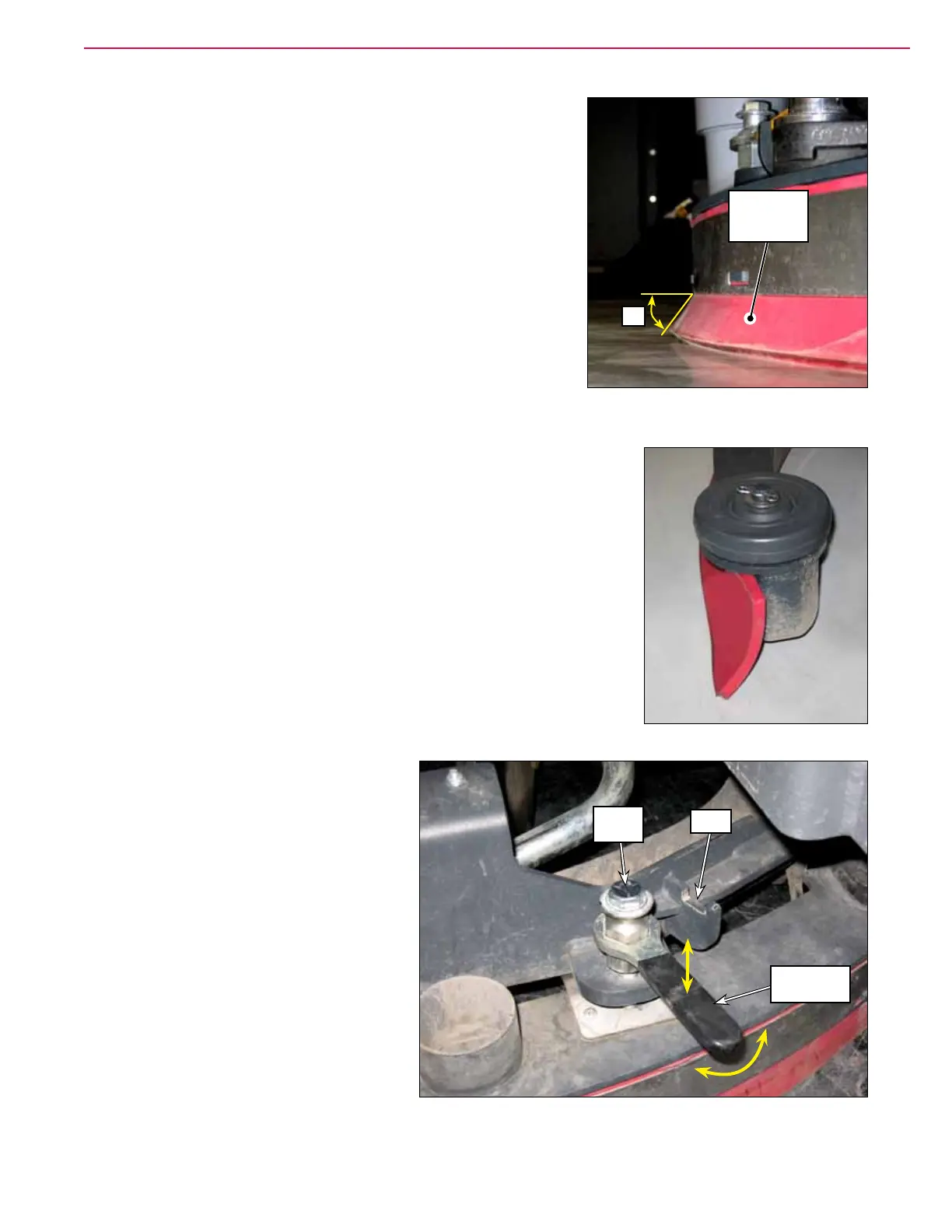
2. Check the deection angle of the Rear Squeegee Blade. It should
be approximately 45 degrees to the oor surface as shown.
The ends of the squeegee should deect as shown while still making
full contact with the oor.
3. If the squeegee tilt angle needs to be
adjusted:
4. Lift the crank handle out of the yoke
5. Rotate the crank handle to raise or lower
the 1/2”-13 screw as necessary so the
squeegee blades are at the correct angle
to the oor.
6. When the squeegee tilt adjustment is
correct, replace the crank handle into the
yoke.
45°
Rear
Squeegee
Blade
1/2”-13
Screw
Yoke
Crank
Handle



 To Next Page