246Service Manual – CS7010™ 38 - Squeegee System
Removal and Installation
CAUTION: Before removing or reinstalling any machine components, make sure the key switch is
off, the key is removed from the machine and the parking brake is engaged.
Squeegee Lift Actuator
1. Tilt the recovery tank down.
2. Remove the squeegee to reduce the weight on the
squeegee lift arm.
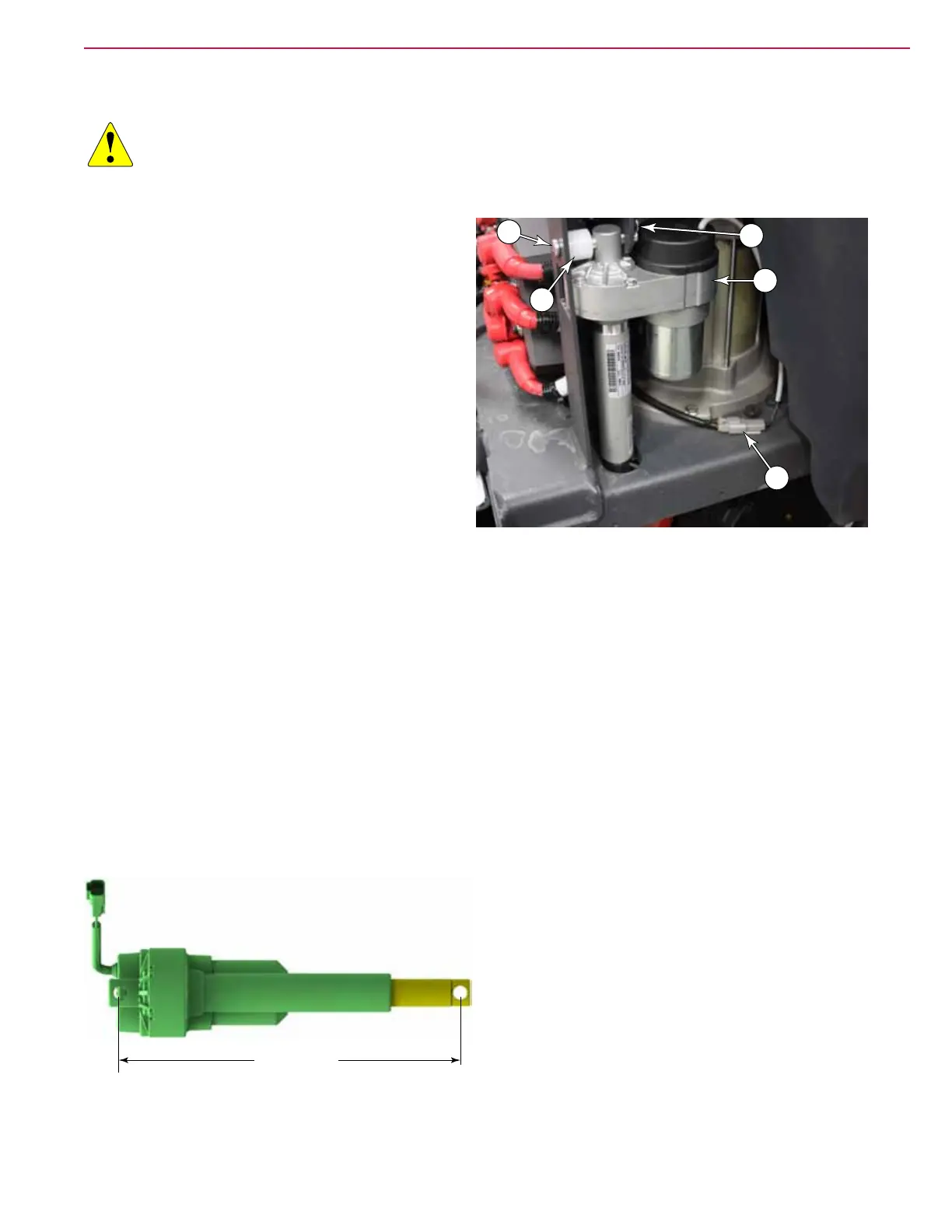
3. Disconnect the lift actuator electrical connector
(E).
4. Remove the cotter pin, spacer, and clevis pin
connecting the squeegee lift actuator to the
squeegee lift arm.
5. Remove the cotter pin (D), spacer (C), and clevis
pin (B) connecting the squeegee lift actuator to
the machine chassis, and remove the actuator.
Actuator Adjustment
If the actuator is new or otherwise not properly adjusted, it is necessary to set the mechanical retracted
position. This is controlled by a limit switch inside the actuator.
1. Plug the actuator back into the machine electrical connector.
2. Power up the machine, enter Service Test mode, and retract the actuator by raising the squeegee.
• It is not necessary to hold the output shaft from turning. You may choose to do so if the actuator is
fully extended, but let go before the actuator fully retracts.
3. After the actuator has stopped, rotate the end shaft in or out until the distance between the two
mounting holes equals 12.07±.12” (307±3mm), and the holes are aligned as shown..
4. Reinstall the actuator by following the above steps in reverse order.
5. When complete, cycle the squeegee up and down to check the positions. If necessary, adjust the
Squeegee Down Time in the Conguration menu.
12.07±.12”
(307±3mm)
A
E
B
C
D



 To Next Page