230Service Manual – CS7010™ 34 - Scrub System
Removal and Installation
CAUTION: Before working near the scrub deck, disconnect the main battery connector to prevent
the deck from moving unexpectedly if the machine were to initialize.
Side Squeegee Assembly
1. Loosen the knob and swing out the edge
guard.
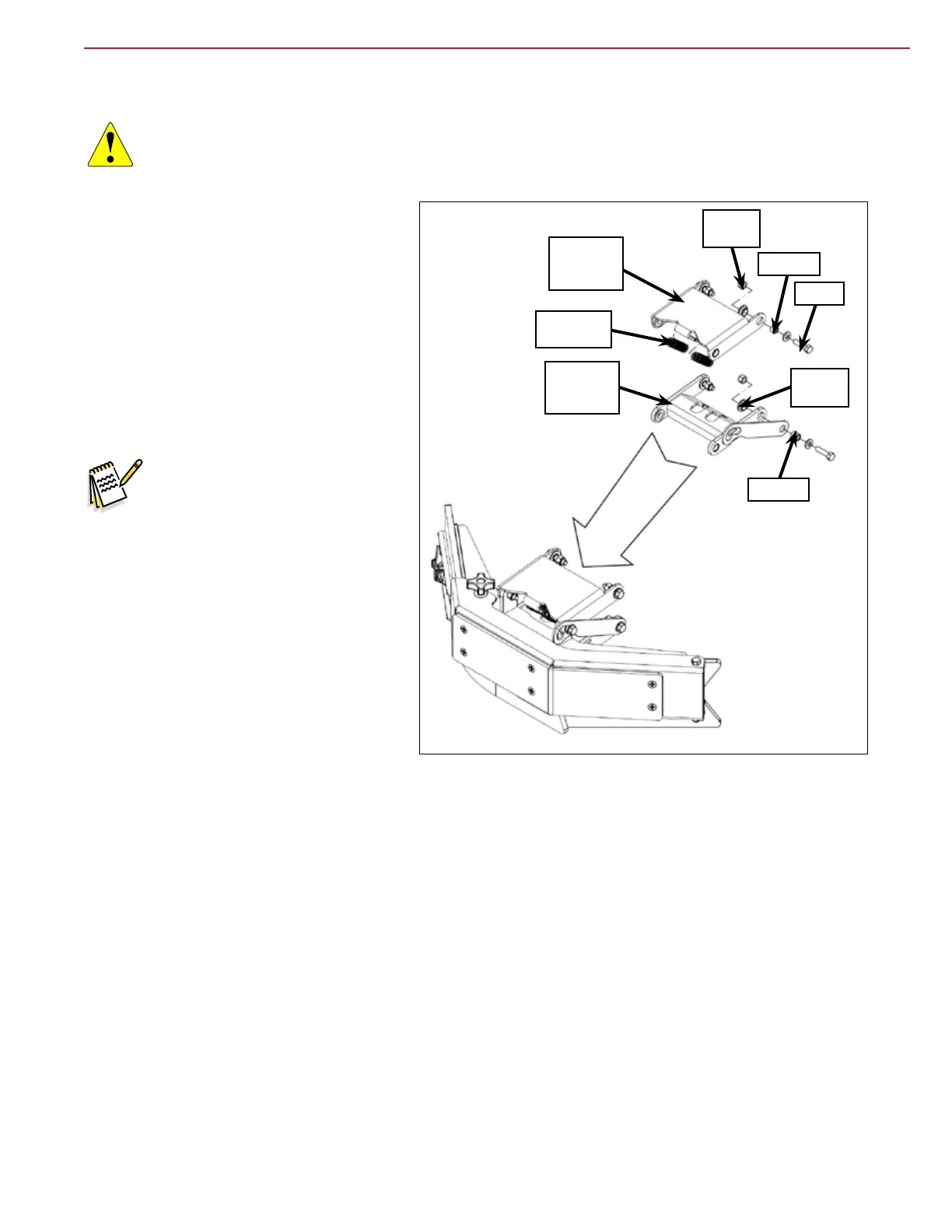
2. Carefully remove the Extension Springs
from the tabs on the upper Weldment
Arm.
3. Remove the Screws, washers, Bushings,
Flange Bearings and Nyloc
®
Nuts
holding the side squeegee assembly to
the scrub deck, then remove the side
squeegee assembly from the machine.
Note: The Bushings in the upper
and lower Weldment Arms
are different. Make sure to
note where the hardware
items are located as you
remove the squeegee
assembly to ensure the
mounting hardware is
reinstalled correctly.
4. Reinstall the side squeegee assembly
by following the above steps in reverse
order.
Weldment
Arm (upper)
Flange
Bearing
Nyloc
®
Nut
Extension
Spring (2)
Weldment
Arm (lower)
Bushing
Bushing
Screw



 To Next Page