317Service Manual – CS7010™ 52 - Hopper System
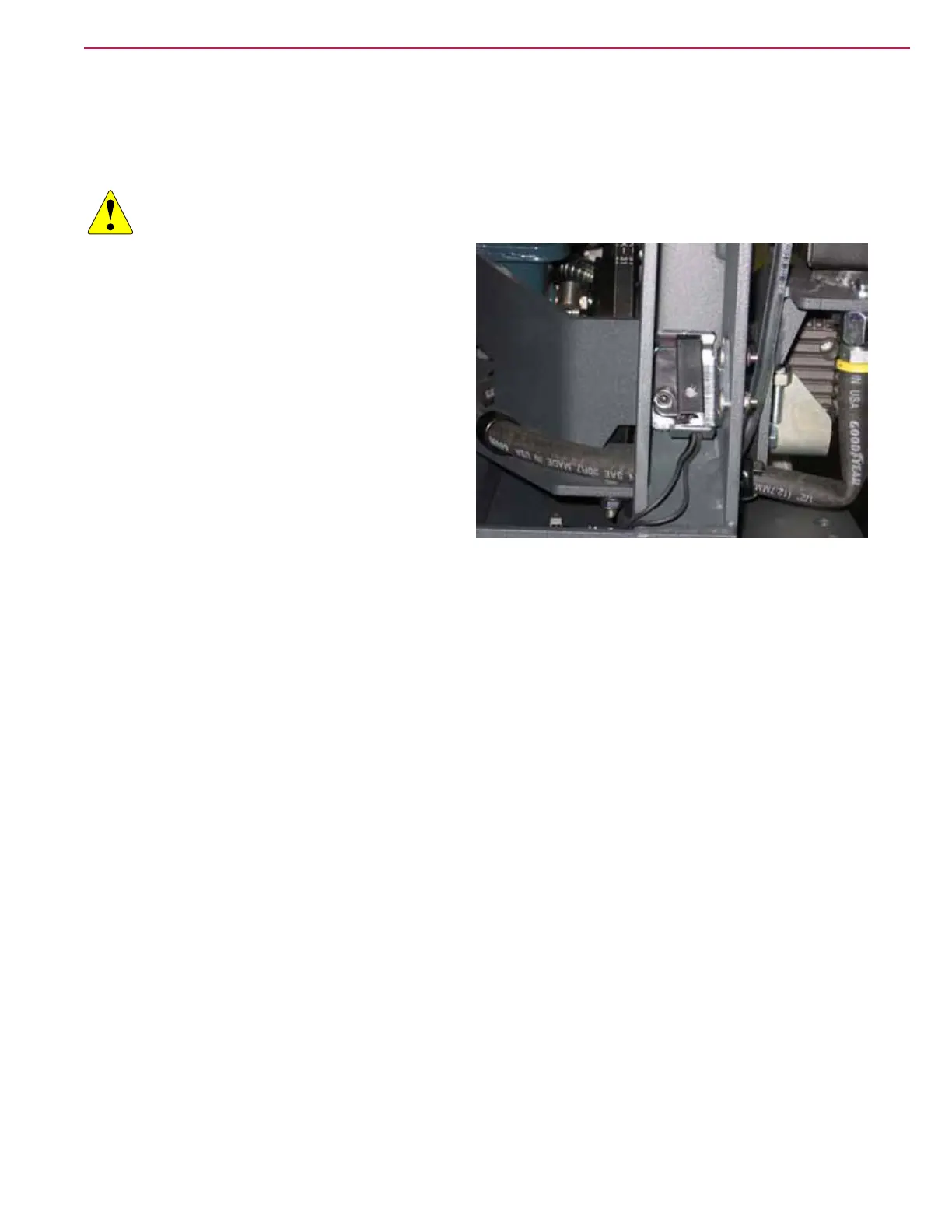
Hopper Interlock Switch
The hopper interlock switch detects when the hopper frame is in the fully down position. Symptoms of
failure or misadjustment are that certain machine functions will be disabled as though the hopper was
raised. For example, the scrub system is disabled and machine travel speed is reduced.
CAUTION: To avoid the risk of crushing injury, never work under an elevated hopper without the
prop rod engaged.
1. Raise the hopper and engage the prop rod.
2. Turn off the machine and remove the key.
3. Disconnect the switch’s electrical connector.
4. Remove the two nuts, washers, and carriage
bolts that secure the mounting bracket to the
machine’s main chassis.
5. Remove the socket head cap screw and nut that
secure the sensor to the bracket, and remove the
sensor.
6. Replace the new sensor onto the bracket, and
make sure the wires are passing through the
cutout in the bracket.
• Take care to not overtighten the screw, as the sensor tab could fracture.
7. Reinstall the sensor and bracket onto the machine chassis.
• Pull the sensor bracket all the way forward in the slotted mounting holes.
• Snug the nuts just enough that the bracket stays in place, but not so tight that the bracket won’t
slide when the hopper is closed in the step below.
8. Reconnect the electrical connector.
9. Turn the machine on and lower the hopper to the closed position, and then raise it again enough that
you can access the two mounting nuts.
10. Taking care to not move the bracket, tighten the two mounting nuts for the bracket.



 To Next Page