261Service Manual – CS7010™ 42 - Sweep System, Main
Maintenance and Adjustments
CAUTION: Before performing any maintenance or adjustments on the main sweep system, make
sure the key switch is off, the key is removed from the machine and the parking brake is
engaged.
Adjust the Main Broom Height
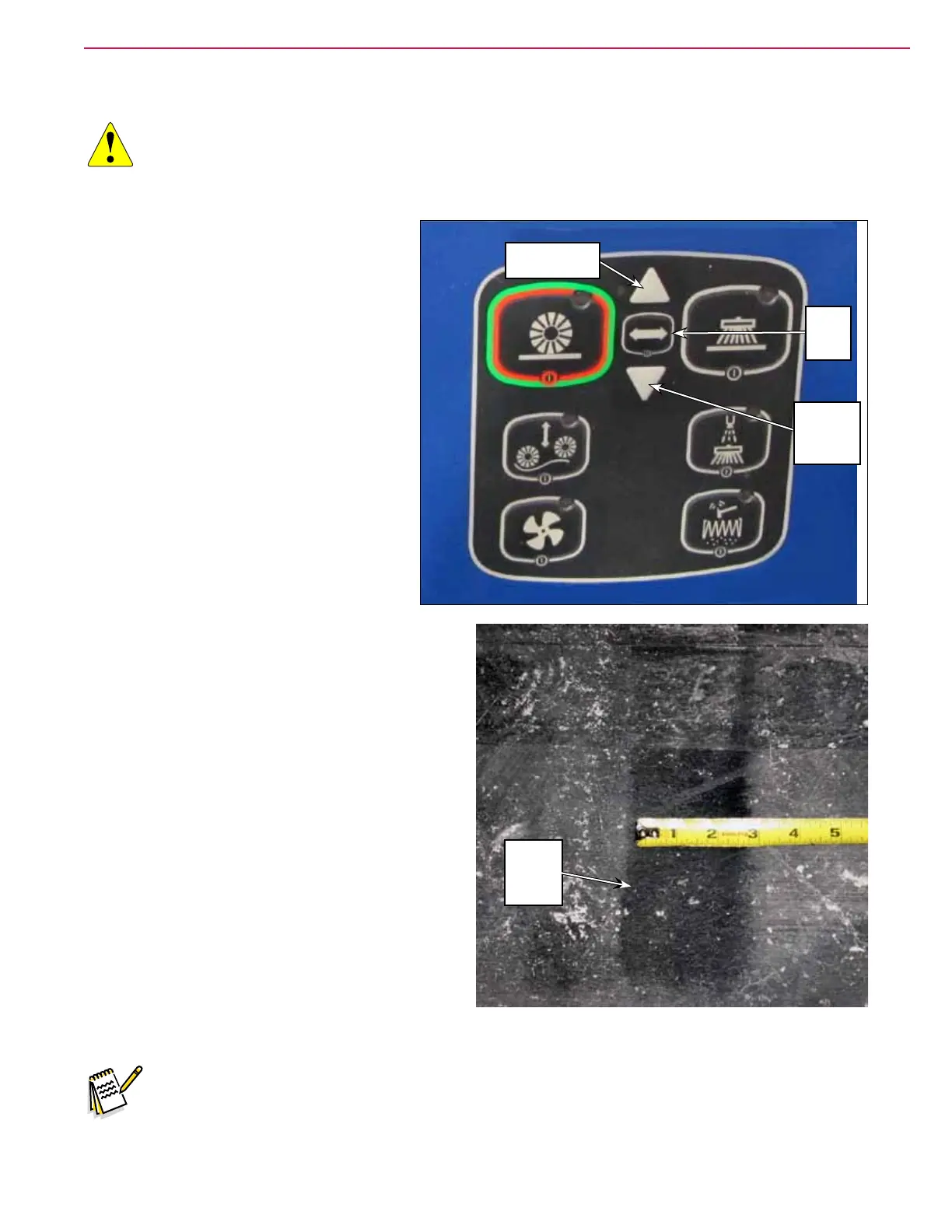
1. Turn the key switch on, then press the
Broom Select Switch twice to select the
main broom. The main broom motor will
start and the actuator will lower the
broom to its preset height. After running
for a short time, the broom motor will
shut off and the actuator will raise the
broom to its upper position.
2. Check the Main Broom Sweep Pattern on the
oor. The Pattern should be 2” to 3” (50-75 mm)
wide, and consistent in width along the entire
length of the main broom.
3. To adjust the width of the Main Broom Sweep
Pattern, switch on and lower the main broom as
described in step 1. While the main broom motor
is running, press the Broom Height Raise Button
or Broom Height Lower Button to adjust the
broom height. Note that:
Raising the main broom will narrow the Main
Broom Sweep Pattern.
Lowering the main broom will widen the Main
Broom Sweep Pattern.
4. Allow the broom motor to stop and the broom
to retract upward. The machine controller will
“remember” the new main broom height and will
return the broom to this position when the sweep
system is enabled.
Note: If the width of the main broom sweep pattern is not consistent along the entire length of
the main broom, you may need to adjust the main broom tilt. Refer to the Adjust the Main
Broom Tilt section below.
Broom
Height
Lower
Button
Broom
Select
Switch
Broom Height
Raise Button
Main
Broom
Sweep
Pattern



 To Next Page