38Service Manual – CS7010™ 04 - Control System
Main Machine Controller Programming
The Main Machine Controller is programmable for machine specic functions and congurations through a
text menu system. Various parts of the menu system are hidden, and available only to the technician. The
Technician-level (Service Mode) permits access to the whole menu system.
Service Mode Access
Placing the machine into Service Mode is required to gain full access to the
conguration system. Start with the machine powered off. Press and hold the
Scrub and Vacuum buttons then turn the key to the on position. The machine
will function the same, and the display will be the same, but you will have
access to the otherwise hidden menu system reserved for technicians.
Menu Navigation
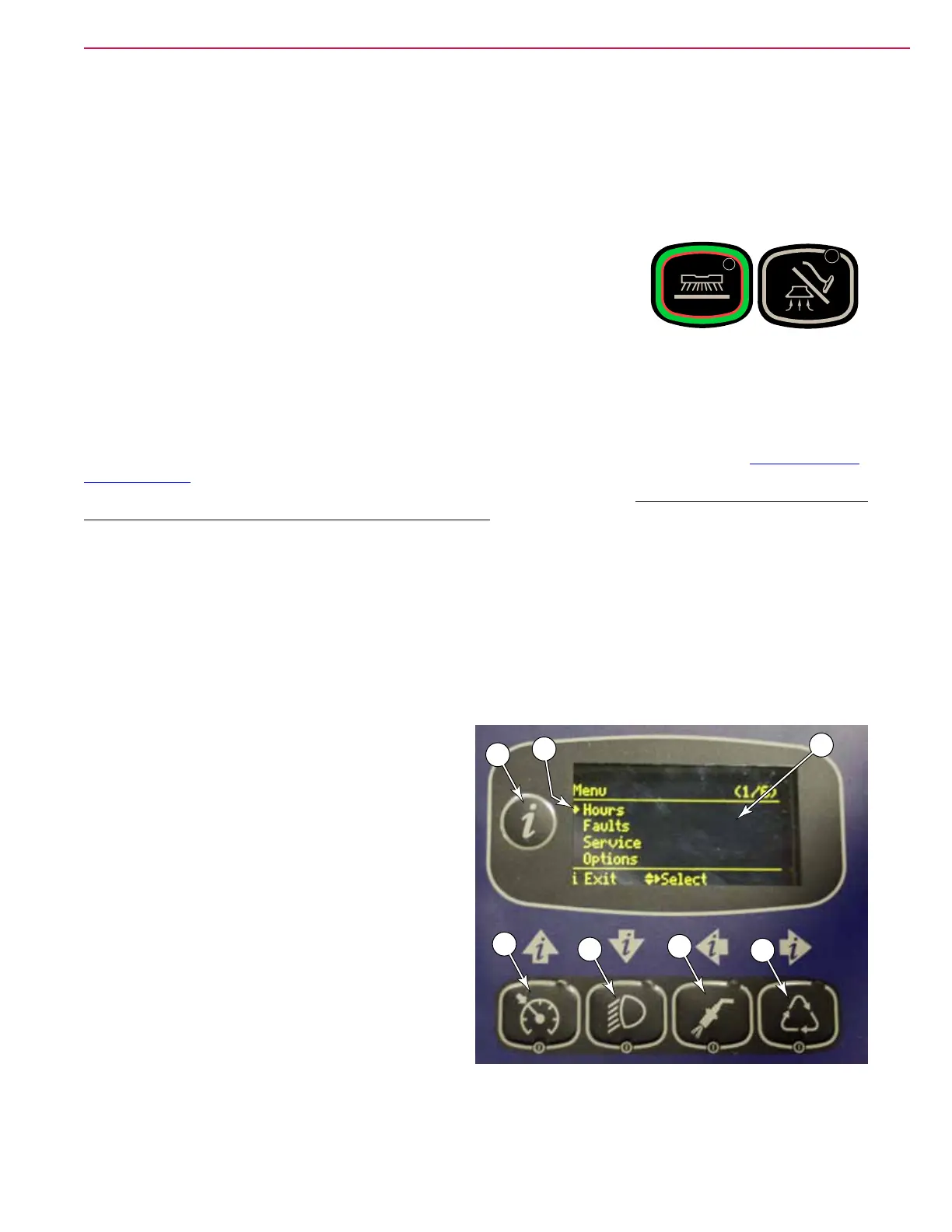
The menu system is accessed by pressing the Information switch (B). The LCD display will show the text-
based menu system. Pressing the Information switch again, exits the menu system. Refer to “Programming
Menu Outline” on page 39. The four switches below the display are used for navigating the menus. The
mode of navigation is indicated by the arrows above the respective switches. Those arrows will be referenced
when describing the navigation switches in this chapter.
• The Up and Down arrows (C & D) scroll through the menu listings. Within a conguration setting, the
Up and Down arrows also scroll through the list of conguration choices.
• The Cursor arrow (G) signies the current cursor position.
• The right arrow (F) will enter the currently identied submenu. Within a conguration setting, pressing
the right arrow accepts (saves) that selection and exits back to the previous menu.
• The left arrow (E) backs out of any submenu to the previous menu. Within a conguration setting,
pressing the left arrow cancels the selection, and exits without saving.
B
A
C
D
E
F
G



 To Next Page