256Service Manual – CS7010™ 40 - Recovery System
Vacuum Motor
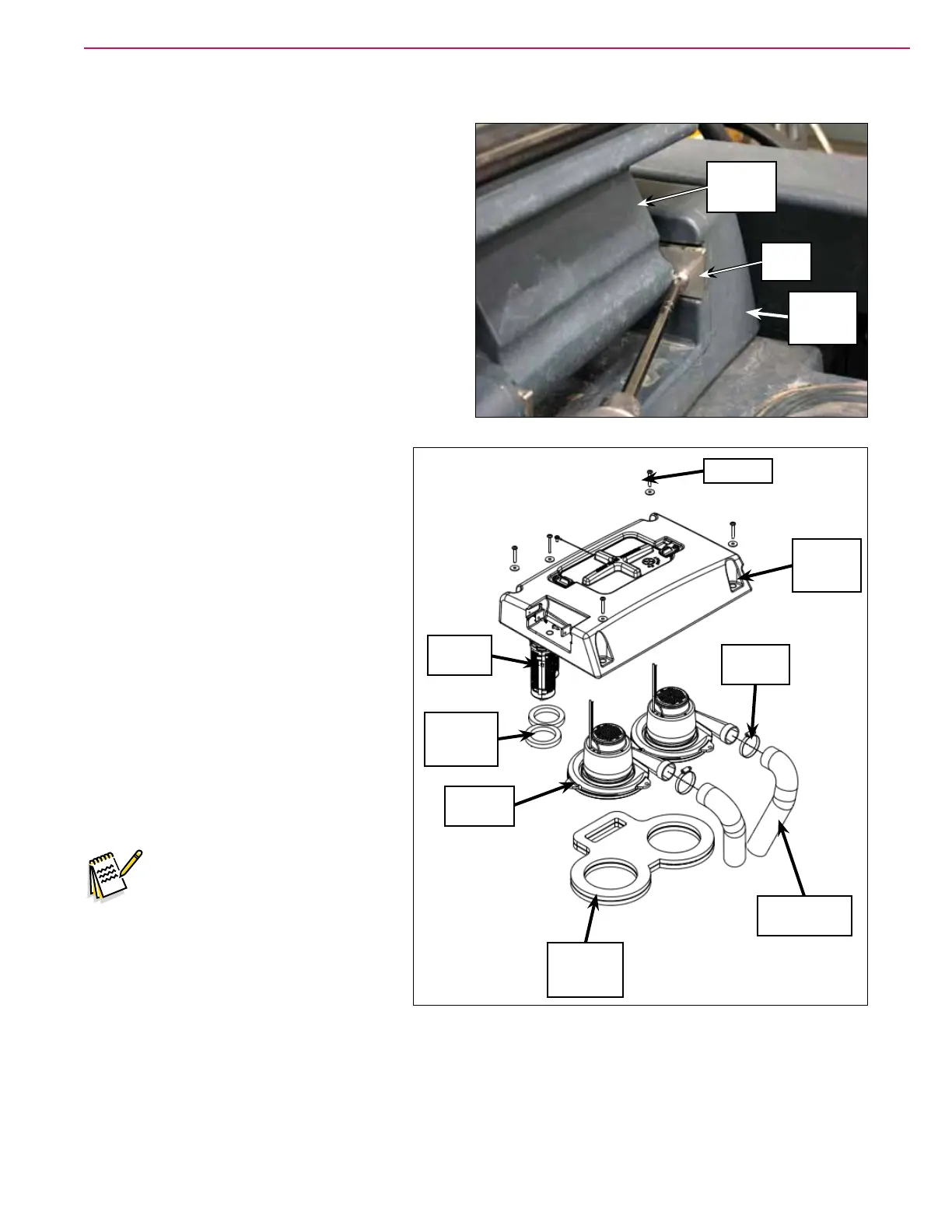
1. Lift up the recovery tank cover.
2. Remove one of the hinge tabs, then twist and
remove the recovery tank cover from the vacuum
fan cover assembly. This will allow access to
the screw underneath the recovery tank cover
that holds the vacuum fan cover assembly to the
recovery tank.
3. Remove the ve screws and washers
holding the vacuum fan cover assembly
to the recovery tank.
4. Carefully lift the vacuum fan cover
assembly off of the recovery tank,
making sure the oat cages pass up
through the cutouts in the tank.
5. Disconnect the vacuum motor electrical
connector.
6. Loosen the hose clamp and disconnect
the foam tube assembly from the
vacuum motor.
7. Carefully lift the vacuum motor out of
the recovery tank.
8. Reinstall the vacuum motor by
following the above steps in reverse
order.
Note: Before you reinstall a
vacuum motor, check the
vacuum fan seal assembly
and the vacuum duct
gaskets for any wear or
damage and replace if
necessary.
Vacuum
Fan Cover
Assembly
Hinge
Tab
Recovery
Tank Cover
Screw (5)
Vacuum
Fan Cover
Assembly
Float
Cage (2)
Vacuum
Duct
Gasket (2)
Vacuum
Motor (2)
Vacuum
Fan Seal
Assembly
Foam Tube
Assembly (2)
Hose
Clamp (2)



 To Next Page