42Service Manual – CS7010™ 04 - Control System
Output Test
The Output Test menu provides manual control of various system functions for troubleshooting purposes.
This permits devices to be operated even when prerequisite conditions are not met, such as permitting the
scrub brushes to turn on with the hopper up and the machine stationary. In addition to output control, each
selection also provides status information for the particular device.
The output options will vary for each listing, and may include On/
Off, Forward/Reverse/Off, Up/Down, etc.
For outputs under PWM control, the commanded PWM% and the
actual load amperage is shown.
For actuators with position feedback, the position information is also
shown.
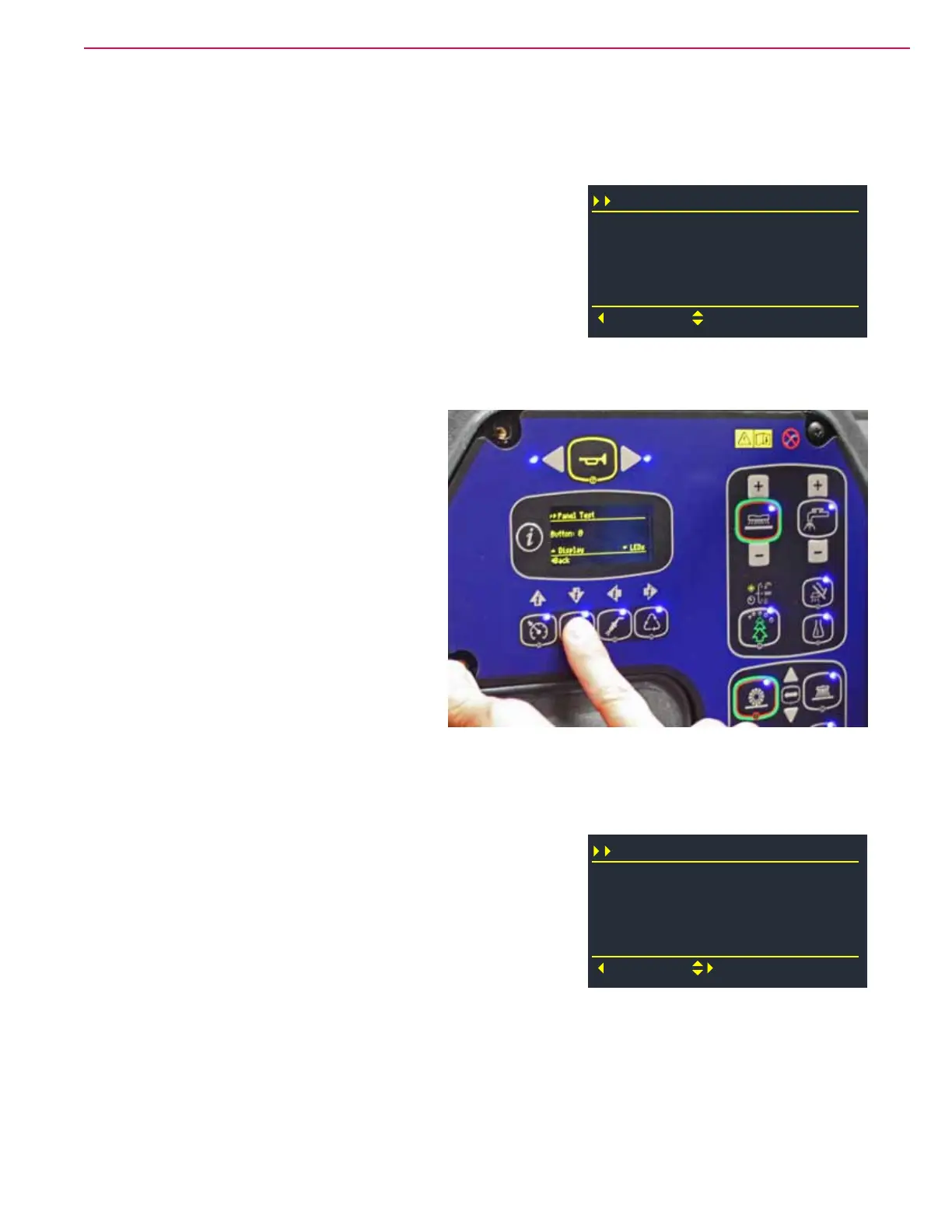
Panel Test
The Panel Test screen provides a means to
verify the functionality of all of the control panel
switches, LEDs, and display pixels.
• Pressing the Up navigation switch will turn
all screen pixels on, to reveal if any pixels are
not working.
• Pressing the Down navigation switch will
illuminate all LED indicators.
• Pressing any non-navigation switch will
display that switches number on the display.
The actual switch number isn’t critical for
troubleshooting because the membrane
switches are not an electrical array (like a
computer keyboard), but instead are direct
individual inputs into the main controller
circuit board.
• Note, the navigation switches are not included in the panel test, because they still function as navigation
switches, and are known to work by their actions.
Options Menu
The Options Menu provides for making machine settings specic for
the uses and needs of the operator.
Scrub Start: This sets the scrub mode default at startup. The
choices are Light, Heavy, Extreme, and Last Used. (Last means
that whichever mode was selected during the previous session will
remain for the next session.)
Scrub Max: This sets the maximum permitted scrub level that the
operator can select, and locks out that level and those above it. The choices are Light, Heavy, and Extreme.
Deck Down Time: This sets how long the actuator is run in the downward direction when the scrub deck is
moved down. The deck stops when the timer ends.
BOP Time: This sets the length of time (in seconds) Burst of Power remains active after pressing the BoP
switch. The minimum is 60 seconds, the maximum is 300 seconds (5 minutes), and the increment is every 60
seconds (1 minute).
Output Test (20/30)
M6 Main Brm Act
Back
Scroll
M6 Main Brm Act %
Main Brm Act A
Up
63
0.0
Pos 2070
Options (1/16)
Scrub Start
Back
Select
Scrub Max
Deck Down Time
Last Used
Extreme
2.5
BOP Time 60



 To Next Page