311Service Manual – CS7010™ 52 - Hopper System
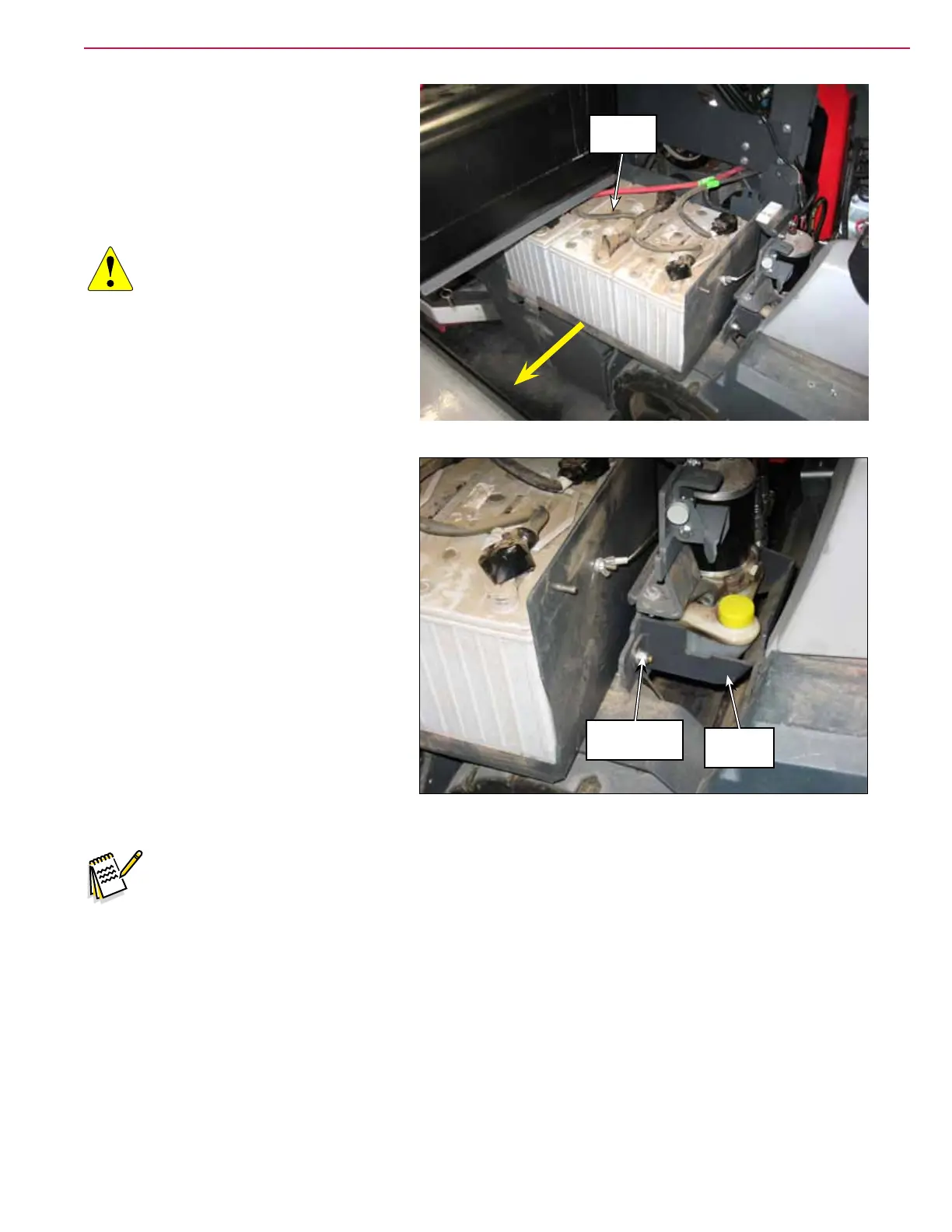
5. Slide the tray with the batteries out to
the limit of the tether cable.
6. Use some large hooks to grab the bumper
and raise the hopper up slightly using a
hoist or other suitable method.
CAUTION: Before working
underneath the raised
hopper, install blocks
between the hopper and
chassis, or other suitable
supports to prevent the
hopper from accidentally
lowering while you’re
working underneath the
hopper.
7. Remove the two 3/8”-16 Nyloc Nuts and
remove the Reservoir Guard.
8. Disconnect the pump electrical
connector.
9. Disconnect the hydraulic hoses from the
pump.
10. Remove the two hydraulic pump
mounting bolts and remove the
Hydraulic Power Pack assembly.
11. Transfer ttings to the new Hydraulic
Power Pack assembly and attach the
assembly to the frame but do not connect
the hoses yet. The system has to be lled
with oil.
12. Fill the reservoir with 10W 30 engine oil.
Note: In the remaining steps it is important that the oil level always be maintained above the
minimum mark on the reservoir.
Tray and
Batteries
3/8”-16 Nyloc
™
Nut (2)
Reservoir
Guard



 To Next Page