309Service Manual – CS7010™ 52 - Hopper System
Dump Door Open Position
1. If the hopper is not still raised from the rst part of
this procedure, raise it and engage the prop rod.
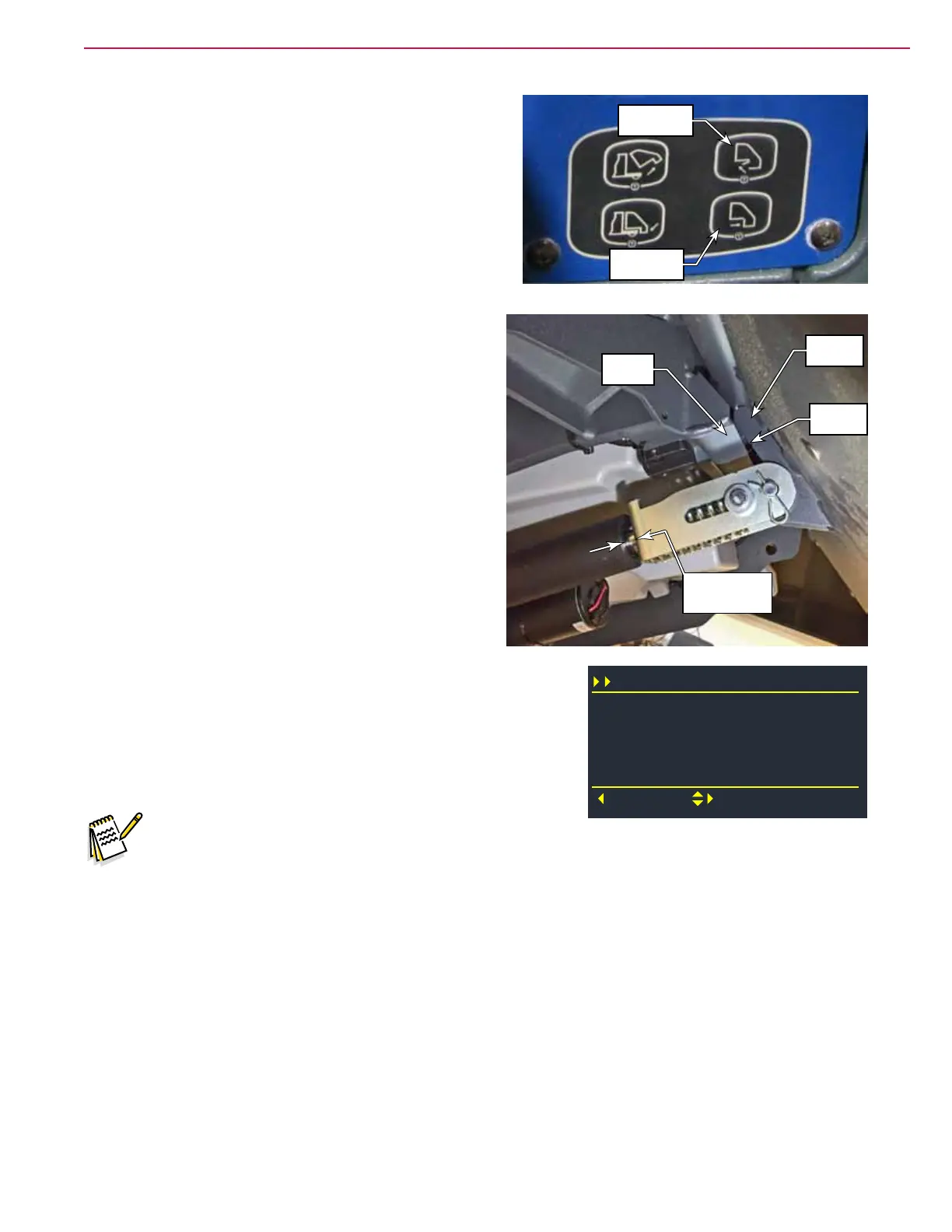
2. To ensure the dump door is rst closed, press the dump
door close button on the control panel.
3. Open the dump door by pressing the Dump Door Open
button on the control panel.
4. Examine the position of the actuator and yoke. The
end of the yoke should be 0.25±0.25 inch (6 ± 6 mm)
away from the actuator body, and the dump door
bracket is not touching the hopper frame.
5. To make adjustments, go to the conguration menu and select
Dump Door Open voltage.
• If the yoke distance is too large, increase the voltage.
• If the yoke distance is too small, decrease the voltage.
Note:
− The default voltage setting in the conguration is 1.3 volts
− When the door is opened, the actuator will “coast” a little after it is turned off. So the nal voltage
shown in the Output menu when the door stops will be slightly less than the programmed voltage
in the Conguration menu. This is normal.
− Each revolution of the lead screw is approximately 0.1 volts on the potentiometer.
6. Cycle the door using the open and close buttons described above to verify the changes.
Dump Door
Open
Dump Door
Close
0.25±0.25”
(6±6 mm)
Not
Touching
Hopper
Frame
Door
Bracket
Configuration
Deck Down Time (s)
Back
Select
Neutral Delay (s)
Sqg Up Time (s)
2.5
0.5
2.0
Dump Door Open v 1.3



 To Next Page