Selects Audio Mode data insertion mode in ARIB
STD-B39 defined Control signal.
Pass: Passes the input signal ARIB STD-B39
Audio Mode data through to the output. If input and
output video formats are different, inserts another
data set under Mode in the same manner as for
Overwrite.
Overwrite: Replaces the audio information to the
one set under Mode Data if ARIB STD-B39 Audio
Mode data is inserted in input signals.
Selects the Audio Mode data from the table in Sec
6-4.
Group1-4
Multiplex
Enable
Disable: Inserts no audio channels.
Enable: Inserts audio channels.
Auto
Reference
Clock
Input Ch
X/X
Input Ch
X/X
Selects a reference clock for each audio group that
is used for SDI embedding.
Auto: Uses a non-PCM audio if it is included in an
audio group for embedding. If there are multiple
non-PCM audio channels in a group, a clock of the
channel pair with the smallest numbers is selected.
Uses a clock synced with the output video if all
group channels are PCM.
Reference Clock: Uses a clock synced with the
output video (Synchronous output with SRC).
CH 1/2 to 15/16: Uses the selected input channel
pair clock. To asynchronously output non-PCM
audio, select a channel pair.
Reference is always applied to SD-SDI input
regardless of this setting.
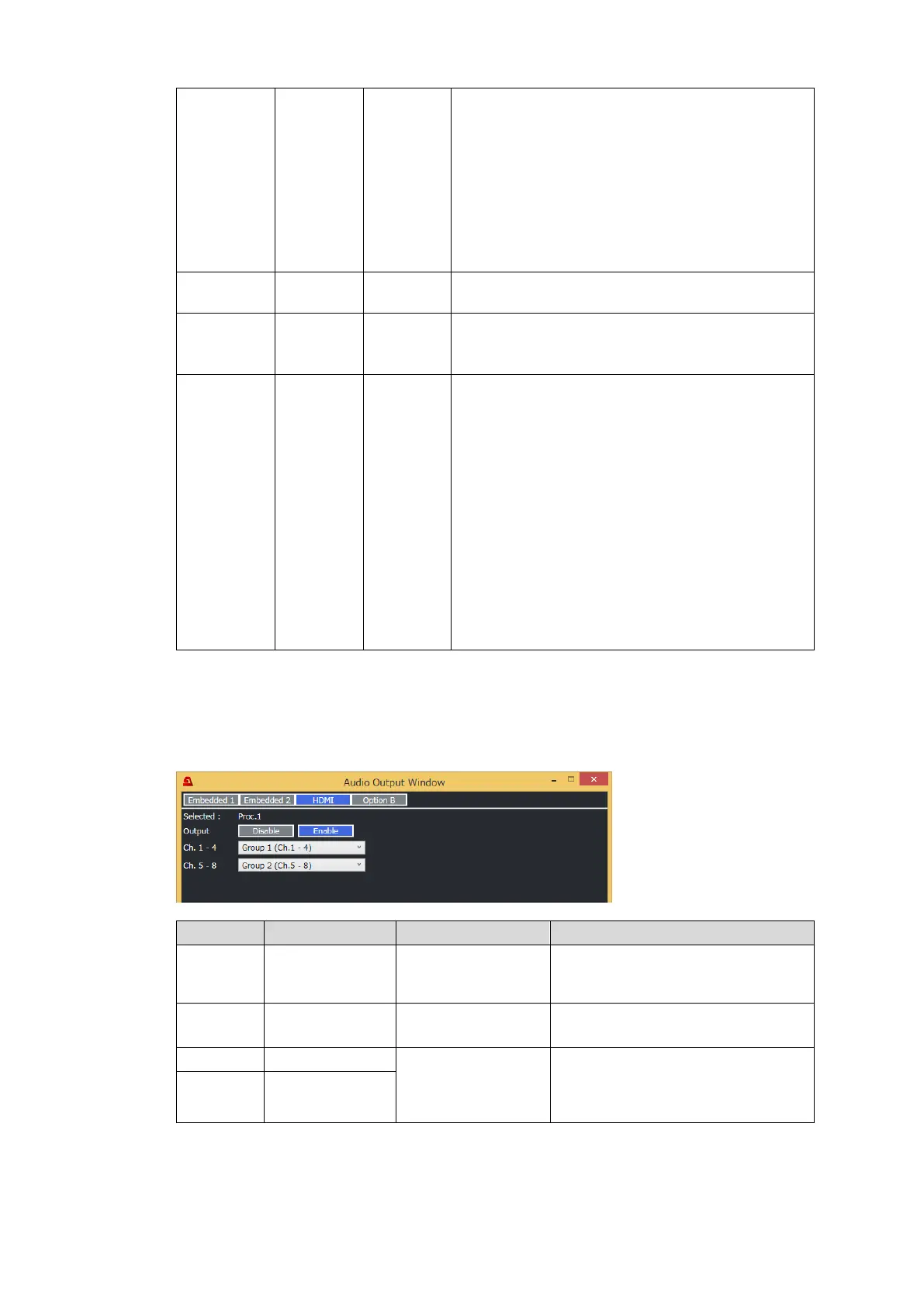
To set HDMI audio output, click HDMI.
To set audio of the option card installed on Slot B (FA-96ANA-AUD or FA-96MADI), click
Option B.
HDMI Audio Setting
Displays a process to which the
HDMI output belongs (Proc.1 or
Proc.2).
Enables/disables HDMI audio
output.
Group 1(Ch.1-4)
Group 2(Ch.5-8)
Group 3(Ch.9-12)
Group 4(Ch.13-16)
Selects audio sources per 4
channels. Audio sources can be
selected from those in the process
displayed under Selected Process.


 To Next Page
 Loading...