175
13-4. Data
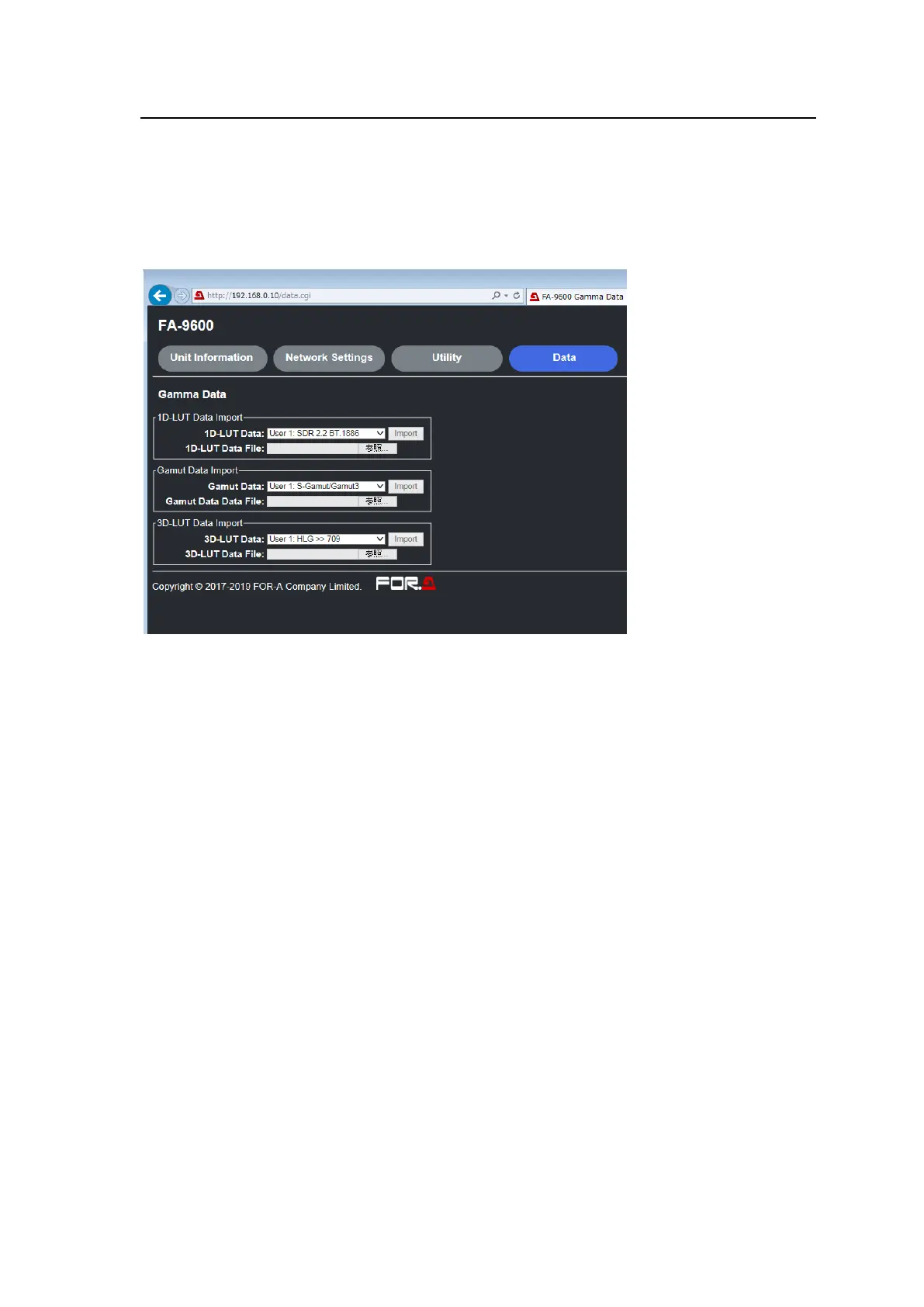
Click Data in the Web GUI page to display a menu, in which the following data import (sending from
Web GUI to FA-9600) can be performed.
Gamma data (User Gamma 1-10)
Gamut data (User Gamut 1-5)
3D-LUT data (User 3D-LUT 1-13)
◆ Gamma Curve Import
Upload local gamma curve data stored as a lut file to FA-9600.
(1) Click Browse… to select a lut file.
(2) Select a User Gamma number.
(3) Click Import to upload the file data to the selected number.
◆ Gamut Data Import
Upload local gamut data stored as a gmt file to FA-9600.
(1) Click Browse… to select a gmt file.
(2) Select a User Gamut number from 1 to 5.
(3) Click Import to upload the file data to the selected number. (Note that original User Gamut
data is lost once it is replaced.)
◆ 3D-LUT Data Import
Upload local 3D-LUT data stored as a bin file to FA-9600.
(1) Convert 3D-LUT data stored in the supplied CD-ROM to a dedicated bin file. (Refer to FA-9600
LUT Converter Operation Manual (separate manual) for more details.)
(2) Click Browse… to select a bin file.
(3) Select a User 3D-LUT number.
(4) Click Import to upload the file data to the selected number.


 To Next Page
 Loading...