69
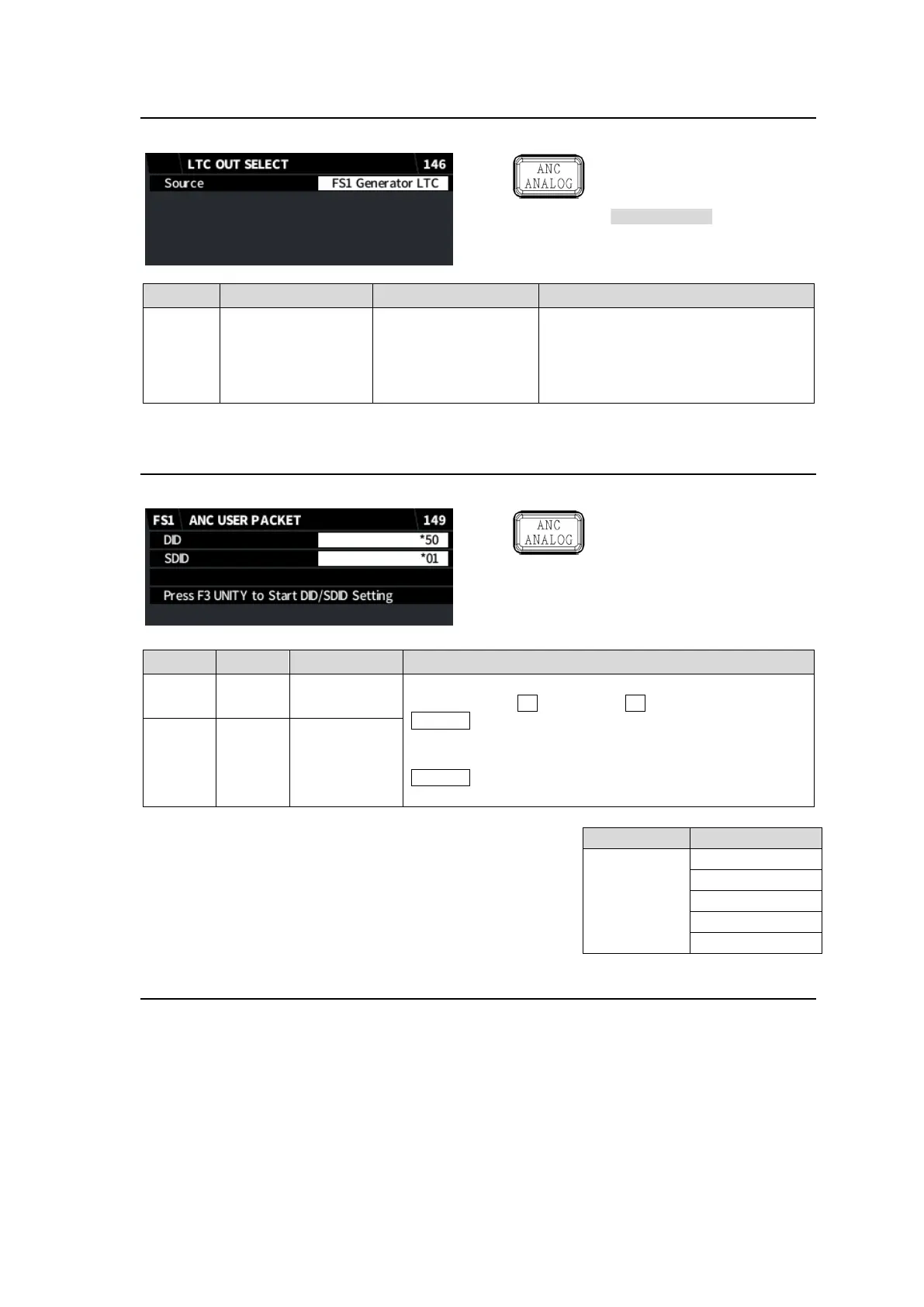
5-35. LTC OUT SELECT (FA-96DIN4-CBL)
This menu requires FA-96DIN4-CBL option.
Simultaneous 4K/HD
Dual HD
3D-LUT (FS1)
FS1 Generator LTC
FS2 Generator LTC
The LTC OUT on FA-96DIN4-CBL
outputs an internally generated
timecode.
This menu selects which timecode
generator to be used.
5-36. ANC USER PACKET (Planned for future support)
This menu is planned for future support.
Simultaneous 4K/HD
Dual HD
3D-LUT (FS1)
Selects an ANC packet used as a User Packet in the input
signal by using F1 for DID and F2 for SDID and pressing
F3 Unity.
An asterisk “*” is displayed in front of DID/SDID values if
the packet is already used.
F3 Unity cannot be pressed if a packet (DID/SDID values)
is unavailable (see below).
<Unavailable ANC Packets>
ANC packets with DID and SDID values in the table
at right are unavailable, because they are reserved
by ARIB.
5-37. ANC DATA INSERTION
This menu allows you to determine whether to pass through the following three VANC data packets
inserted in SDI input.
ARIB STD-B37 (Closed Caption Data)
ARIB STD-B39 (Inter-Stationary Control Data)
User Packet (Selected in Sec. 5-36. “ANC USER PACKET”) (Planned for future support)
Other VANC data packets cannot be managed independently, To enable this menu, set V ANC to
Rewrite. (See Sec 5-29. “ANCILLARY MULTIPLEX.”)


 To Next Page
 Loading...