48
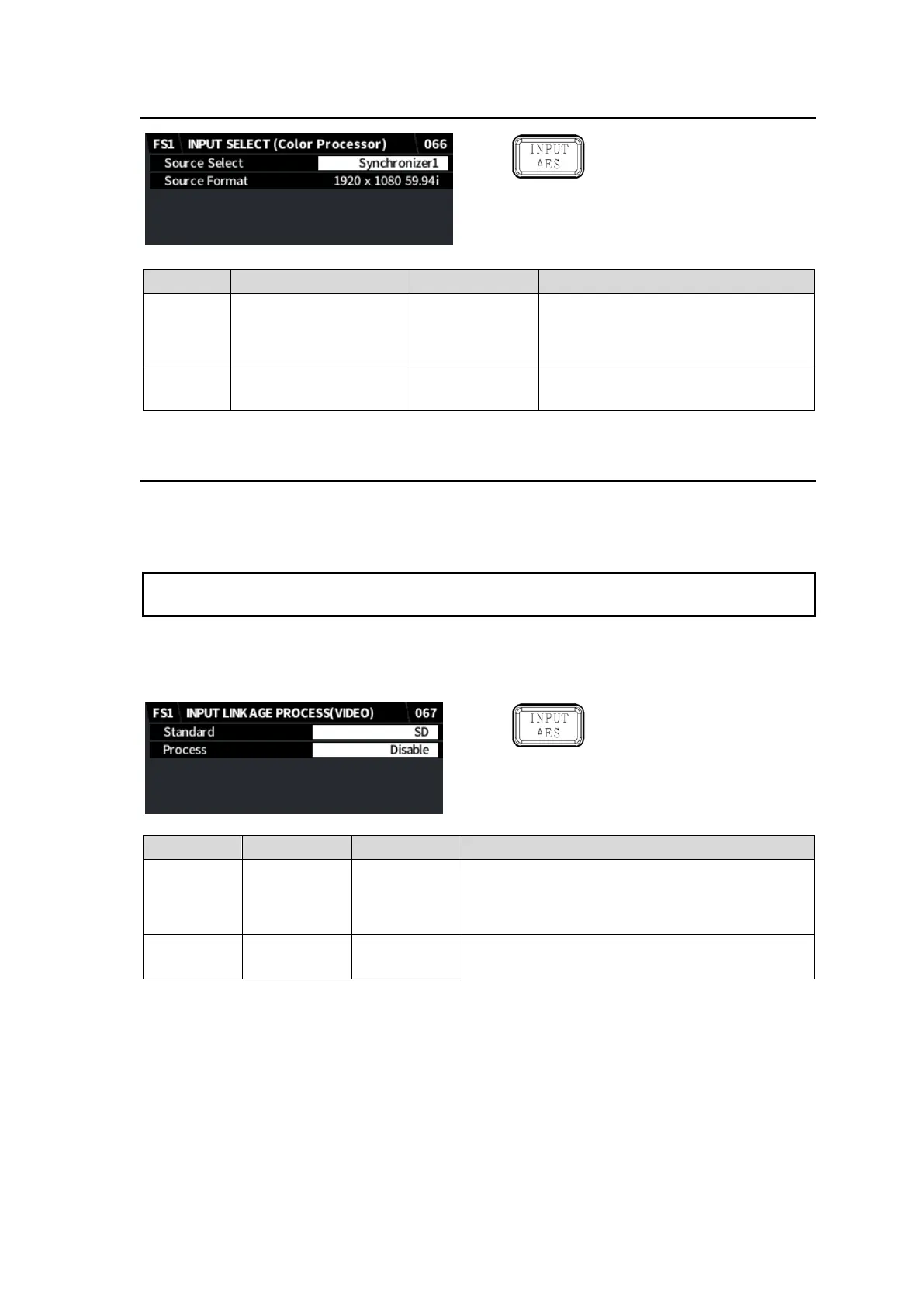
5-15. INPUT SELECT (Color Processor)
Simultaneous 4K/HD
Dual HD
3D-LUT (FS1)
Synchronizer1 (FS1)
Synchronizer2 (FS2)
Synchronizer 1
Converter 1
Synchronizer 2
Converter 2
Selects a source signal for FS1 or FS2
Color Processor.
Displays the signal format selected
under Source Select.
5-16. INPUT LINKAGE PROCESS (VIDEO)
An event (a set of menu settings) can be automatically loaded by linking to input signal format.
To check the input video format, see Sec. 5-45. “VIDEO INPUT STATUS.”
Note that video processing from format detection to even loading may take a certain time, more
than a frame in some cases.
To use auto (linkage) event load, a corresponding event should be created and uploaded in
advance. (See Sec. 13-3-2-2. "Auto Loaded Events (Event 101 and higher)” in Sec. 13-3-2 “Event
Data”.)
Simultaneous 4K/HD
Dual HD
3D-LUT (FS1)
Selects a video format used for auto event load.
2160 is selectable in Simultaneous 4K/HD or
3D-LUT mode with FA-964K (FS1 only).
Enables/disables auto event load linked to input
video.


 To Next Page
 Loading...