2. Replacement and adjustment of parts
26560
3/3
26560
Paper advance unit 2
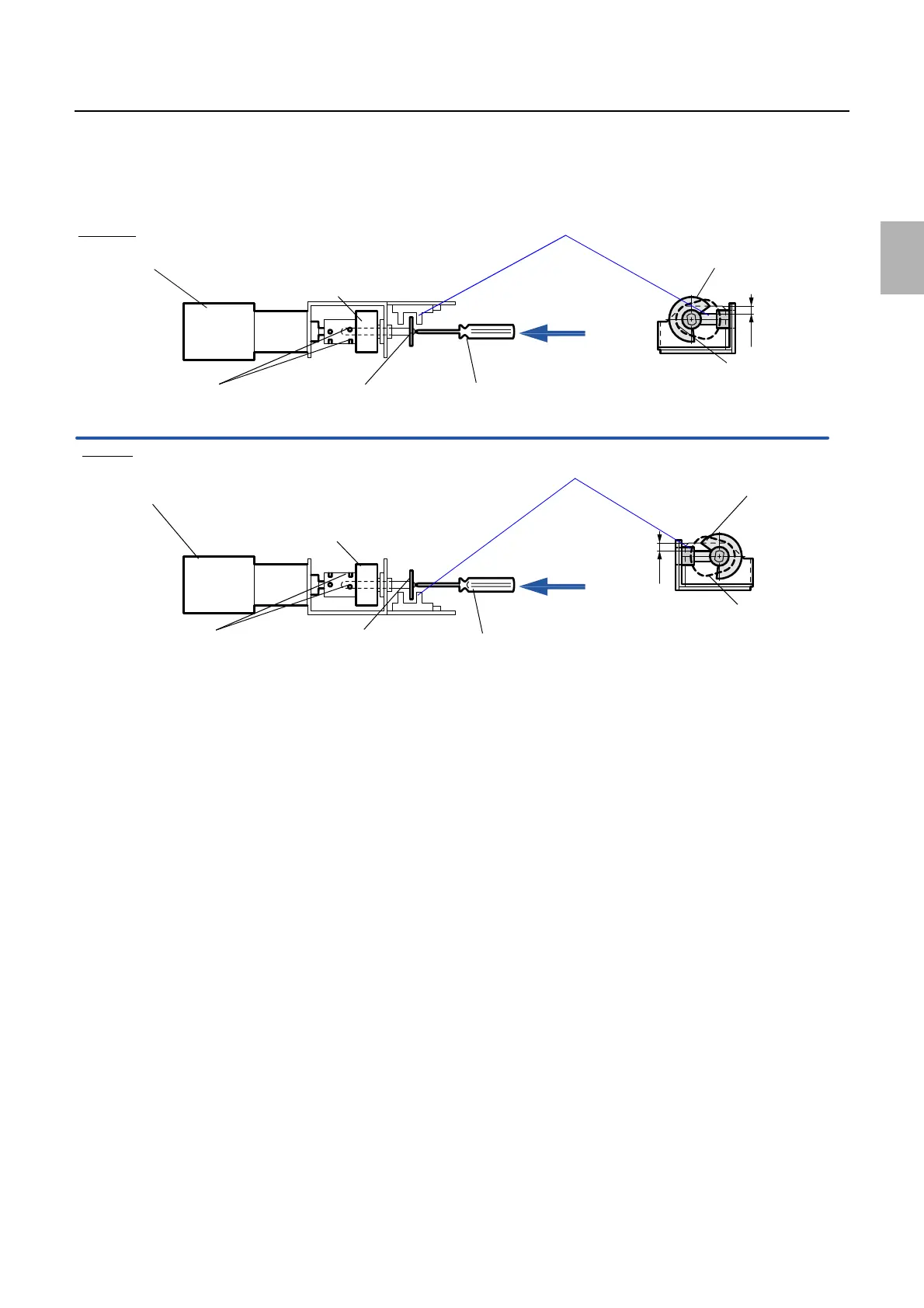
(4) Adjust the position of the detection plate so that the detection plate is protruded by 3.6±0.5 mm from the Paper
Advance Pressure Change Sensor (Left) or Paper Advance Pressure Change Sensor (Right). (Two set-
screws)
Viewed from the arrow
2. Attach the paper advance pressure change motor units (right and left). (three screws each)
3. Attach the lower guides (right and left). (one screw and one nut each)
4. Adjust the position of the arm(s).
☞26570
5. Operate the Paper Advance Pressure Change Motor (Left) or the Paper Advance Pressure Change
Motor (Right) via Output check to check the pressure roller is released when the Paper Advance
Pressure Change Sensor (Left) or the Paper Advance Pressure Change Sensor (Right) is LIGHT.
☞35310
Arm (left)
Arm (right)
Paper advance pressure change motor (right)
Set-screws of the detection plate
Paper advance pressure change motor (left)
Cam
Detection plate
Paper advance Pressure Change Sensors (Left)
Hexagonal screwdriver
View from this side.
Cam
Detection plate
3.6±0.5 mm
Set-screws of the detection plate
Cam
Detection plate
Hexagonal screwdriver
View from this side.
Cam
Detection plate
3.6±0.5 mm
Paper advance Pressure Change Sensors (Right)
G085230
Distributed by: minilablaser.com



 To Next Page