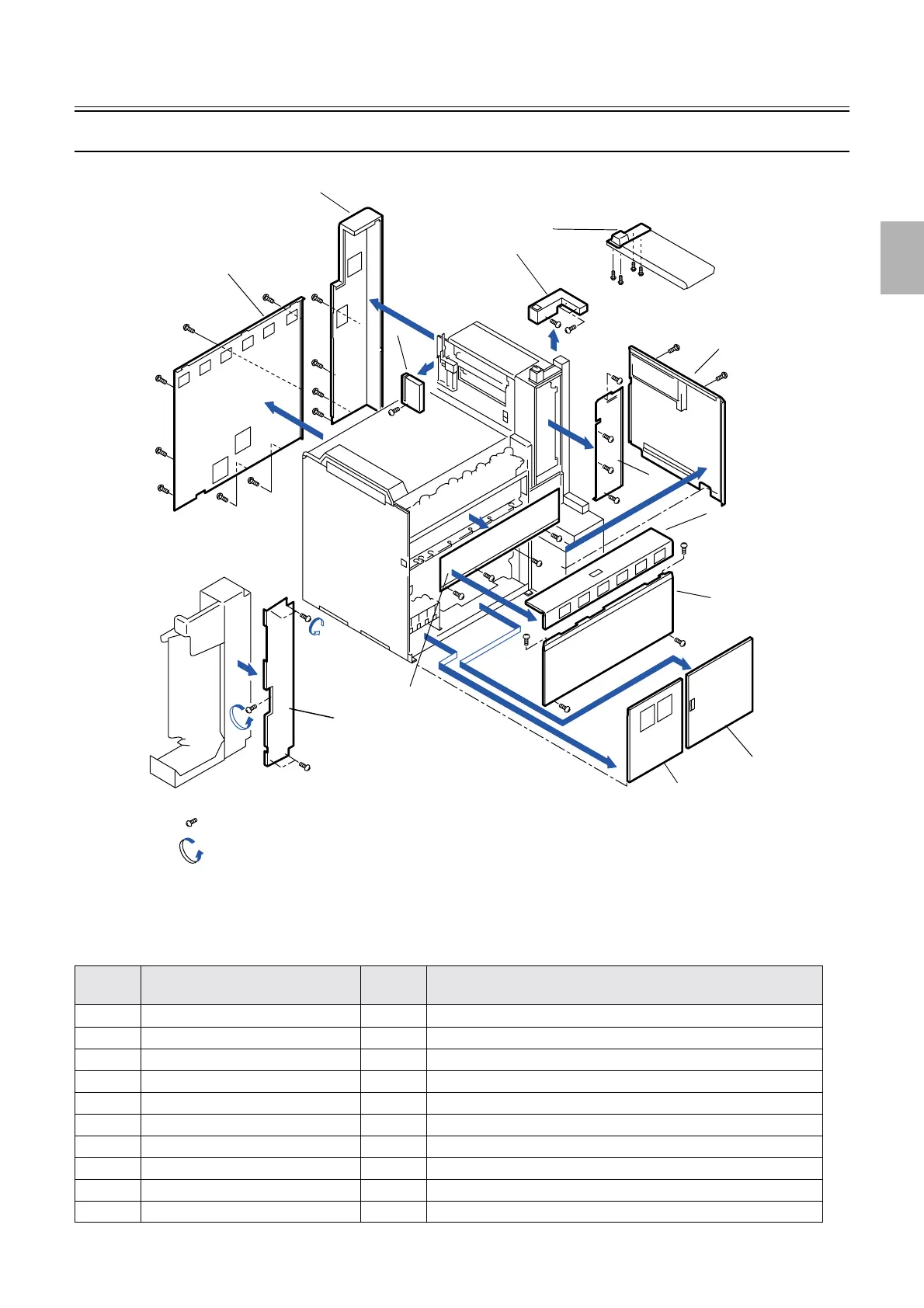
Removing covers
1/2
2. Replacement and adjustment of parts
20020-5
20020-5
Removing each cover (Processor section) [print sorter unit (10-inch type)]
No. Name Screw
(Q'ty)
Remarks
1 Processor cover 1 4
2 Sub-tank top cover -
3 Processor rear cover 2
4 Processor door 1 1 Remove it upward after removing processor cover 1.
5 Processor door 2 1 Remove it upward after removing processor cover 1.
6 Processor cover 4 7
7 Processor drive cover 4
8 Conveyor damper cover 1
9 Connector cover 3
10 Distribution plate cover (
*1
) 4 (5) Remove this after removing processor cover 1.
Remove screws with this mark.
Loosen screws with this mark.
11
10
9
8
7
6
5
4
3
2
1
12
13
G085396
Distributed by: minilablaser.com



 To Next Page