Printer Mechanical Adjustment
1/3
3. Mode
36010
36010
Paper Advance Unit Correction
Bringing up the display
Maintenance: 2260 → Extension → Maintenance → Various Adjustment → Printer Mechanical Adjustment → Paper Advance Unit
Correction
NOTE
• Enter the service personnel password (2260) to configure these settings.
!
!!
! Explanation
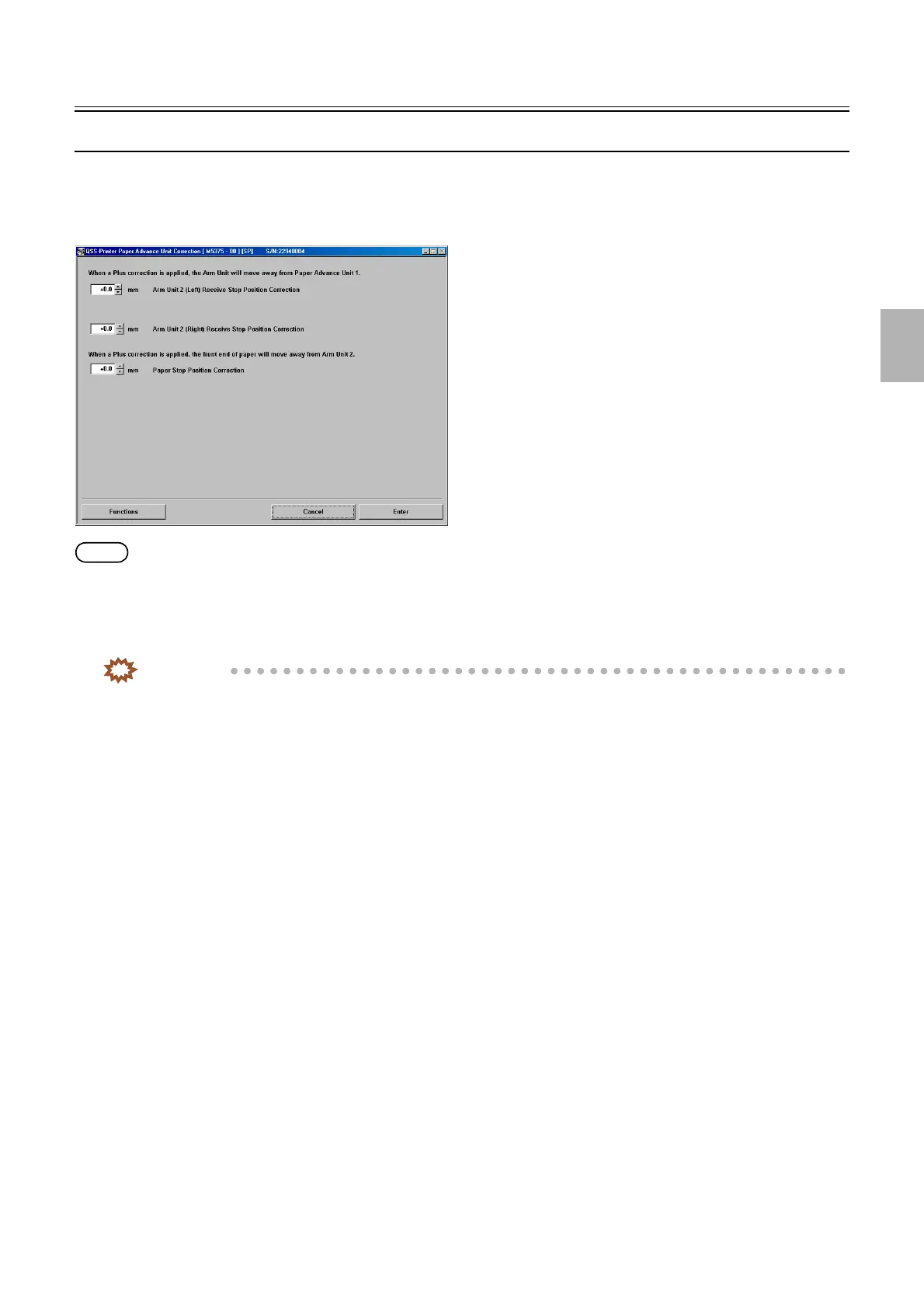
Correct the receive/release stop position of the paper advance unit.
IMPORTANT
• Perform Paper Advance Unit Correction with any of paper magazine A, A2, B or C.
!
!!
! Arm Unit 2 (Left) Receive Stop Position Correction (Initial value: 0.0) (Input range: from −2.0 to +2.0)
The paper receive position of arm unit 2 (left) is corrected.
!
!!
! Arm Unit 2 (Right) Receive Stop Position Correction (Initial value: 0.0) (Input range: from −2.0 to +2.0)
The paper receive position of arm unit 2 (right) is corrected.
!
!!
! Paper Stop Position Correction (Initial value: 0.0) (Input range: from −5.0 to +5.0)
The stop position of paper which is advanced to arm unit 2 is corrected.
!
!!
! Functions
!
!!
! Arm Unit 2 (Left) Receive Stop Position Correction Test Operation
The input correction value is invalidated and the arm unit 2 is moved to the arm unit 2 (left) receive stop position.
!
!!
! Arm Unit 2 (Left) Receive Stop Position Correction Test Operation Confirmation
The input correction value is validated and the arm unit 2 is moved to the arm unit 2 (left) receive stop position.
!
!!
! Arm Unit 2 (Right) Receive Stop Position Correction Test Operation
The input correction value is invalidated and the arm unit 2 is moved to the arm unit 2 (right) receive stop position.
!
!!
! Arm Unit 2 (Right) Receive Stop Position Correction Test Operation Confirmation
The input correction value is validated and the arm unit 2 is moved to the arm unit 2 (right) receive stop position.
M5375-00
Distributed by: minilablaser.com



 To Next Page