Paper supply unit A2
1/2
2. Replacement and adjustment of parts
25710
25710
Paper s upply unit A2
Removing paper supply unit A2
!
!!
! Procedure
Removing paper supply unit A2
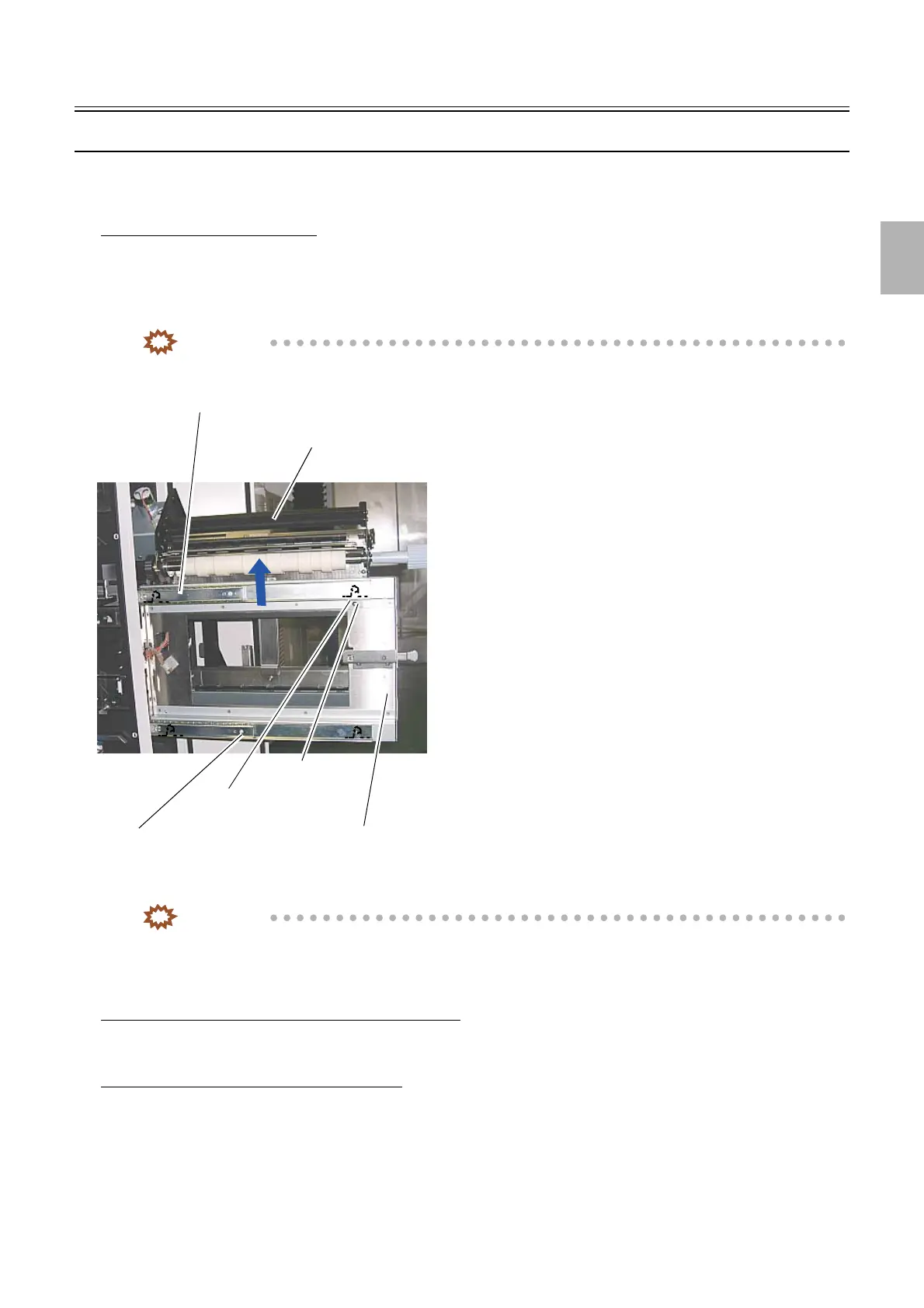
1. Pull out paper supply unit A2.
2. Remove the fixing angle bracket. (one screw)
3. Hold part A and lift up paper supply unit A2 to the direction of the arrow.
IMPORTANT
• Paper supply unit A2 is heavy. Do not drop it and handle it carefully after removing.
IMPORTANT
• Set paper supply unit A2 on the lower rail and then set it on the upper rail.
!
!!
! Adjusting the attaching position
When the original paper supply unit A2 is reattached
1. It is not necessary to adjust.
When the new paper supply unit is attached
1. Adjust zigzagging for paper supply unit A2.
☞26820
2. Perform Paper Sensor Adjustment.
☞36000
3. Perform the paper guide width correction (for each Paper Width).
☞36065
Upper rail
Part A
Fixing angle bracket
Lower rail
Screw
Paper supply unit A2
G086491
Distributed by: minilablaser.com



 To Next Page